
Undetectable Browser vs Gologin: 2026 Updated Review
Today in our series of comparisons I will look at yet another Russian-origin contender: Undetectable Browser. It’s clearly pointed at a very specific tech-savvy audience and has many quirky nuances.
What’s new in 2026 for Undetectable browser? I took a closer look at it, and compared it to Gologin.
TLDR: skip to the end for a quick table with all the main points of comparison.
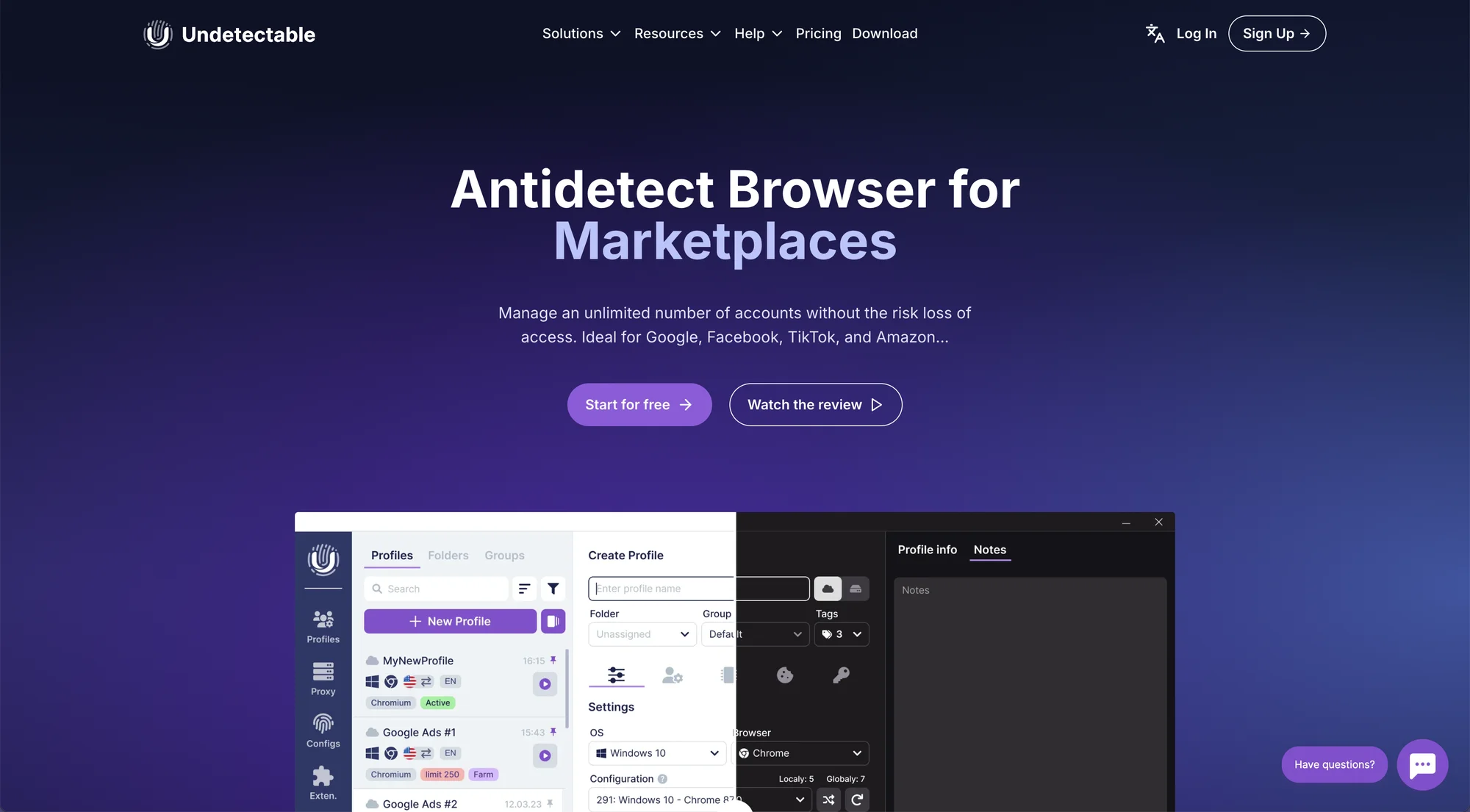
Undetectable Browser: What’s Changed In 2026?
Website
Searching for the Undetectable browser website, make sure you add “browser” to your search request. Otherwise you will scroll through heaps of AI tools and random TV series, but not the browser website.
The Undetectable browser page looks fresh, but gives an impression of a tool for a technical audience.
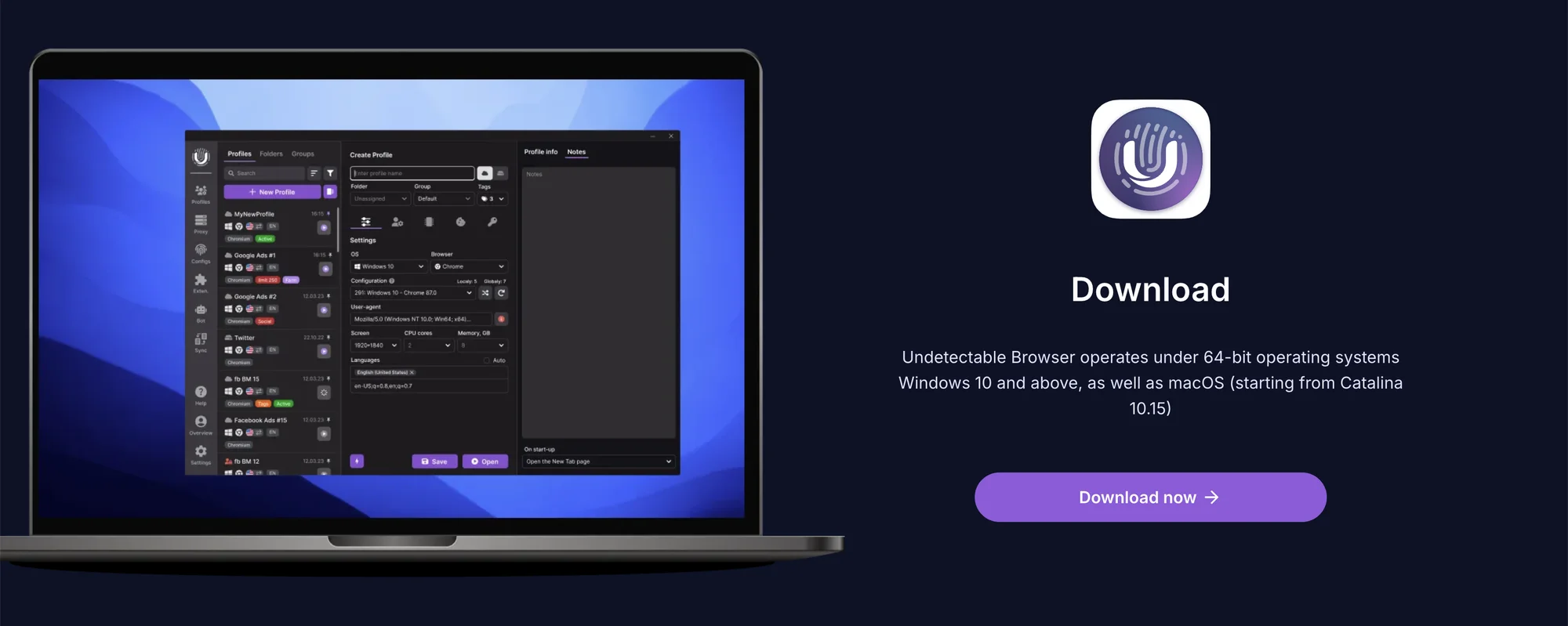 Undetectable is available for Windows and Mac.
Registering
We met no problems setting up a new account on a free plan. The app is available for Windows and Mac, even including a legacy version for Windows 7/8.
After registering on the website, you can continue to an admin dashboard. It is connected to your app’s teamwork controls, but there’s no actual profile work (as in Gologin).
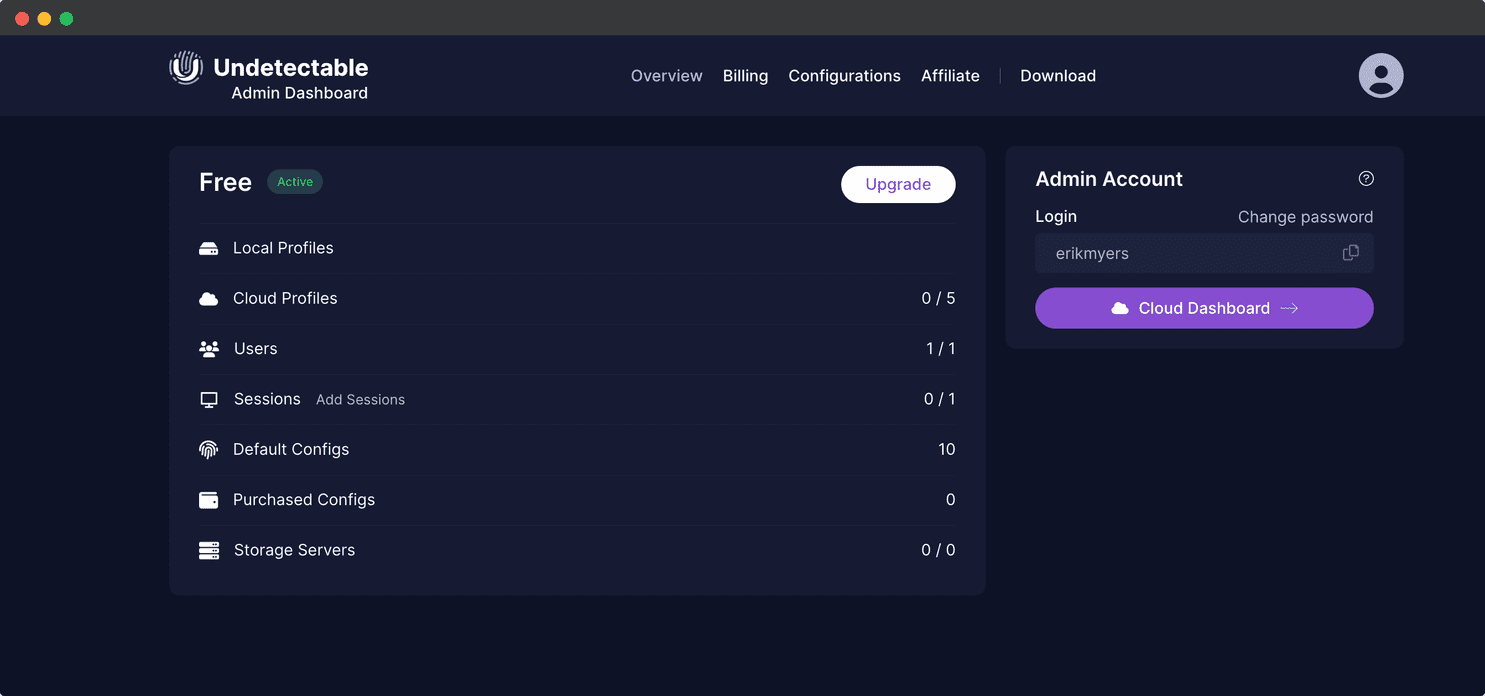 The admin dash had no noticeable changes over 2024.
First launch and UI
I met no technical issues during installation on Mac.
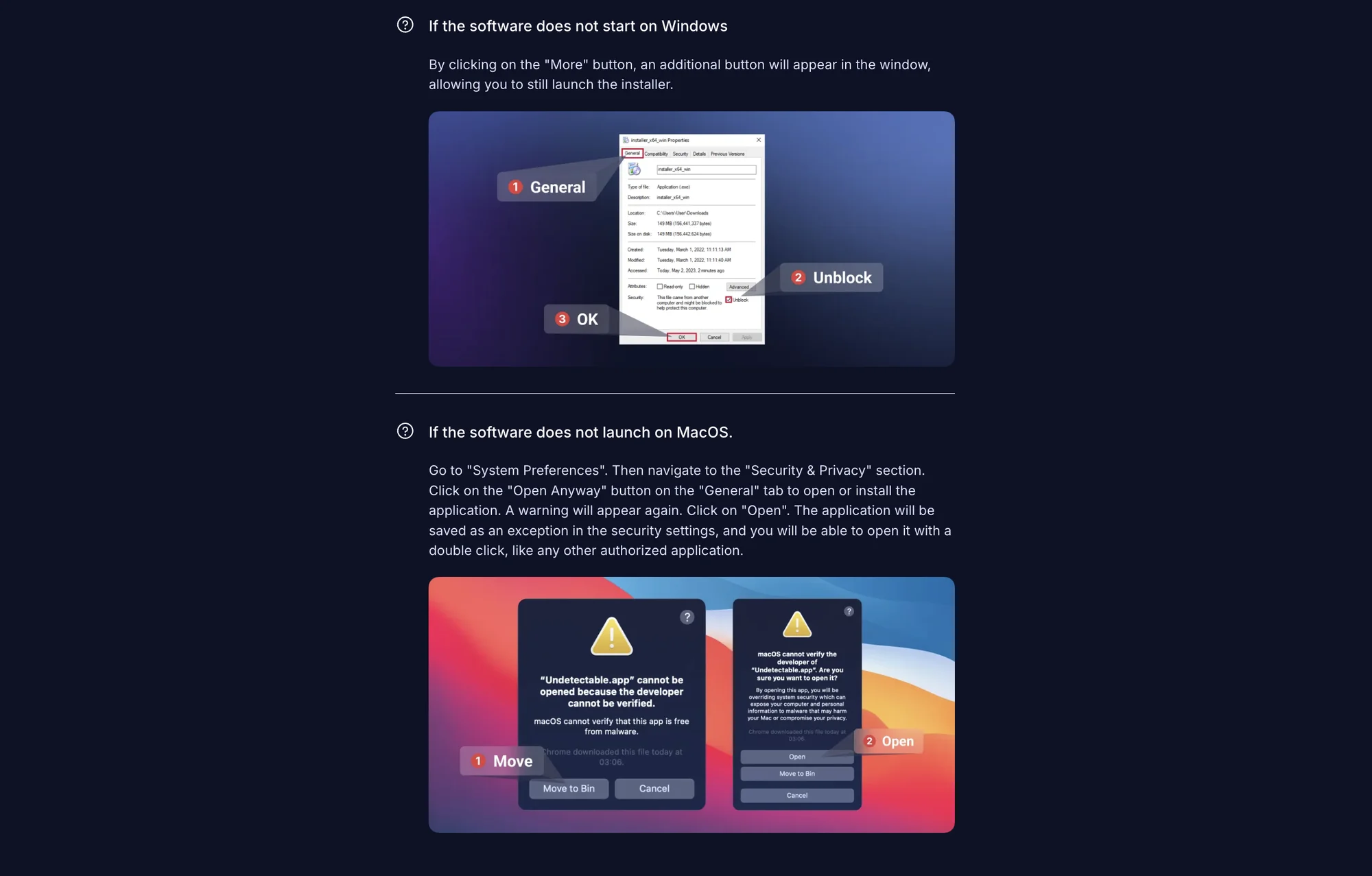 If the app doesn’t run or install, the download page has visual guides on how to add Undetectable into system exceptions.
The UI hasn’t changed in 2026. The multiple window system is still in place just like before.
During the first session, there are no tooltips or tutorial steps for new users. Frankly speaking, Undetectable browser is not made for them in the first place.
Overall, the interface quite specific and quirky. It certainly will take time to get used to, especially if you have used other common alternatives before.
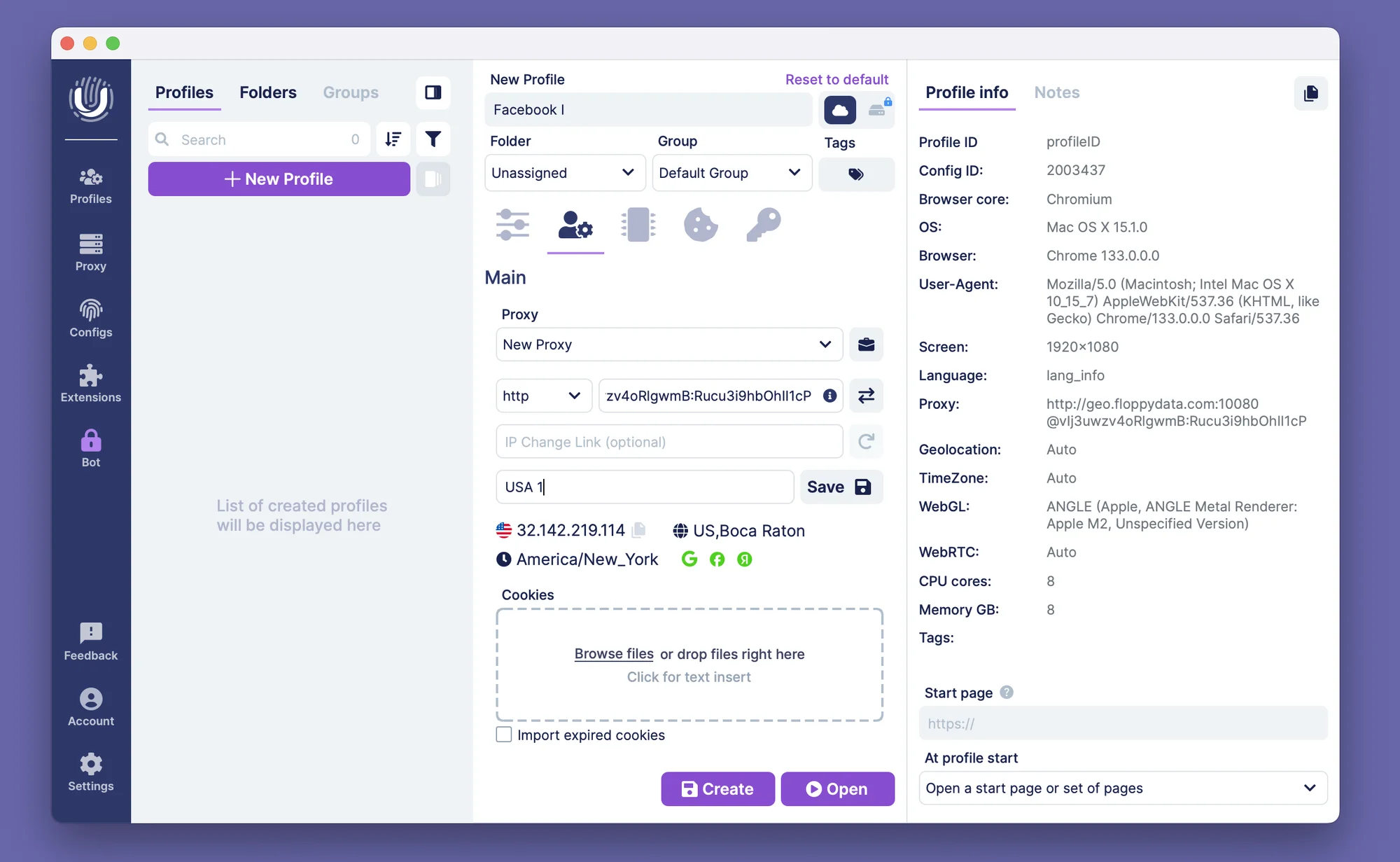 Undetectable’s UI may be a bit overwhelming even for an experienced user.
Undetectable app is a small fixed-size window packed with tiny buttons that does not maximize to a full screen mode.
That led us to the second UI nuance: multiple window work. Every button on the left panel (Profiles, Configs, Proxies, Settings) opens up a new window. For some reason the main Profile table and Profile manager with mass actions are two separate window spaces.
The UI certainly takes more time to get used to than it should.
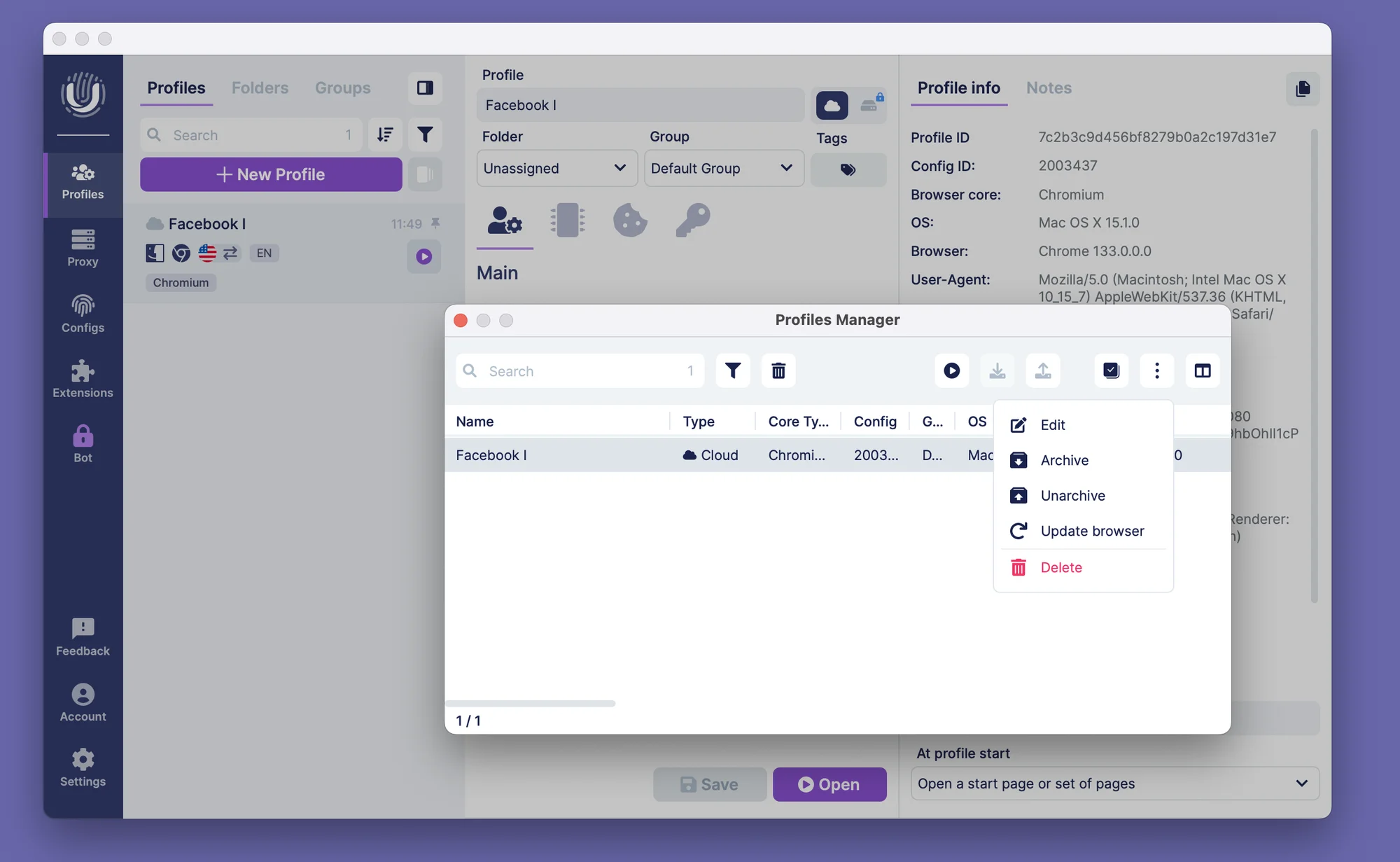 The little switches, indicators and multi-window UI are not necessarily a bad thing, although they took considerable time to get used to. They’re only the beginning of the long eccentric nuances list.
Comfort of Use: Manual Flight Mode
Creating a profile seems straightforward, until you get to the fingerprint settings. Here the fingerprints are called Configs, and they took us the most time and even support requests to figure out. Fingerprinting work is where Undetectable browser differs the most from alternatives.
Creating New Profile: Configs Explained
Undetectable browser includes a limited amount of real device fingerprints (called Configs) into all their packages, free or paid. To create a profile, you need to choose the profile OS, browser core and Config from the list. You can also adjust CPU cores, screen resolution and RAM amount here.

We stumbled on which Config to choose and how to better combine it with the offered manual options, and decided to request support.
The support explained that each Config can be used in multiple browser profiles and it will not cause detection problems. All that needs to be done is changing the offered settings and get to work.
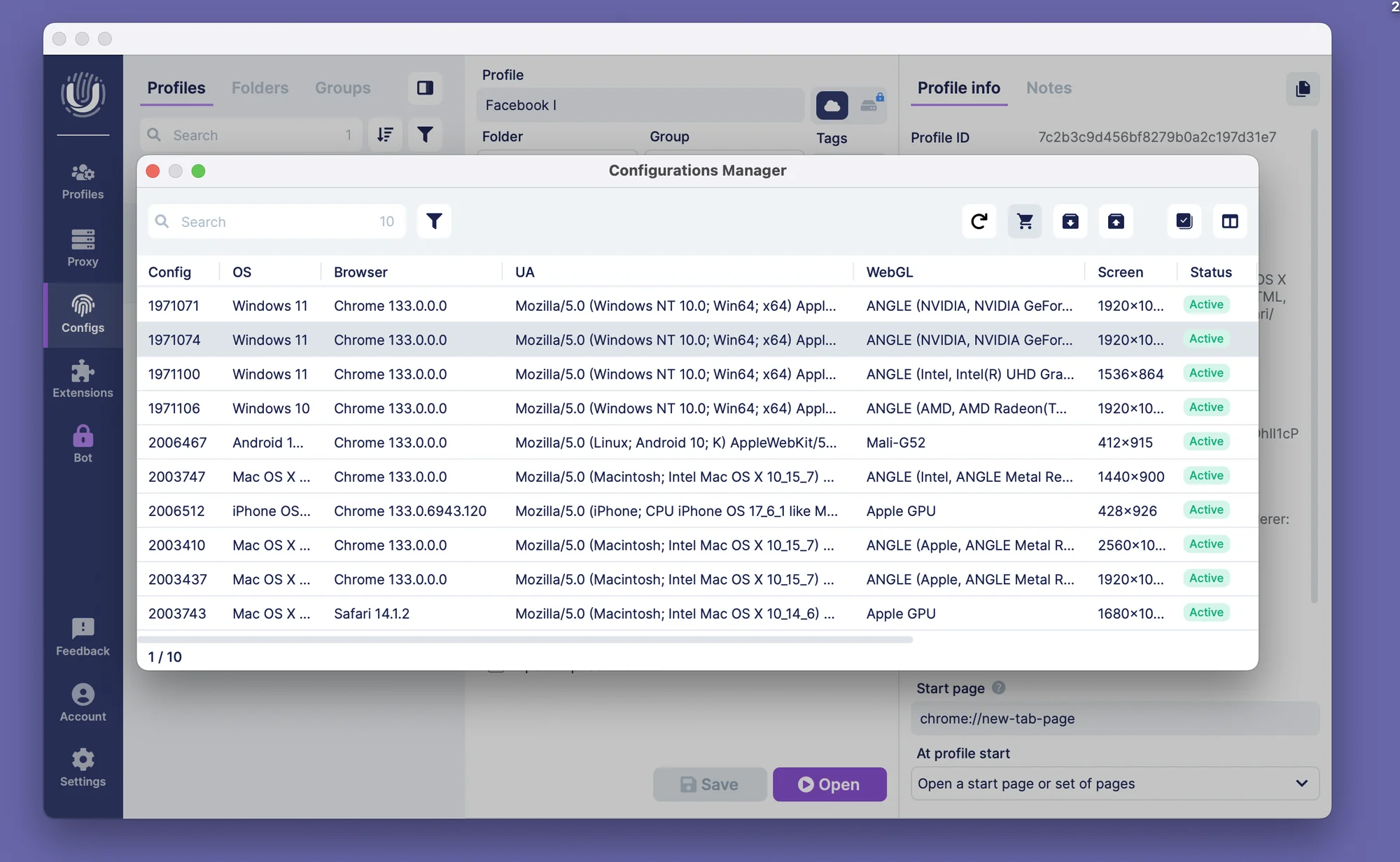
That’s a very strong claim for a completely alternative privacy technology. Modern websites have very strong detection measures for unique profiles and their normality.
Fingerprint Problems
Update: Undetectable’s pricing page now clarifies part of the economics we found confusing. Each paid tier bundles a set number of Configs for free 25 on Base, 50 on Professional, 100 on Custom and additional Configs for paying subscribers now cost $1 each, down from the $2.50 rate we tested on the free plan.
It’s a welcome bit of transparency, though the core issue remains: you still need enough technical understanding to know which of the 350,000 available Configs to actually buy, and how many you’ll realistically need for your use case.
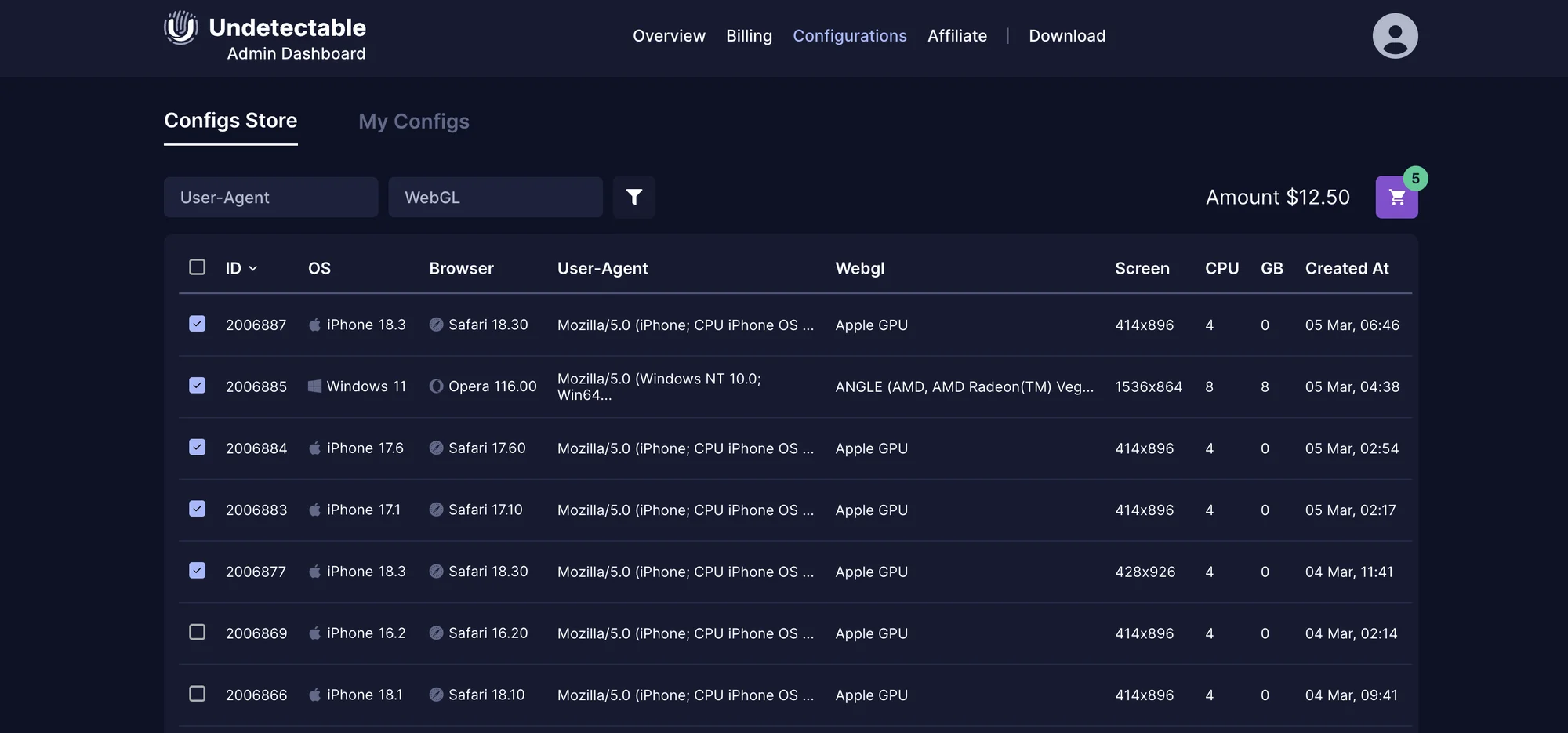
However, the pricing is not a problem compared to this: the user is actually supposed to know how to choose a needed Config from 350,000 available. The Undetectable browser team claims all of these are real.
The user is supposed to know how to figure out the right configs, and buy them $2,50 a piece.
Local and Cloud profile storage
Undetectable offers a unique option: local profile launching and storage. The amount of local profiles is unlimited on any paid plan – that’s why you need to buy the fingerprints. These profiles run extremely fast, but they’re limited to use on one device, which kills the teamwork.
You can even store and launch the profiles on your own private server.
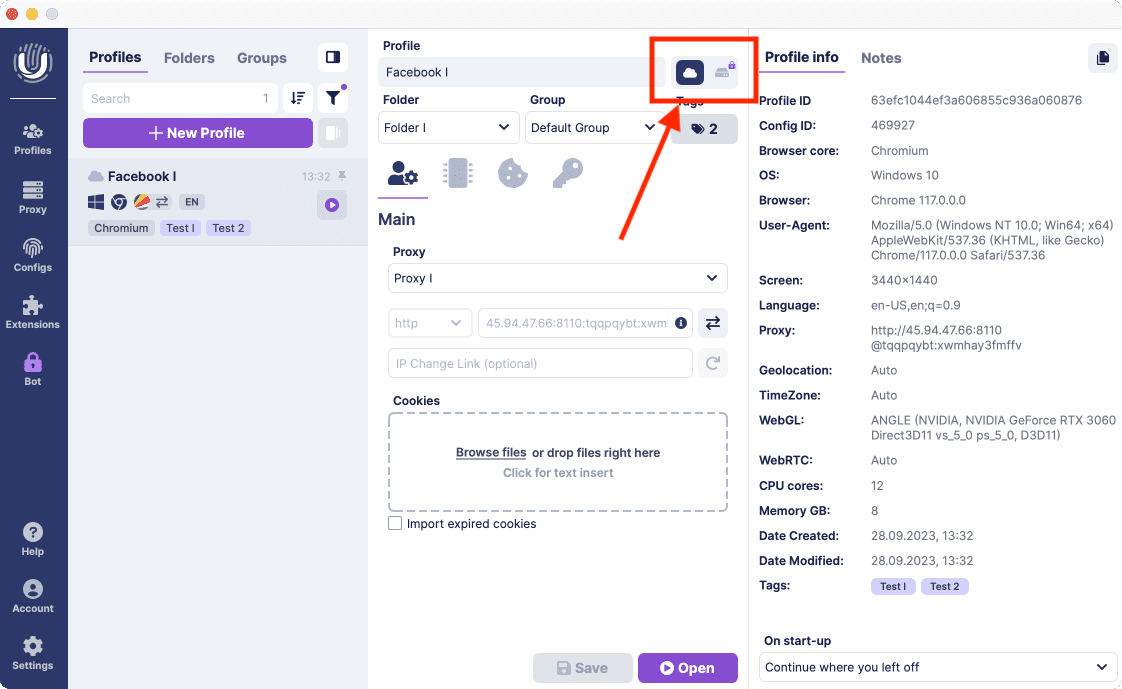 The local profile switch (as well as mass profile creation and mass proxy import) is unavailable on the Free plan.
Local storage seems like a great move for a big solo marketer – if he’s able to actually run 300 profiles using only 25 fingerprints with adjustments. Buying 20 more fingerprints will already cost $50 on top: we’ll get back to the costs later on.
In the end, Local and Cloud storage options are very curious combined in one app. Still, this is yet another stumbling block for a new user. Even for experienced affiliates and webmasters, these options carry a shady commercial value that is impossible to check.
The local storage figures might look good on paper, but there’s no guarantee it will be cost- and time efficient for real work. Let’s try check all of these claims and finally run the profiles.
Running the Profiles
Running a profile requires entering your Chrome password twice.
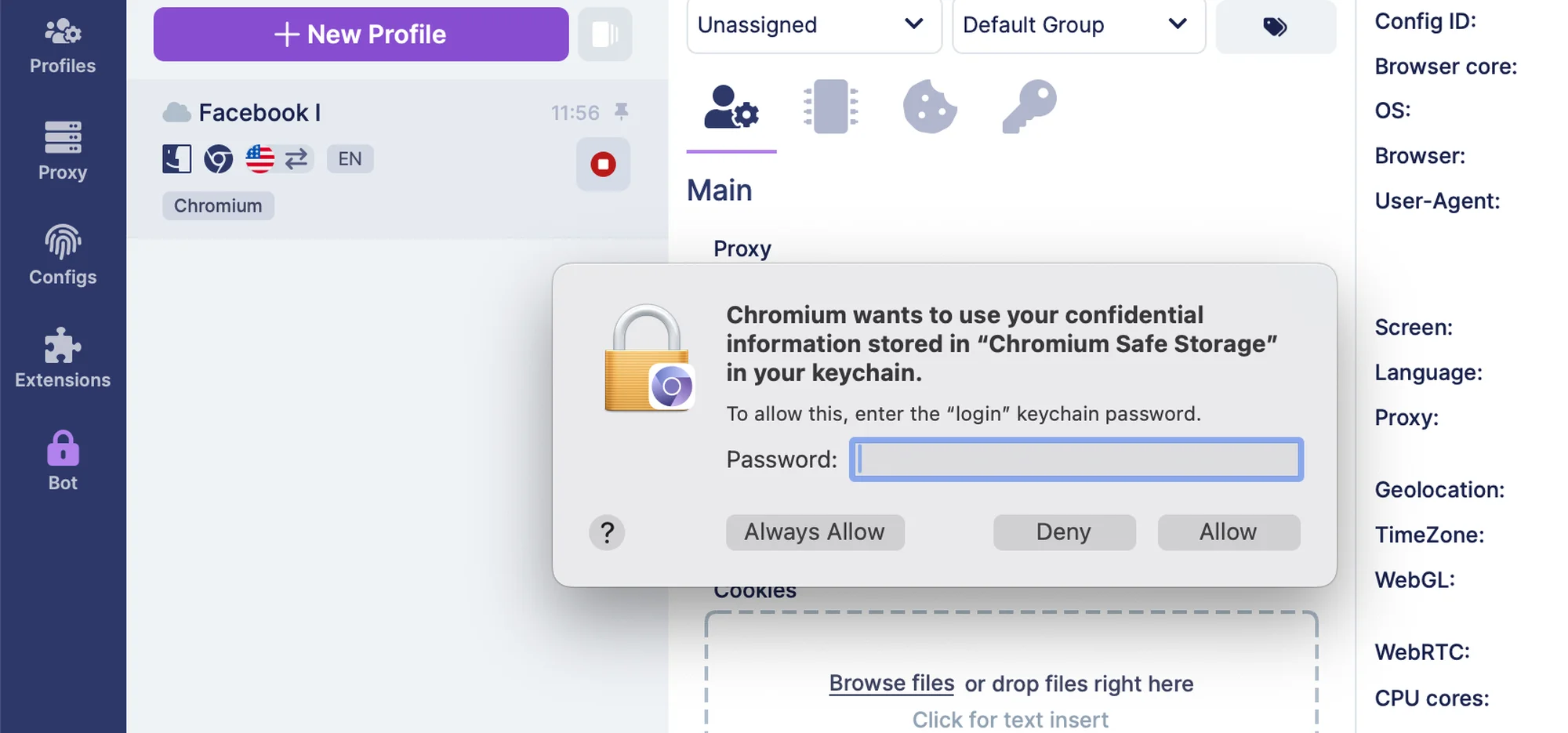 Only share your passwords and personal data with software coming from trusted companies.
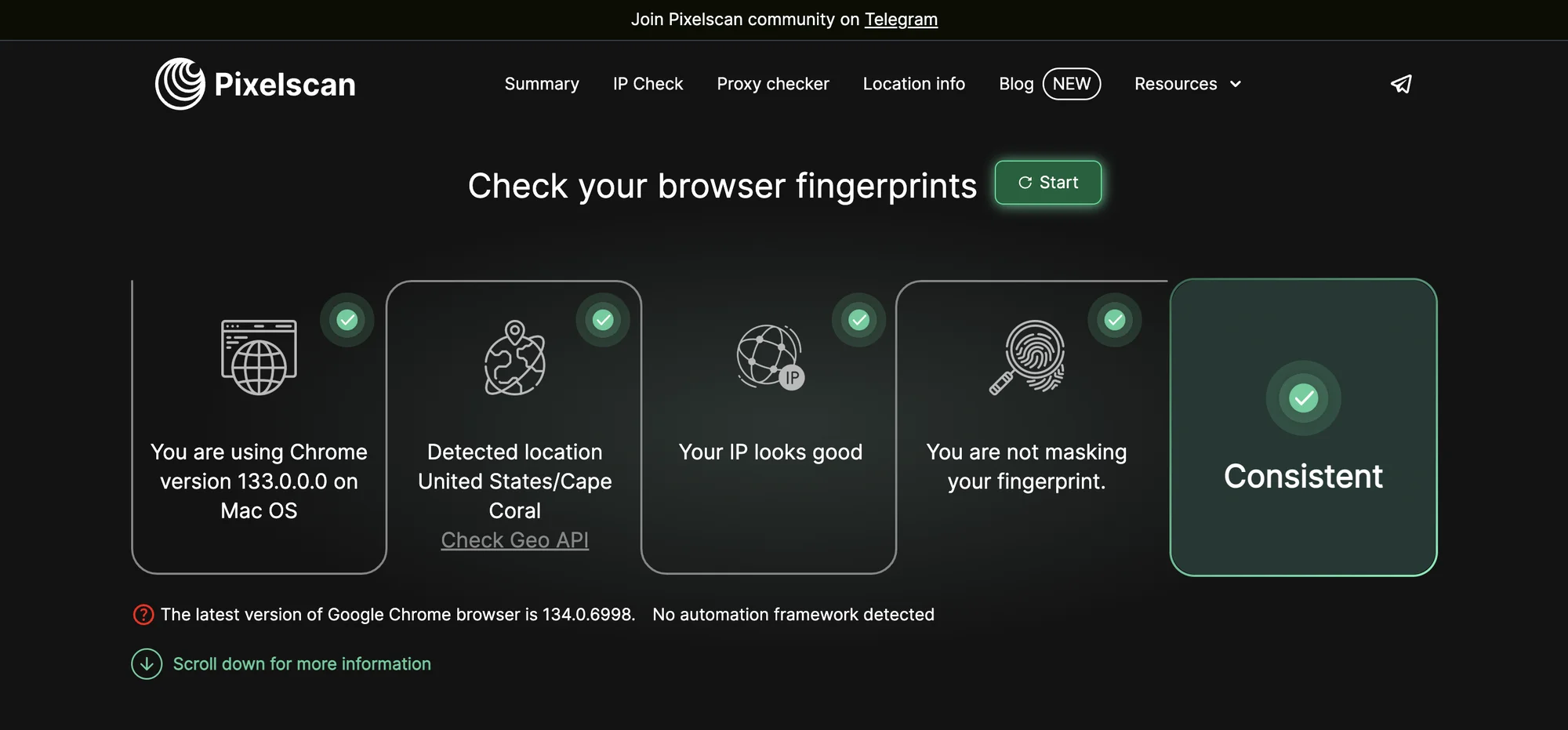
As usual, I tested Undetectable’s default settings profile on Pixelscan.net and Iphey.com.
This time both checkers were passed with no issues, which is a great result – credit to Undetectable team.
Mobile devices and fingerprints
Unlike Gologin, Undetectable browser does not offer mobile or web versions for remote work. Gologin even has a web version with cloud-based profile launch that could be used from literally any device. Undetectable browser offers a web dash, but it’s not meant for actual work.
Undetectable browser supports both Android and iOS mobile fingerprints. This might be a good choice for mobile platform affiliates.
Support and updates
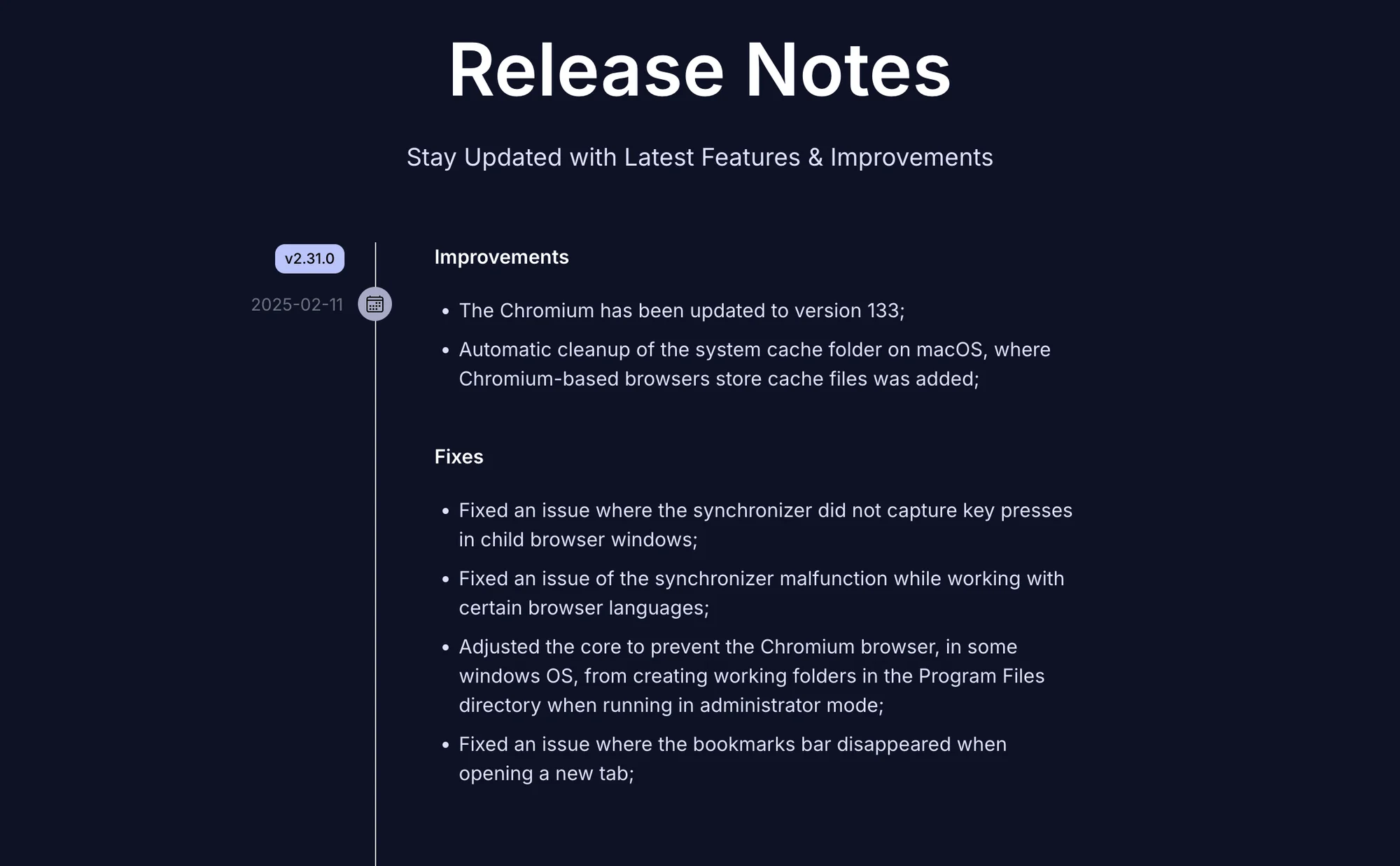
Undetectable browser app updates automatically – we were lucky to meet a big Synchronizer update during our tests. It turned out the synchronizer won’t be available on Mac, so we were not able to see it in action.
Undetectable browser team issues updates about once a month. Not too often, however the update flow is stable.
To make a small conclusion, Undetectable browser feels like a product for tech enthusiasts. It made an impression of a tool that’s under heavy development right now, which might actually be a good sign. As of today, it’s an extremely difficult browser to get used to and learn without good tech experience.
Gologin: What’s New In 2026?
Over last year, Gologin has become even more user-friendly and intuitive.
Compared to the infinite adjustments world of Undetectable browser, Gologin is a great example of how everything can be customized, yet clear and straightforward in one pack.
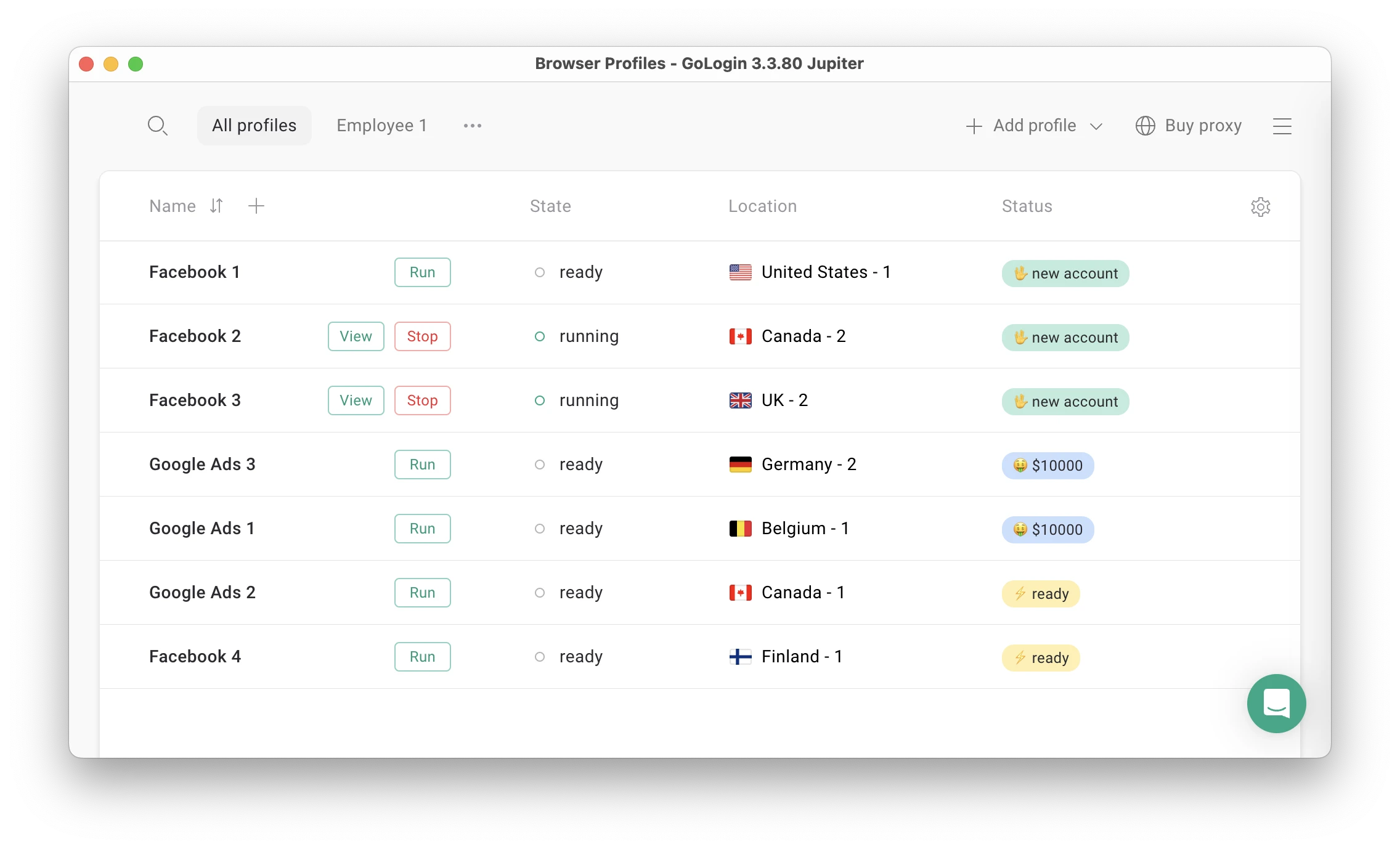 Gologin main screen.
Gologin now includes premium proxies inside the app, with 2Gb in all paid plans renewed monthly. Both Residential and Mobile proxies are available.
Undetectable also offers integration with several proxy providers, however it’s not seamless and is done via API keys.
Features and comfort of use
Unlike Undetectable browser, Gologin has:
- A large database of real fingerprints available on all plans for free
- One-click profile and proxy creation
- 2Gb Proxies included in all paid plans
- 50 adjustable fingerprint parameters for advanced use
- Unlimited amount of device sessions in one account
- Affordable and clear pricing plans with no hidden catch
- Fair team plans with enough cloud-synced profiles and team seats included
- Customizable Profile table
- Mobile app and web version with cloud-based profile launching
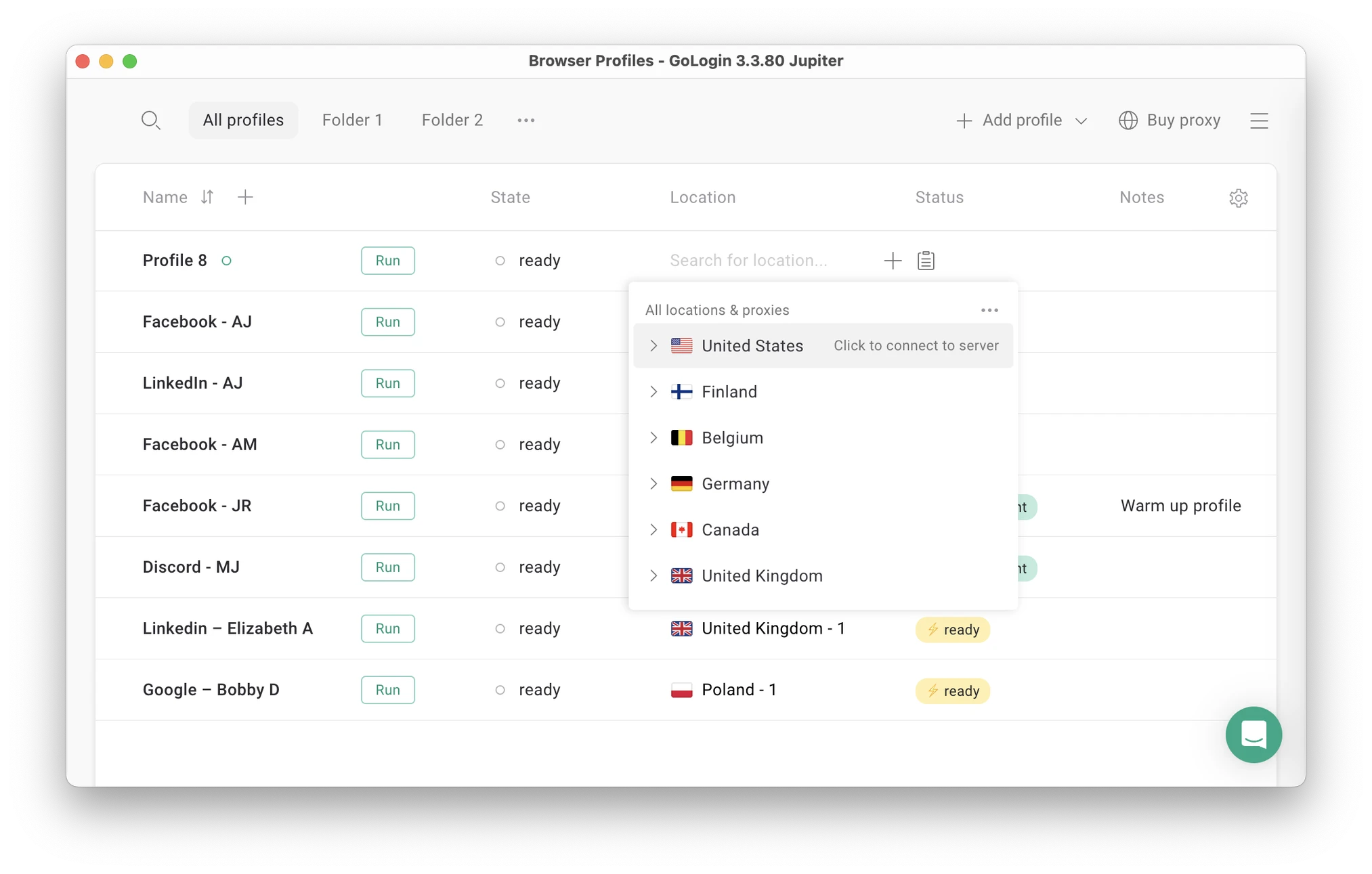 You can now create a profile and assign a proxy in seconds – one click for each action.
Fingerprinting work
Gologin is known to have a good reputation for strong and stable fingerprint work. Users name the long run stability and fingerprint consistency as main reasons for switching to Gologin from alternatives.
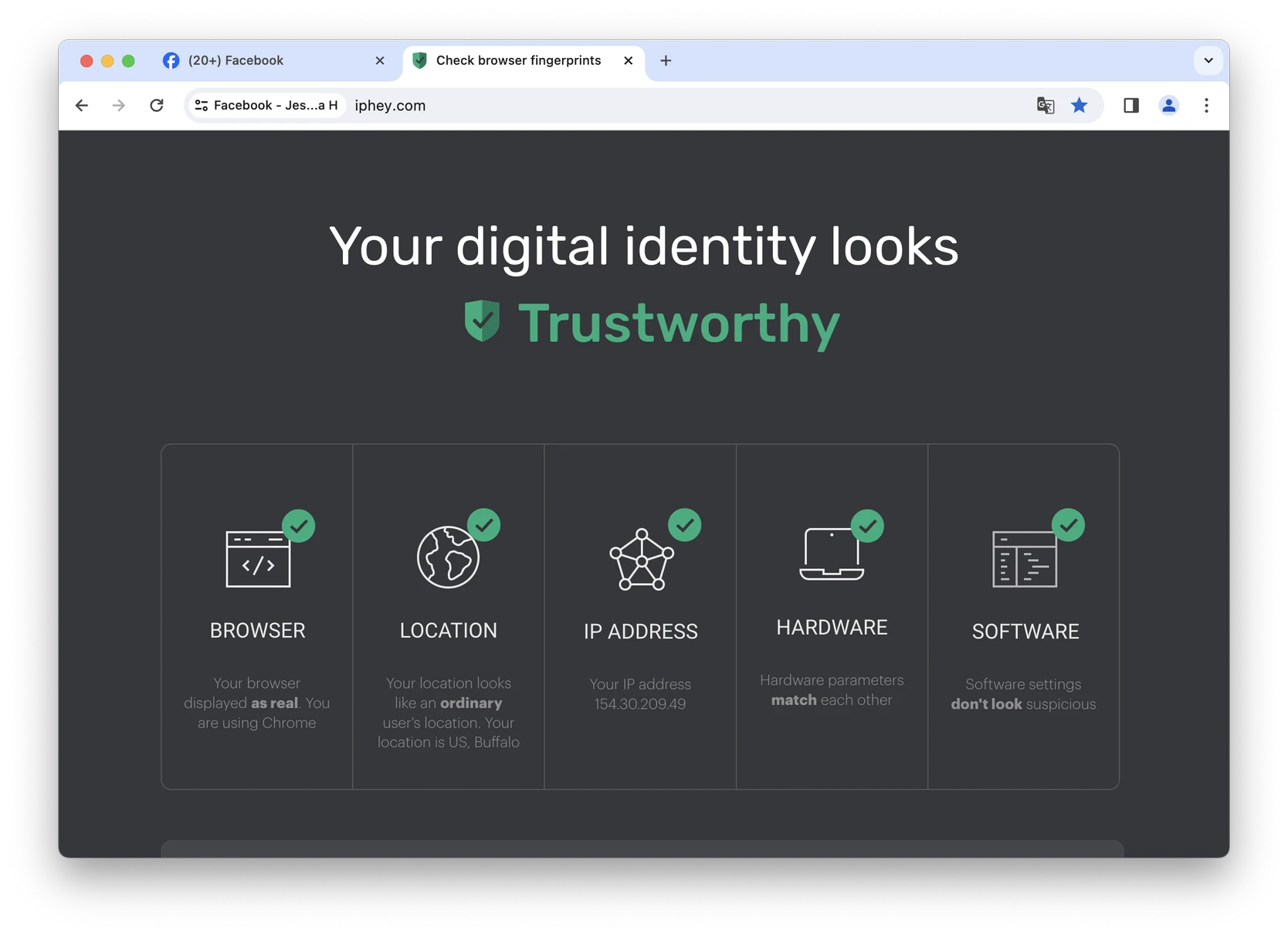
There’s no need to pay extra for more settings, fingerprints or some other mods. Everything needed is already included in the price without the fine print. The default profile settings are already set up for best performance.
Mobile app and web version
Gologin has a web version, which can be accessed from literally any device. You can launch and edit profiles without a computer: they will work on a safe cloud server.
Gologin is also available as an Android app.
Support Quality & Reviews
The 24/7 support team quickly responds to all user requests and tries to help in any situation. Gologin managers conduct user campaigns to collect customer feedback and suggestions, making browser updates as relevant as possible.
Support is available via Live Chat, email, Messenger, Telegram and Whatsapp.
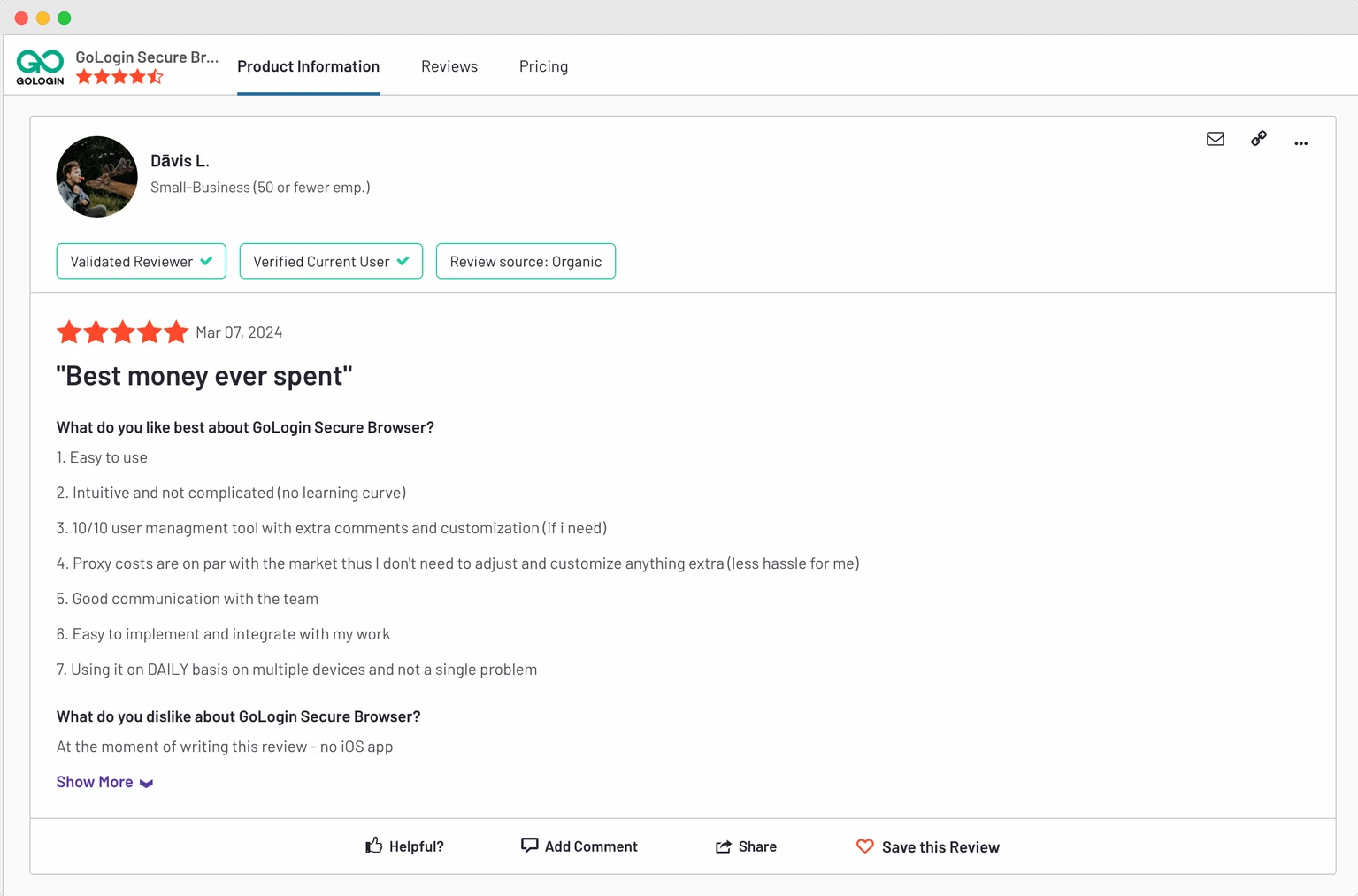 Gologin has more reviews on all common software review platforms: Trustpilot, G2, Capterra and others.
In their feedback Gologin users ofter say their problems were solved by chatting with the team or through browser updates.
Updates frequency
The Gologin team updates the browser several times a month. Updates include everything needed to keep user data safe and take user needs into account. Updates are automatic: you just need to click “Update” and restart the browser.
Clients often praise Gologin for the stable profile work in 24/7 mode without downtime. The uptime stability factor is often the reason why users move from alternatives to Gologin.
Let’s move on to the final part of the comparison: plans and pricing.
Undetectable Browser vs Gologin – Pricing
Both Undetectable and Gologin have seen real changes to their pricing in 2026 and this time, the gap has widened dramatically in Gologin’s favor.

Free plans and trial periods
Undetectable browser offers a free plan, now scalable from 5 to 45 cloud profiles (up from a flat 5), at $10 per extra 10 profiles. There’s still no trial period for paid plan features like in Gologin.
Gologin offers both: a forever-free plan for 3 profiles plus a trial of paid features for 7 days.
Paid plans: Personal use
Undetectable’s first paid plan (Base, 50 cloud profiles) now costs $34/month, down from $49.
A comparable Gologin plan (Professional, 100 profiles) now costs just $9/month (or $4.50/month billed annually) — double the profiles for roughly a quarter of the price. That’s a far wider gap than we found previously, when both plans were priced identically at $49/month.
Both browsers offer an annual payment discount. Undetectable now offers 30% off annually (up from 20%), while Gologin still offers a far more generous 50% discount. A year of Undetectable’s Base plan now runs roughly $286, while a year of Gologin’s Professional plan costs only around $54 — for twice the profile count.
Gologin now comes out more than 5x cheaper, with twice the profiles, no per-fingerprint fees, and more features in the box.
One thing worth flagging: Gologin’s $9/month Professional plan includes zero team member seats — not even one. If you need any collaboration at all, you’ll need to move up to the Business plan.
Undetectable tries to be more flexible, offering extra team seats for $20/user on its Professional plan, or $15/user on Custom. Its $69/month Professional plan includes 2 users by default — something Gologin’s equivalently-priced tier simply doesn’t offer at any price point.
Top tier plans
Undetectable’s Professional plan (100 cloud profiles, 2 users included) now costs $69/month, down from $99.
Gologin’s Business plan costs $119/month ($59.50/month annually) for 300 profiles — three times the profile count of Undetectable’s Professional tier, plus 1 team member included and room to add more, 500 RPM API access, and 2 simultaneous cloud launches. It costs more per month in absolute terms, but works out cheaper per profile ($0.40/profile vs. Undetectable’s $0.69/profile).
Undetectable’s Custom plan (200 cloud profiles, scalable up to 10,200 at $100 per extra 1,000, 5 users included) now costs $139/month, down from $199.
Gologin’s Enterprise plan costs $299/month ($149.50/month annually) for a fixed 1,000 profiles, 800 RPM API access, and 3 cloud launches. For teams that need even more room, Gologin’s Custom plan scales up to $449/month ($224.50/month annually) for 2,000 profiles, 1,200 RPM API, and 4 cloud launches.
As a conclusion, despite Undetectable’s aggressive round of price cuts, Gologin still offers dramatically more value at the entry level, and remains competitive at every tier once you factor in built-in proxies, mobile and web access, and unlimited fingerprint use with no per-Config fees.

Undetectable Browser vs Gologin: 2026 Summary
- With almost no changes, Undetectable is a specific browser requiring a very high technical background.
- Gologin has become even more user-friendly, introducing premium built-in proxies inside all paid plans.
So, we leave you to make your own decision. Here are some questions to help you choose the best antidetect for your situation:
- How many browser profiles do you need?
- Do you need to share profiles with partners?
- How much are you willing to pay for business software?
- Does the browser have a good reputation? What do reviews and forums say about it?
- Can you test the browser for free? If yes, which one suits you best?
To summarize the comparison, we have rounded up some pros and cons. Compare the browsers and count the costs on your own to find the best one.
| Comparison Criterium | Undetectable Browser | Gologin |
| Free plan |
✅ |
✅ |
| Free trial of paid features |
❌ |
✅ |
| Unlimited fingerprint use |
❌ |
✅ |
| Profile local storage |
✅ |
❌ |
| Beginner-friendly |
❌ |
✅ |
| Country of origin |
🇷🇺 |
🇺🇸 |
| Updates frequency |
✅ |
✅ |
| Affordable paid plans |
❌ |
✅ |
| Suits well for teams |
❌ |
✅ |
| Mobile app |
❌ |
✅ |
| Profile cloud launch |
❌ |
✅ |
| In-app proxies |
❌ |
✅ |
| Support quality |
✅ |
✅ |

Read other posts about Reviews of browsers:
- Kameleo browser review
- Best virtual browser
- Multilogin chrome browser
- Adspower browser vs gologin
- Morelogin browser alternative
- Incogniton vs gologin
- Best proxy browser
- Browserjet review
- Roxybrowser review
- Gologin vs hidemium
- Xlogin review
- Insomniac browser review
- Swspybrowser review
- Yunlark review
- Loginways review
- Nstbrowser review
- Hydraheaders browser review
- Maskfog review
- Vision-browser review
- Ultimate orb review
- AntBrowser-browser-review
- Vmlogin browser review
- Gologin-vs-identory
- Gologin-vs-switch antidetect
- Antikbrowser review
- Camoufox review
- Geelark review
- Dicloak online browser
- Vmmask antidetect browser
- Hidemyacc browser review
- Rebrowser review
- Session-box-vs gologin
- Multibrowser-review
- Accovod-vs-gologin
- Xbrowser review
- Bitbrowser-review
- Fingerprintswitcher
- Aezakmi browser review
- Marketerbrowser review
- Genlogin browser review
- Linken-sphere review
- Indigo-browser
- Xpass browser alternative
- Wade browser review
- Surfinite review
- Lalicat-browser review
- Masq-antidetect review
- Octo-browser vs gologin
- Dolphin-anty vs gologin
- Mulogin review
- Aqum-browser review
- Lauth review
- Che browser vs gologin
- Logii review