
Multilogin Chrome Browser Alternative: Updated 2026 Review
One thing worth flagging upfront is that Multilogin did not consistently pass fingerprint checks on IPhey during our tests. Some browser-level traits remain identifiable even with default profiles, and visibility on public fingerprint checkers like IPhey can correlate with increased scrutiny from major platforms such as Facebook something that’s worth bearing in mind when planning long-term multi-account workflows.

Today, as part of my series of comparisons, I will look at a popular contender in the marketing browser niche: Multilogin.
Multilogin has a solid reputation of a working app which has been around for a while. It is also notorious for its high prices, different support for different size clients and moving to a web-based app.
What’s new in 2026, and has Multilogin improved over last year? Let’s see!
TLDR: skip to the end for a quick table with all the main points of comparison.
Updated Summary Table: Multilogin vs Gologin
| Comparison Criterium | Multilogin X | Gologin |
|---|---|---|
| Free plan | ✅ (now 5 profiles, up from 3) | ✅ (3 profiles, permanent) |
| Free trial period | ❌ (paid 3-day trial only, €1.99) | ✅ (7 days, no card required) |
| Feature-rich | ✅ | ✅ |
| Comfort of use | ✅ | ✅ |
| Beginner-friendly | ✅ | ✅ |
| Country of origin | 🇪🇪 | 🇺🇸 |
| Updates frequency | ✅ | ✅ |
| Affordable paid plans | ⚠️ (Pro/Business tiers cut roughly in half since our last check — gap with Gologin has narrowed significantly) | ✅ |
| Annual discount depth | ⚠️ (now 35%, up from 25%) | ✅ (50%, unchanged) |
| Mobile app | ⚠️ (no dedicated app, but real Android cloud phones billed by the minute) | ✅ (Android app, flat-rate) |
| Cloud phones (real Android hardware) | ✅ (new: core product pillar) | ❌ |
| Dual browser engines | ✅ (new: Mimic + Stealthfox) | ❌ (Chromium-based Orbita only) |
| Profile cloud launch | ✅ (browser profiles) | ✅ |
| In-app proxies | ✅ (bundled traffic on every paid tier) | ✅ (2GB flat on every tier) |
| Support quality | ✅ (G2 Best Support award) | ✅ |
| Team seats included | ✅ (unlimited on Business) | ⚠️ (added individually from Business tier up) |
Multilogin: What’s Changed In 2026?
The biggest change isn’t a feature, it’s what Multilogin has become. The platform now positions itself as “Cloud Phones & Browser Profiles in One Platform,” and cloud phones (real Android hardware hosted remotely, not emulation) are now a core product pillar alongside browser profiles aimed squarely at TikTok, Instagram, and Reddit account management.
This is a meaningful repositioning from the browser-only tool we reviewed previously, and it’s worth keeping in mind throughout this comparison: pricing, bonuses, and even team seats are now structured around a combined browser-plus-mobile offering, not browser profiles alone.
The free plan has also grown more generous. It’s now capped at 5 profiles (up from 3), and includes one-time bonuses of 200 MB of premium proxy traffic and 30 cloud-phone minutes, no credit card required, no time limit.
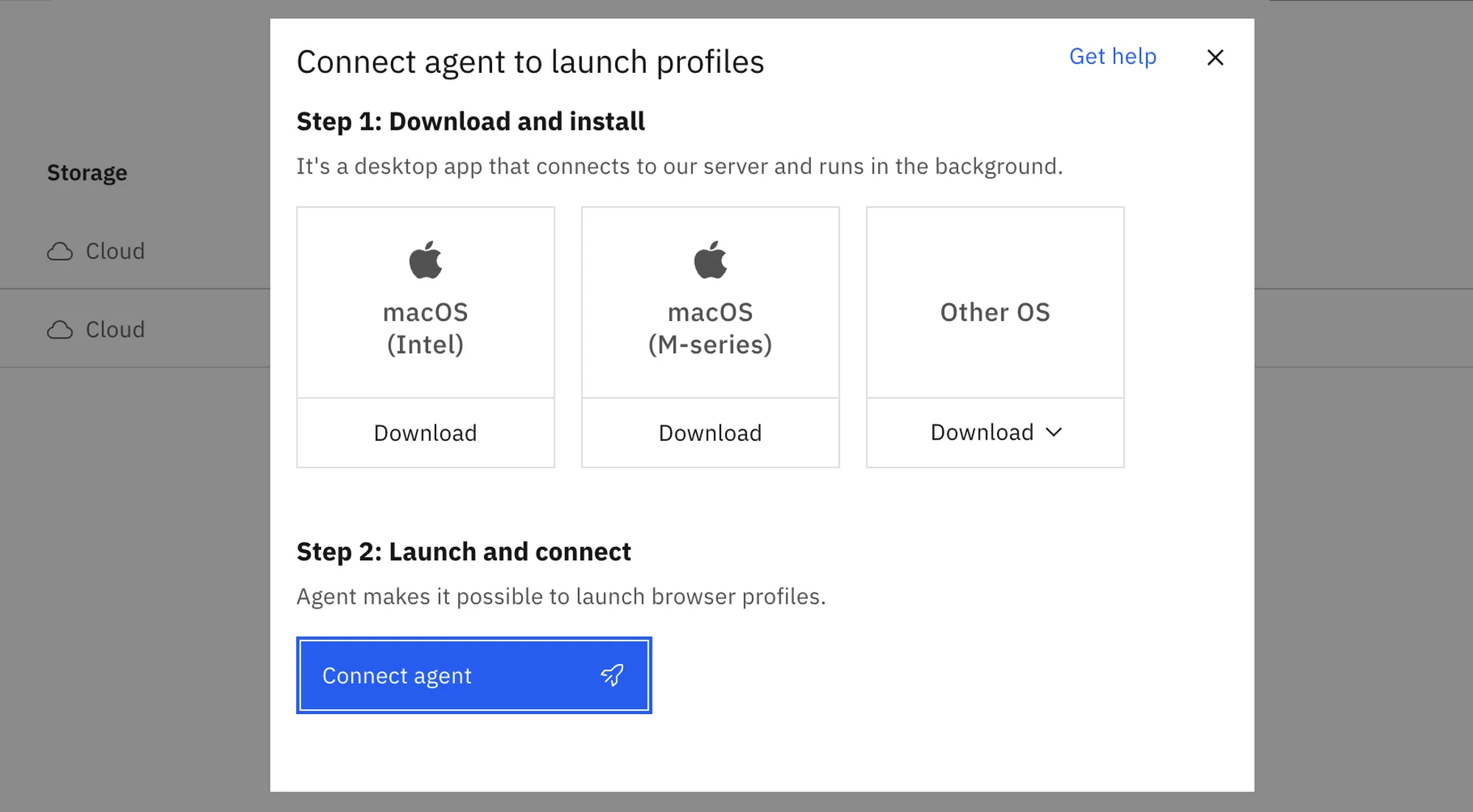
As you may know, Multilogin is now a web-based app only, which now requires a desktop agent to work.
That’s not a problem, however during my test session I could not install it on my Mac. The app simply wouldn’t appear on Applications, creating an empty folder.
I dropped a message to Live chat to find out the desktop agent only supports MacOS 14 and higher (my OS being v13.5 on 2023 Mac M2 which is not too old).
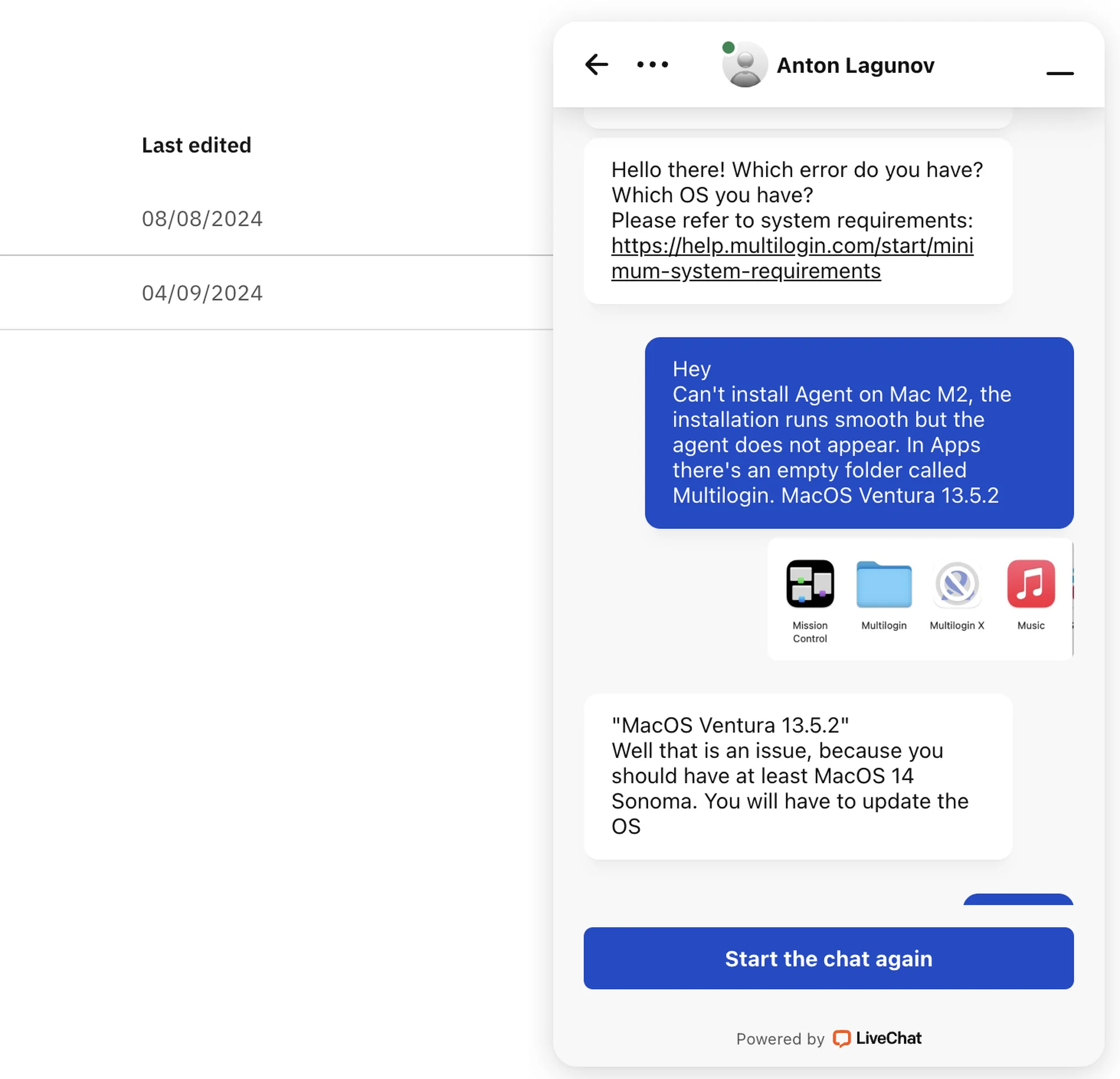 The live support help was instant, however I had to spend a couple hours updating my OS which wasn’t necessary before.
Tackling down the desktop agent issue, registering is no more complicated than with most other browsers.
Nuances like this can be painful for people with older devices, or less time for major OS updates. The web app is a great idea on paper, however in reality the browser on the whole turns out to be less usable.
Features & UI: Old Dog, New Tricks?
The web app has a good clean UI that raises no questions. Everything is simple and straightforward. However, the functionality is still sparse, at least on the Basic test plan.
Compared to most competitors, in 2026 Multilogin still feels outdated and offers only most basic features. I will try to show some facts.
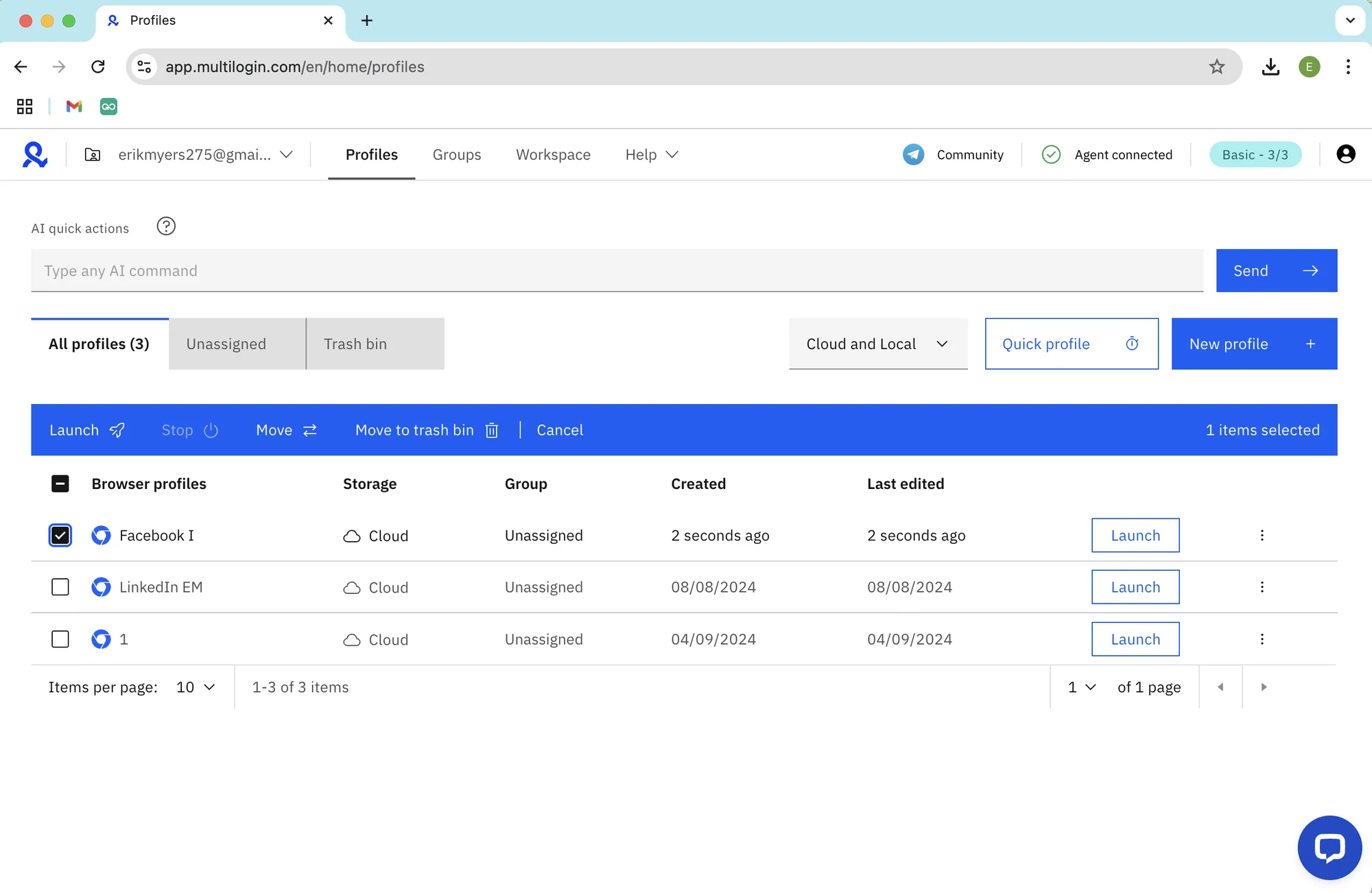 Multillogin X main screen, with mass actions bar on.
Main Screen
Overall, the web app UI hasn’t changed a lot since 2026.
The main profile table screen looks clean at first, but it’s still limited, allowing only for basic use. Profile table cannot be customized. By default you can’t see your proxy, put a tag on or see when you last checked with the account.
There is a small side settings bar, which seems obsolete to me.
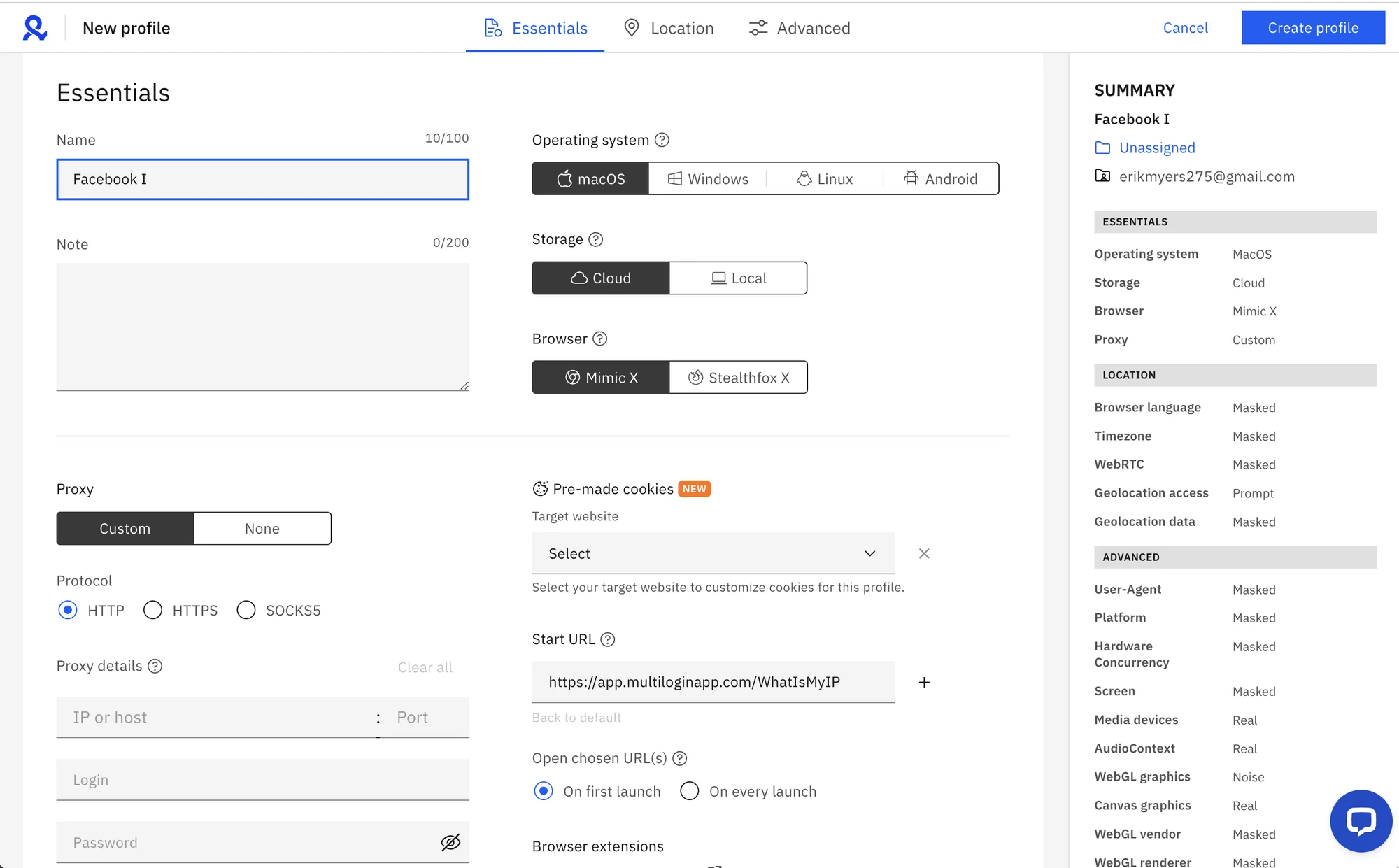 There’s not a lot to switch. Only critical Multilogin fingerprint settings can be adjusted. More advanced settings like custom screen resolution, RAM, CPU and others are absent.
Profiles in Multilogin X web app launch with regular speed, but stop a bit slower than usual.
Proxy Integration
To import proxy, you need to manually paste and check the proxy credentials for every single profile.
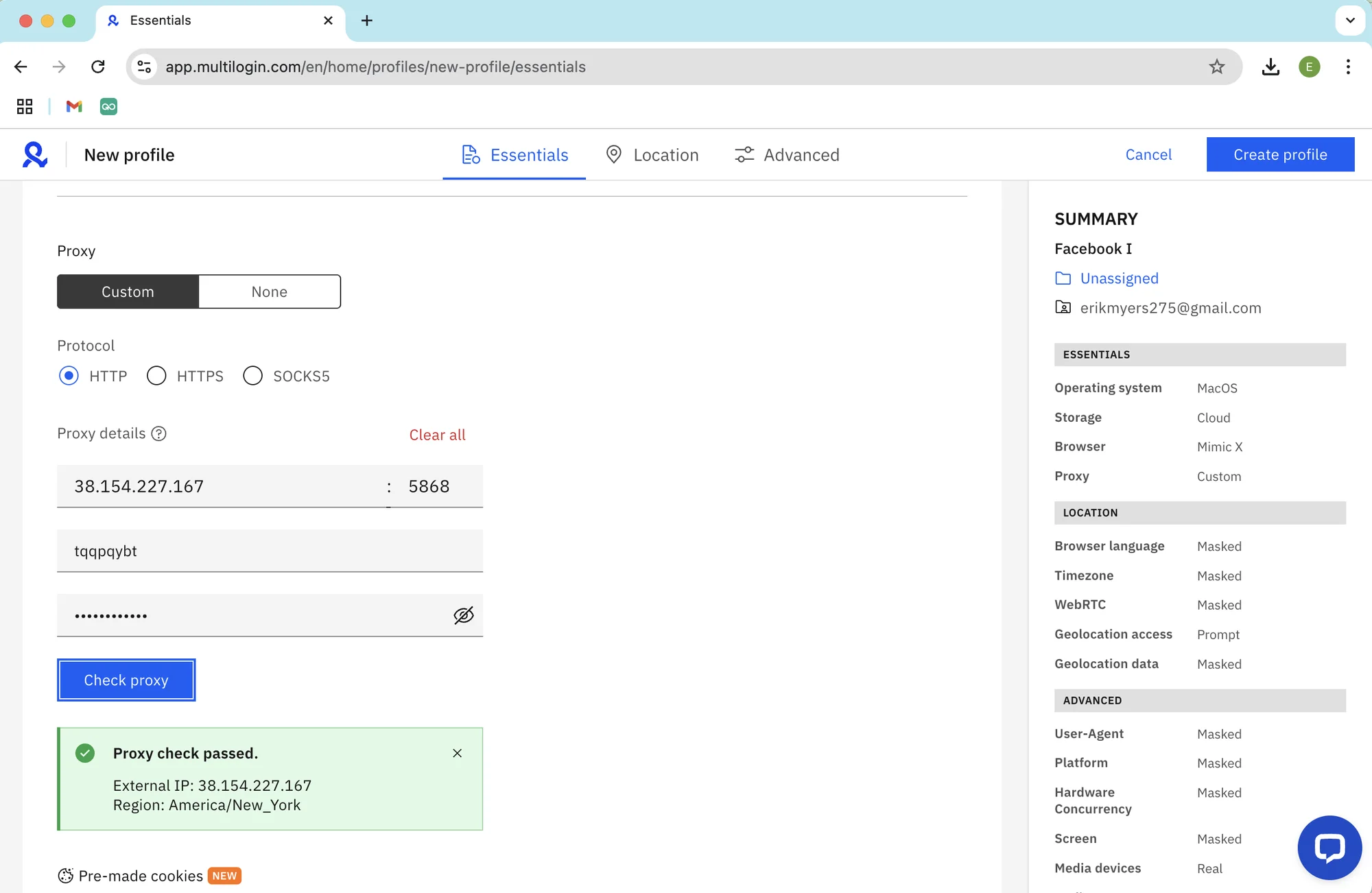 Adding a proxy to a profile in Multilogin X.
I need to notice Multilogin now offers built-in proxies together with some proxy traffic on the paid plans. It’s a great addition to overall usability and user friendliness.
I could not try built-in proxies out during my test on Basic, so will not conclude on the quality.
AI Commands
The recently introduced AI Commands (found on top of the profile table) cannot be tested on Free plan. However, they can be a great help if applied correctly – especially in controlling a large amount of profiles with proxies.
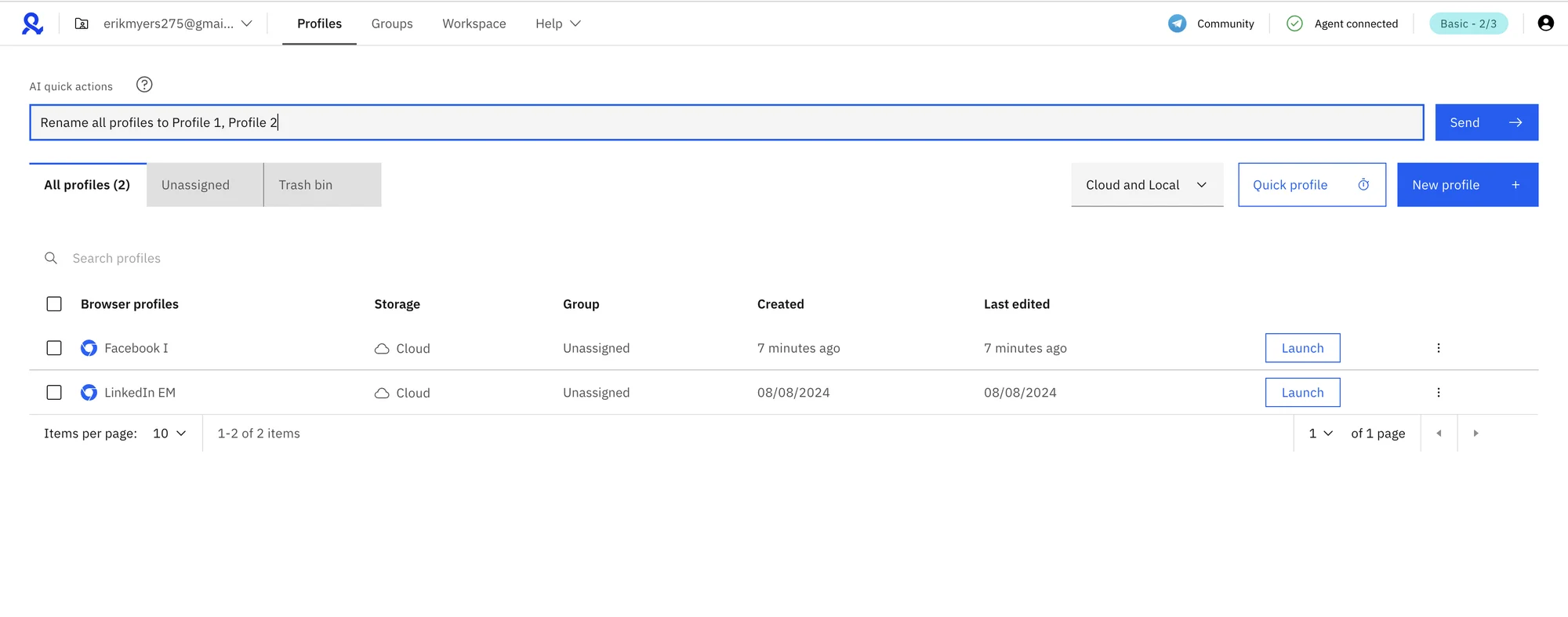 AI command line in Multilogin X.
Be sure to test the AI features out on non-critical profiles, especially working with proxy IPs. AI features can be extremely useful, however you need to know exactly what’s being done to avoid risks after a badly made request.
Dual Browser Engines
Multilogin’s feature comparison now explicitly lists support for two browser engines,branded Mimic and Stealthfox, letting you run some profiles on a Chromium-based engine and others on a Firefox-based one. This wasn’t something we tested previously, and it’s worth exploring if engine-level diversity matters for your anti-detection strategy, since it’s a genuine anti-correlation lever Gologin doesn’t offer (Gologin runs exclusively on its own Chromium fork, Orbita).
Mobile Apps, Fingerprints & Remote Work
Unlike Gologin, Multilogin does not offer mobile apps for remote work. The Chrome Multilogin web app cannot be used from any device, requiring a desktop agent. That means Multilogin would at least require a modern laptop for remote work.
Considering mobile fingerprints, in 2026 Multilogin offers Android fingerprints which is a good feature addition.
Update:
Beyond Android fingerprints, Multilogin now offers actual cloud phones, real Android hardware (versions 10 through 16, roughly 30 device models) hosted remotely and billed by usage minutes rather than a flat fee. This is a meaningfully different remote-work story than what we tested before: instead of emulating a mobile fingerprint inside a desktop browser, you’re operating a genuine Android device over the cloud.
Minutes are bundled into every paid tier (60–450+ depending on plan) and can be topped up separately starting around $0.0067–$0.0073 per minute at volume. It’s a more capable mobile story than Gologin’s Android app, though it comes with a usage-metered cost structure Gologin’s flat-rate mobile access doesn’t have.
Support, Safety & Updates
Multilogin is known for good update frequency and high quality support. I have seen some user feedback about different support levels for different tier clients, however I’m not sure if this trend continues as I received very quick feedback on Free plan.
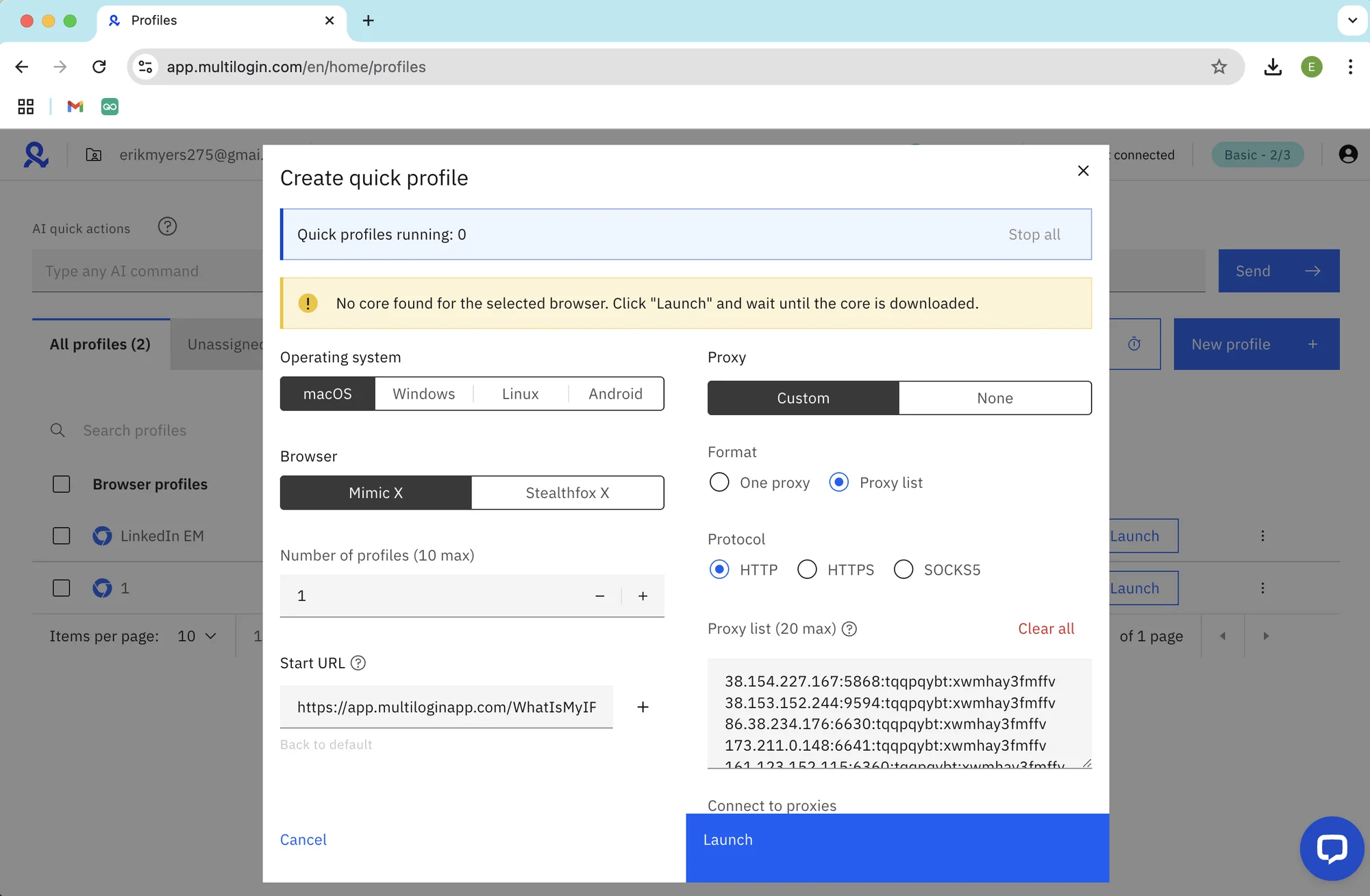 The browser cores auto-update to the newest ones in background mode, but there’s no choice of older ones.
As I mentioned, the tech support was once again super quick to respond to my questions on the Live chat. The answer wasn’t particularly helpful, but fast after all.
Multilogin has also picked up several G2 recognitions since our last review, High Performer badges across Asia Pacific, Europe, and EMEA, plus a Momentum Leader and Best Support award. It’s also explicitly marketed as GDPR compliant, which wasn’t something we’d previously confirmed.
Fingerprint Protection, Passing Checkers
As always, I perform standard checks on Iphey.com and Pixelscan.net with default profiles and proxies on a Mac M2. This time a Quick profile was used as well.
During testing, the regular profile did not pass the IPhey check and also failed Pixelscan on the fingerprint criteria.
Multilogin is detected by Iphey.com as antidetect browser. Social platforms and websites will most likely be able to detect that as well.Needs to be said here that passing and failing these checkers is not necessarily a sign the software will block your account. However, they are a general marker of browser safety: use them wisely and always contact support if your browser fails any of the shown points.
Let’s have a look at Gologin and see if it really offers more for less money.
Gologin: More Browser, Less Money
I will try to look at real facts and features, and compare these to what Multilogin offers in 2026. At the end I will touch on prices and rates.
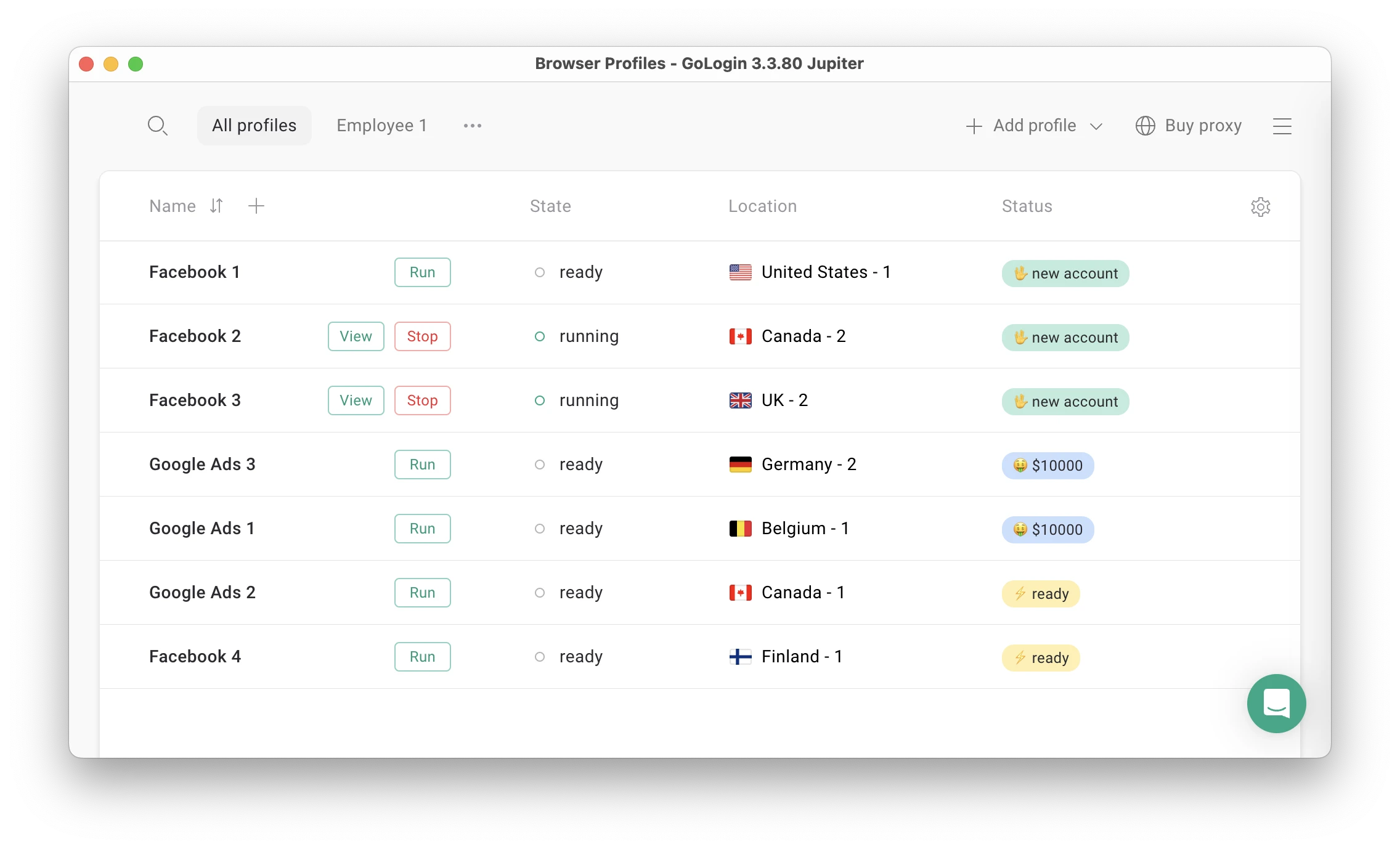 Gologin main screen.
Features And UI: What’s New In 2026?
As usual, Gologin offers advanced features without being overpriced. Over 2026 it became even more user-friendly and intuitive, without compromise on reliability.
With a simple and intuitive UI, Gologin is also superior technically. Unlike Multilogin X, Gologin has:
- A full-featured 7-day trial + forever-free plan
- One-click profile and proxy IP creation
- Premium residential and mobile proxies built in the app
- 2Gb Premium Residential proxies in all paid plans
- Support for older OS versions and devices
- Android mobile app for remote work
- Web app for remote work from any device
- Customizable Profile table
- 50+ advanced fingerprint settings for professional use
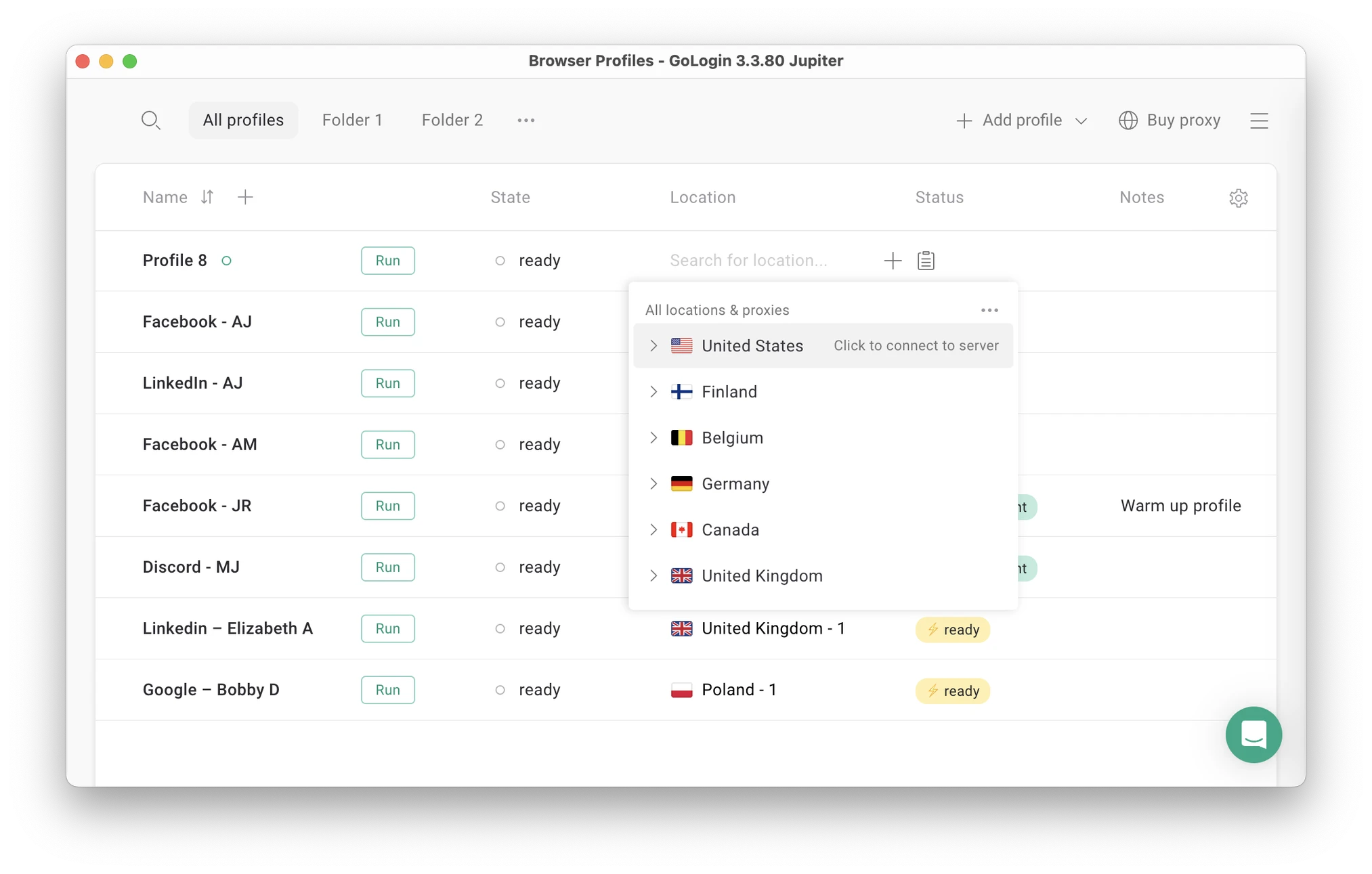 You can now create a profile and assign a proxy in seconds – one click for each action.
Just like Multilogin, Gologin offers a clean and straightforward UI that’s easy to learn for a new user. However, way more features are under the hood: the Mass Actions panel has several times more actions than in Multilogin.
The Quick settings sidebar is also extremely useful.
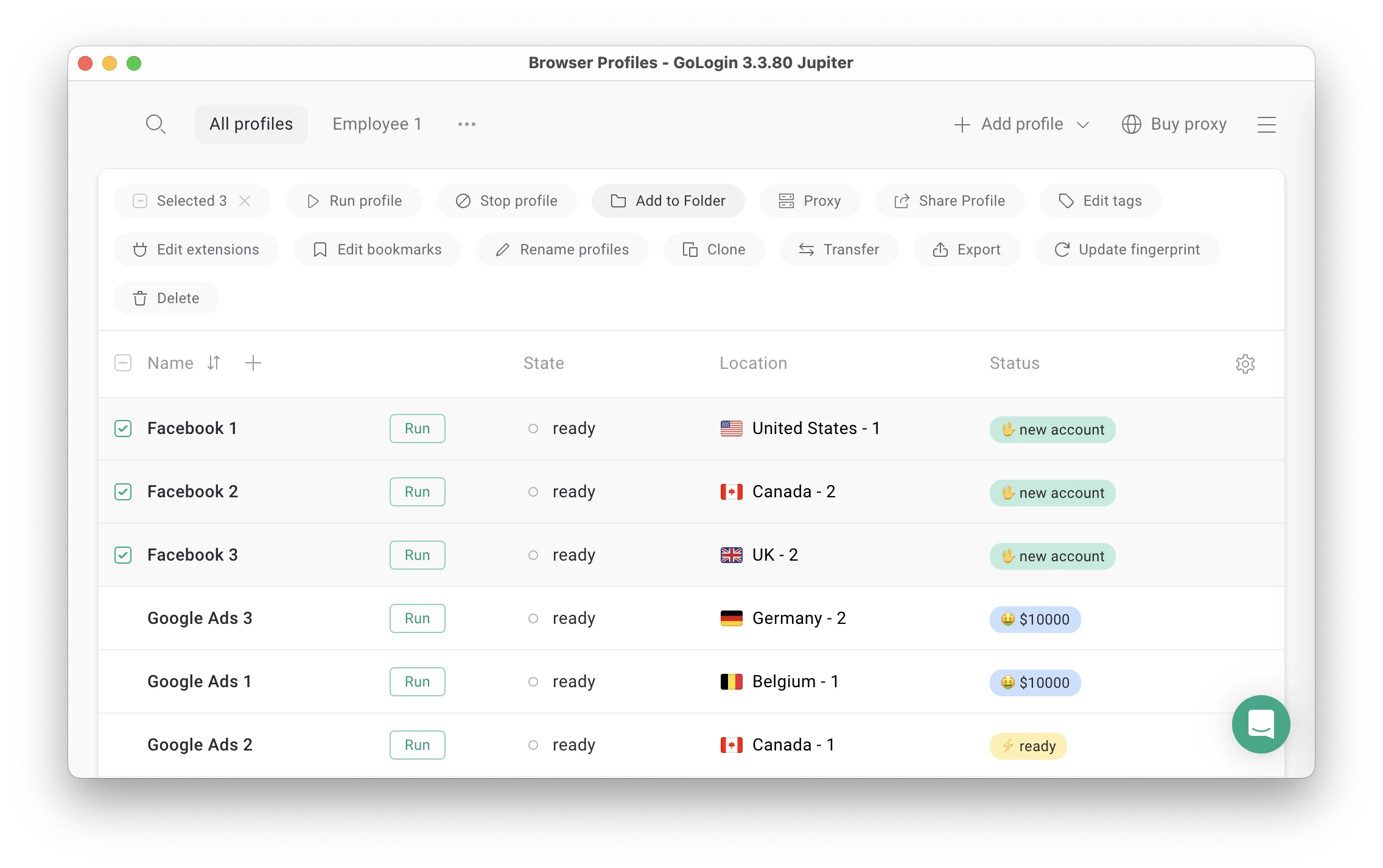 An example of UI that’s clean and functional: there are a lot of Mass Actions, but the panel is not cluttered or difficult to use.
Mobile App, Web Version & Remote Work
Gologin has a web version, which can be accessed from literally any device. It does not need your laptop to work. You can even launch and edit profiles without a computer: they will work on a safe cloud server.
Gologin is also available as an Android app. Both the web and mobile app prove to be extremely comfortable if you travel or drive around meetings a lot.
For comparison, Multilogin X can be only used for Mac and Windows. The old Multilogin app was also available for Linux.
Support Quality & Reviews
The support team quickly responds to all user requests and tries to help in any situation 24/7. Gologin managers hold user interview campaigns to collect customer feedback and suggestions, making browser updates as relevant as possible.
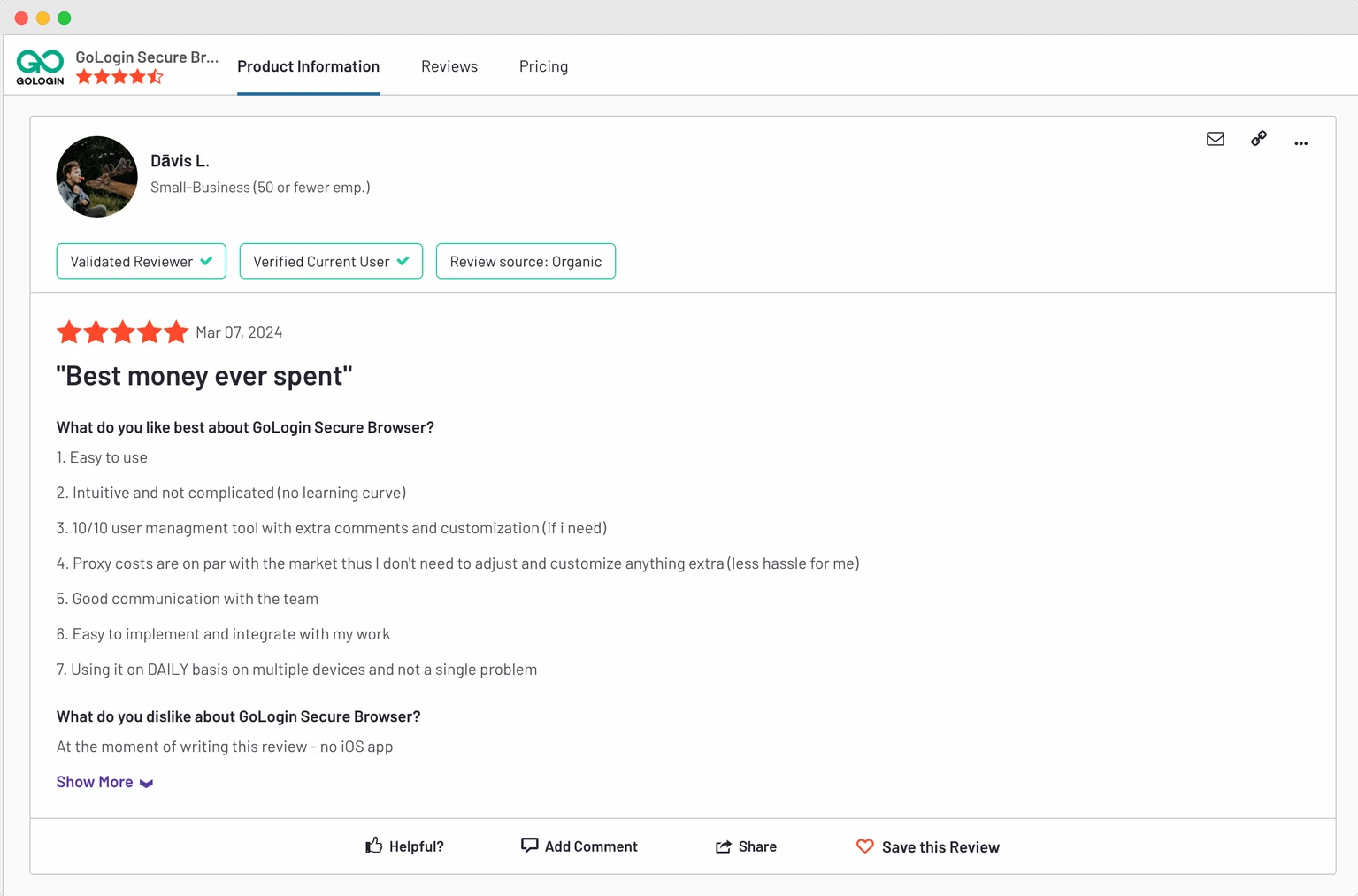 Gologin has more reviews on all common software review platforms: Trustpilot, G2, Capterra and others.
In their feedback Gologin users ofter say their problems were solved by chatting with the customer service team or through browser updates.
Support is same level for free and paid clients, available over Live chat, email, Messenger, Whatsapp and Telegram.
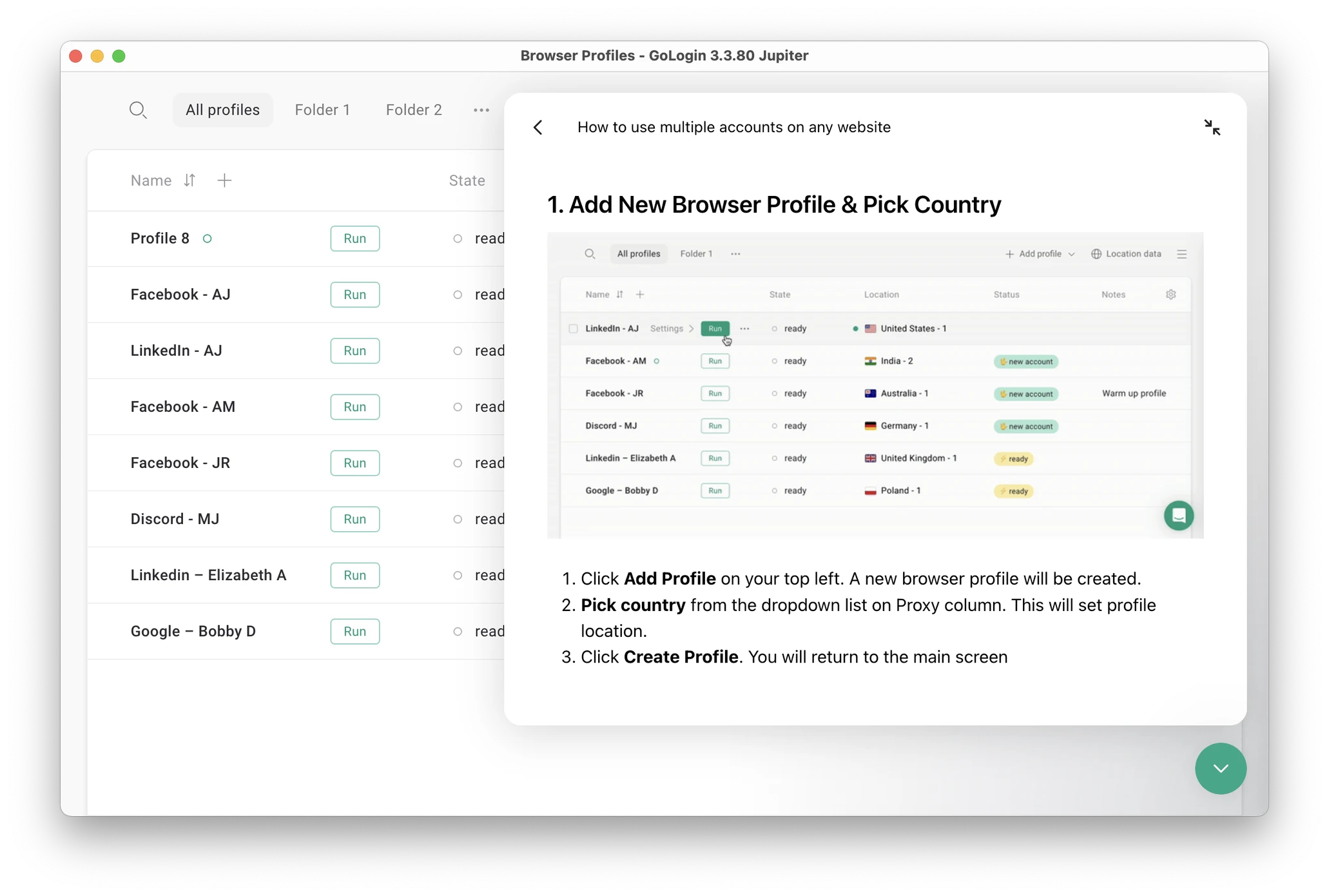 The live chat has guides and docs on using Gologin.
Fingerprint Protection & Updates
Gologin successfully passes Iphey.com and Pixelscan.net checkers.
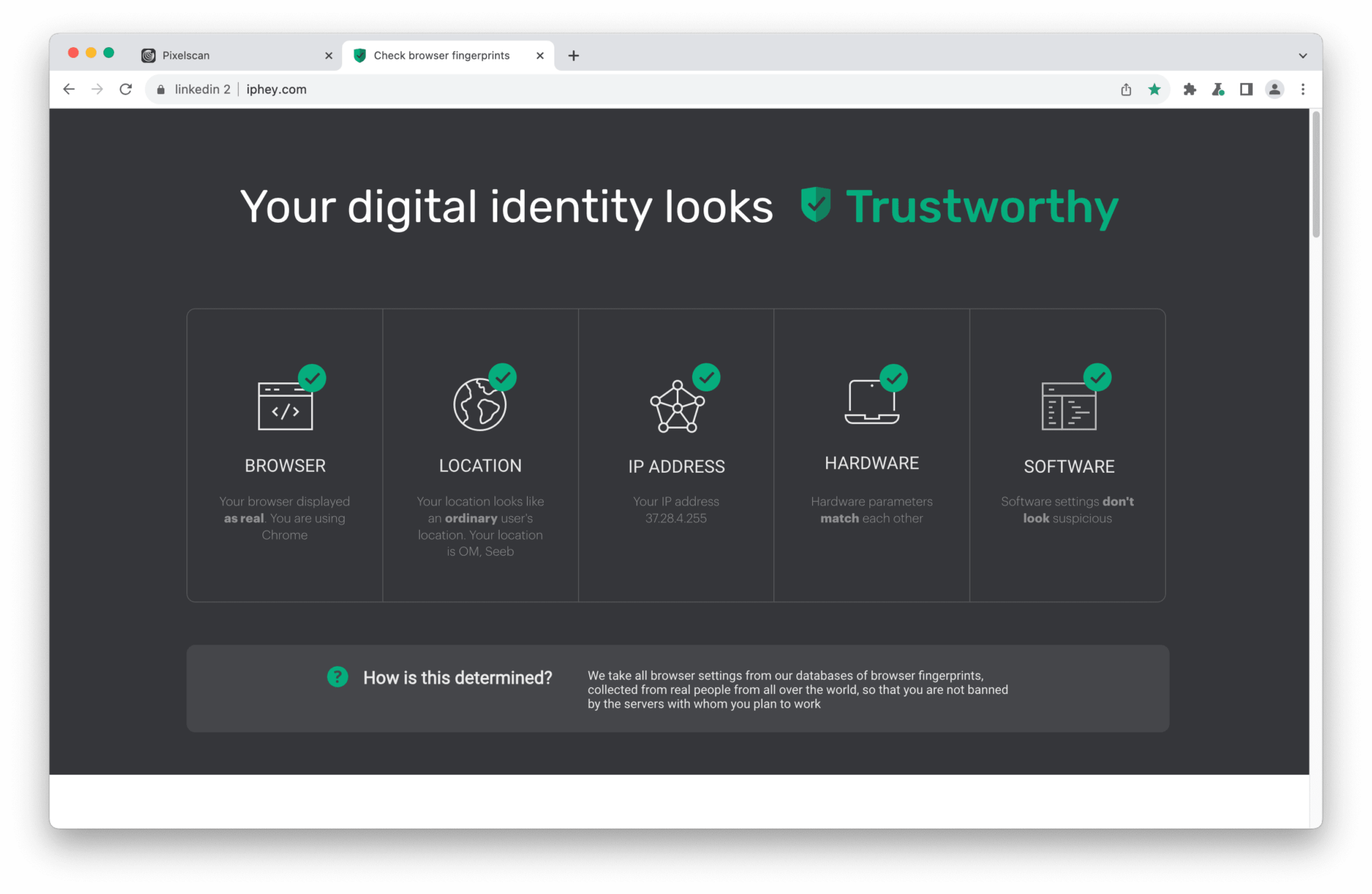
The Gologin team updates the browser several times a month. Updates include everything needed to keep user data safe and take user needs into account. Updates are automatic: you just need to click “Update” and restart the browser.
Clients often praise Gologin for the stable profile work in 24/7 mode without downtime. The uptime stability factor is often the reason why users move from alternatives to Gologin.
Let’s move on to the final part of the comparison: plans and pricing.
Multilogin vs Gologin – 2026 Pricing Comparison
Free Plans & Trial Periods
Update: Multilogin free plan is more generous than it used to be, it now includes 5 profiles (up from 3), plus one-time bonuses of 200 MB premium proxy traffic and 30 cloud-phone minutes. No credit card is required, and there’s no time limit. There’s still no free trial for paid tiers, though the improved free plan somewhat closes that gap.
Gologin: forever-free plan with 3 profiles, plus a full-featured 7-day trial of paid features.
Paid Plans
This is where the comparison has shifted the most. Multilogin has restructured its lineup entirely — the old €29/month Starter tier is gone, replaced by a Pro plan that scales across 10, 50, or 100 profiles, and a Business plan scaling from 300 all the way up to 10,000 profiles via a slider, with custom pricing available above that.
More importantly, the prices themselves have dropped substantially. Pro 100 (100 profiles) now costs $40/month (or $26.67/month billed annually) — down from roughly $83/month previously, a cut of more than half. Every Pro tier now also bundles monthly proxy traffic (1–5 GB) and cloud-phone minutes (60–150) directly into the price.
Gologin’s Professional plan costs $9/month (or $4.50/month billed annually). At the 100-profile mark, Gologin remains meaningfully cheaper in absolute terms, though Multilogin’s bundled proxy and mobile-phone minutes narrow the value gap more than they used to.
Multilogin’s annual discount has also grown, from 25% to 35%, versus Gologin’s unchanged 50% — so Gologin still holds a wider long-term discount advantage, just not as dramatically as before.

Gologin still comes out twice cheaper in 2026.

Team plans
One more structural change worth flagging: every paid Multilogin tier now bundles monthly proxy traffic and cloud-phone minutes directly into the subscription price 1 GB/60 minutes on the smallest Pro tier, scaling up to 10 GB/450 minutes on Business.
This is a genuinely new value-add that wasn’t part of the pricing structure we tested previously, and it partially offsets Multilogin’s historically higher price by folding in resources you’d otherwise have to buy separately (as you still do on Gologin, whose 2GB proxy bonus is fixed regardless of tier and doesn’t include any mobile-minute equivalent).
I encourage you to visit the Pricing pages yourself, test both browsers on trials and make your own conclusions.
Verdict:
Multilogin has closed a real chunk of the price gap we documented previously, and its new cloud-phone bundling adds genuine value for social-media-focused teams.
Gologin still costs less per profile at the entry level and offers a deeper annual discount, but “twice as expensive” no longer accurately describes Multilogin’s mid-tier pricing, we’d recommend running the numbers for your specific profile count and usage pattern before assuming either side wins outright.
Multilogin vs Gologin: 2026 Review Summary
- Multilogin has repositioned itself as a combined cloud-phone-and-browser platform rather than a browser-only tool, and backed that shift with real price cuts Pro and Business tiers now cost roughly half what they did previously, bundled with monthly proxy traffic and cloud-phone minutes. Dual browser engines (Mimic and Stealthfox) and genuine Android cloud phones are real additions. It’s a meaningfully stronger offer than what we tested before, particularly for social-media-first teams.
- Gologin remains the simpler, more predictable choice: flat pricing with no usage meters to track, a wider annual discount, a proper mobile app and web version, and functionality that doesn’t require managing separate minute or GB allowances. It still costs less per profile at the entry tier, even if the gap with Multilogin has narrowed considerably.
Turns out the old dog learned a few real tricks this year. Multilogin is no longer the straightforward “more expensive for no reason” story it used to be, but Gologin still wins on simplicity, predictability, and price-per-profile for anyone who just needs browser-based multi-accounting without a mobile-phone billing meter attached.
I encourage you to evaluate the browsers yourself for your particular use case. It’s best to request a demo from both. Here are some questions to help you choose the best for your situation:
- How many browser profiles do you need?
- Do you also need cloud phones for mobile-first social platforms, or just browser profiles?
- Do you need to share profiles with remote partners?
- How much are you ready to pay for a business tool — and are you comfortable tracking usage-based add-ons like proxy GBs or phone minutes?
- Does the browser have a good reputation? What do communities and forums say about it?
- Can you test the browser for free? If yes, which one suits you best?
Using Multilogin right now? Try Gologin out for a free 7-day test period.

FAQ
Is Multilogin X the same thing with Multilogin Chrome extension?
No. Multilogin Chrome extension found in the Chrome Web Store is a separate product by a separate vendor. We do not know if Multilogin extension Chrome is in any way legit or safe to use. I encourage using only trusted tools and always checking with the community for tool reputation.
You might also find Multilogin extension Firefox, download Multilogin Chrome or even Multilogin VPN: I do not recommend using them. Keep to apps from official vendors.
Are there Multilogin cracked or Multilogin coupons for free use?
I do not encourage the use of cracked software. Even if you find what seems to be a Multilogin crack file, it is not safe to use. These often contain malware and collect your data, which might be dangerous. As of coupons or promo codes for Multilogin discount, you can meet some offers and deals in Multilogin review and blog articles in partner resources.
If you’re looking for the best free multilogin browser, consider using Gologin on Forever-Free plan. It is by far the best Multilogin free alternative at the moment. It has way less limitations than Multilogin for Chrome.
Is there 7-day Multilogin trial period same as Gologin?
No. Multilogin doesn’t offer a 7-day trial instead, it has a permanent Free plan covering 5 browser and cloud mobile profiles, with no time limit and no credit card required. It’s more generous than the 3-profile version we tested previously, but it’s still not the same as Gologin’s fully-featured 7-day trial, which unlocks every paid feature temporarily rather than permanently capping you at a handful of profiles. If you want to test Multilogin paid-tier features (like unlimited team seats or higher API rate limits) before committing, there’s currently no trial mechanism for that only the free plan’s fixed limits.
Is Multilogin automation better or worse than Gologin automation?
It is not worse, but it’s way more expensive. Gologin offers more API requests for the money, plus it integrates with its own GoLess Chrome extension. It has a big marketplace of automation scenarios, plus you can build your own scenarios with no code.
Can I use Gologin and Multilogin for Facebook accounts?
Sure! As far as I know, both tools work OK for Facebook. Check with communities about nuances of Multilogin Facebook and Multilogin Facebook Ads work. From our work experiencem, both browsers are able to run hundreds of Facebook accounts, so it’s your choice which one is a better fit for you.
How much is Multilogin?
This has changed significantly since our last check. Multilogin’s entry-level Pro plan now starts at $11/month (or $7.08/month billed annually) for 10 profiles, scaling up to $29/month (50 profiles) and $40/month (100 profiles) each tier bundling monthly proxy traffic and cloud-phone minutes directly into the price.
The Business plan starts at $89/month for 300 profiles and scales via a slider all the way up to $900/month for 10,000 profiles, with custom pricing available above that through Multilogin sales team. Annual billing knocks 35% off any tier. All prices are in USD; check the live pricing page for your exact configuration, since costs shift with profile count, proxy traffic, and mobile minutes.
Is Multilogin free?
Yes, this is no longer accurate as previously stated. Multilogin now offers a genuine free plan with no time limit and no credit card required, covering 5 cloud mobile and browser profiles, plus one-time bonuses of 200 MB of premium proxy traffic and 30 cloud-phone minutes. You’ll need to upgrade to a paid Pro or Business plan once you need more profiles, ongoing monthly proxy/mobile allowances, API access, or team collaboration features, but a genuinely free, permanent tier does exist today.
Read other posts about Reviews of browsers:
- Ghost browser alternative
- Kameleo browser review
- Best virtual browser
- Adspower browser vs gologin
- Morelogin browser alternative
- Incogniton vs gologin
- Best proxy browser
- Browserjet review
- Roxybrowser review
- Gologin vs hidemium
- Xlogin review
- Insomniac browser review
- Swspybrowser review
- Yunlark review
- Loginways review
- Nstbrowser review
- Hydraheaders browser review
- Gologin-vs-maskfog review
- Vision-browser review
- Ultimate orb review
- AntBrowser-browser-review
- Vmlogin browser review
- Gologin-vs-identory
- Gologin-vs-switch antidetect
- Antikbrowser review
- Camoufox review
- Geelark review
- Dicloak online browser
- Vmmask antidetect browser
- Hidemyacc browser review
- Rebrowser review
- Session-box-vs gologin
- Multibrowser-review
- Accovod-vs-gologin
- Xbrowser review
- Undetectable browser-vs-gologin
- Bitbrowser-review
- Fingerprintswitcher
- Aezakmi browser review
- Marketerbrowser review
- Genlogin browser review
- Linken-sphere review
- Indigo-browser
- Xpass browser alternative
- Wade browser review
- Surfinite review
- Lalicat-browser review
- Masq-antidetect review
- Octo-browser vs gologin
- Dolphin-anty vs gologin
- Mulogin review
- Aqum-browser review
- Lauth review
- Che browser vs gologin
- Logii review