
Indigo Browser vs Gologin: Updated Review in 2026
Today, as part of our series of comparisons, I will look at a curious case of a multiple account browser created specifically for the Russian market – Indigo Browser.
Indigo was created by Raphael Gabitov, a Russian businessman. It is a copy of Multilogin 6 with a separate placement for the Russian market. Read on to know exactly how it all works: I will show multiple clear evidences for that.
What’s changed in 2026, and has Indigo improved for the better? Let’s see!
TLDR: skip to the end for a quick table with all the main points of comparison.
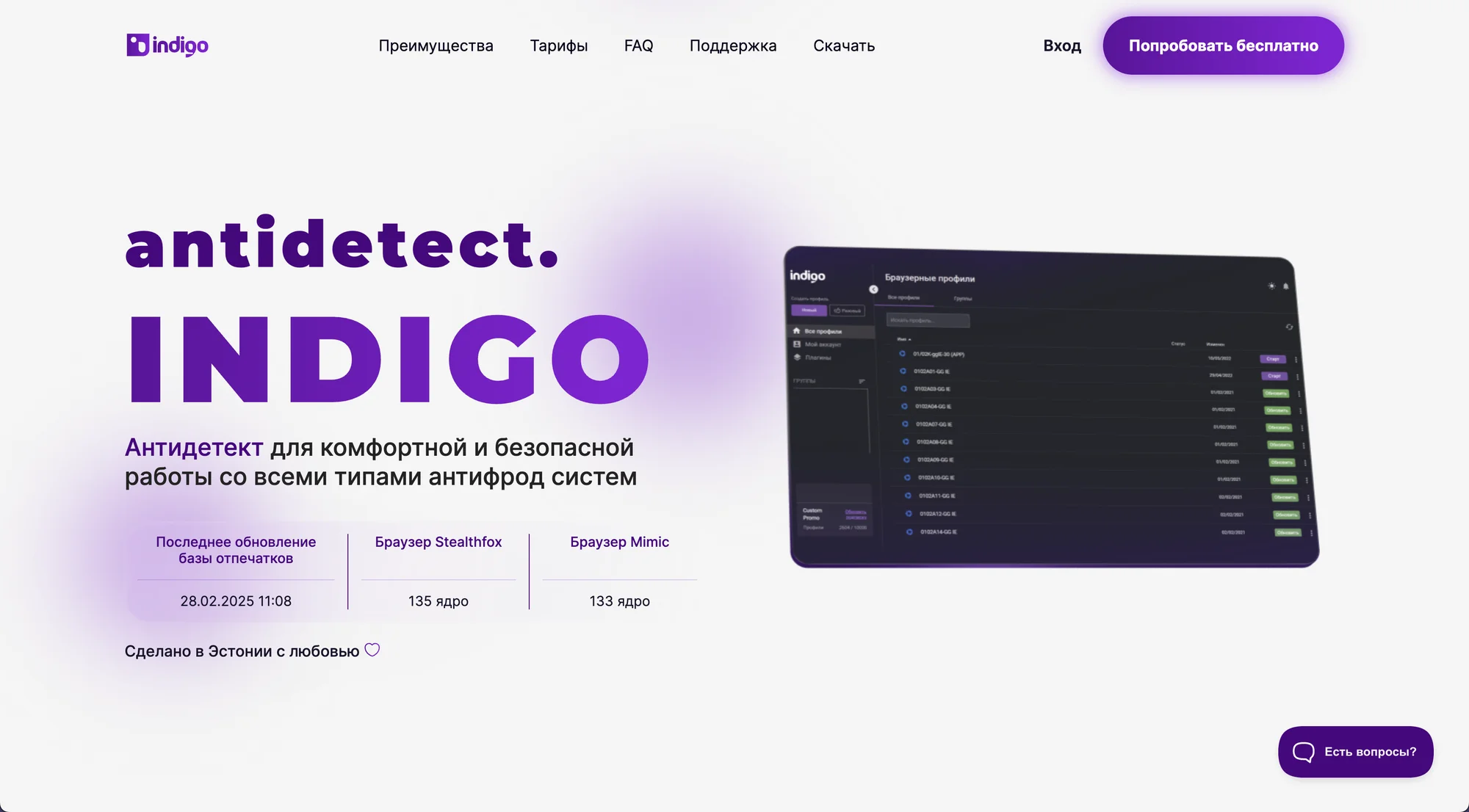
What’s New in Indigo Browser? Features and UI
Spoiler: not much has changed. Indigo is a copy of old Multilogin 6 which hasn’t transferred to a web app. Everything is basically the same, and changes are sparse.
However, as we can see from main website page -user agents and technical back-end are kept fresh.
The website also claims Indigo is made with love in Estonia – accidentally it’s the same place as Multilogin. Let’s move on and register an account.
Registering
Registering is more complicated than with most other browsers, especially if you request a 7-day trial. You will need to:
- register accounts both on the website AND in the Indigo app
- fill out a form with some personal data
- follow a community Telegram chat
- connect your personal Telegram account to Indigo system through a personal bot command.
As I see, there is no KYC check like that one in Multilogin. This gives us a small hint on why Indigo was created in the first place: earning more in the markets not available with a strict KYC policy.
First launch
During the first run, things seem to be not bad with Indigo. The browser looks quite clean and has a good English version. The interface does not cause rejection at first glance.
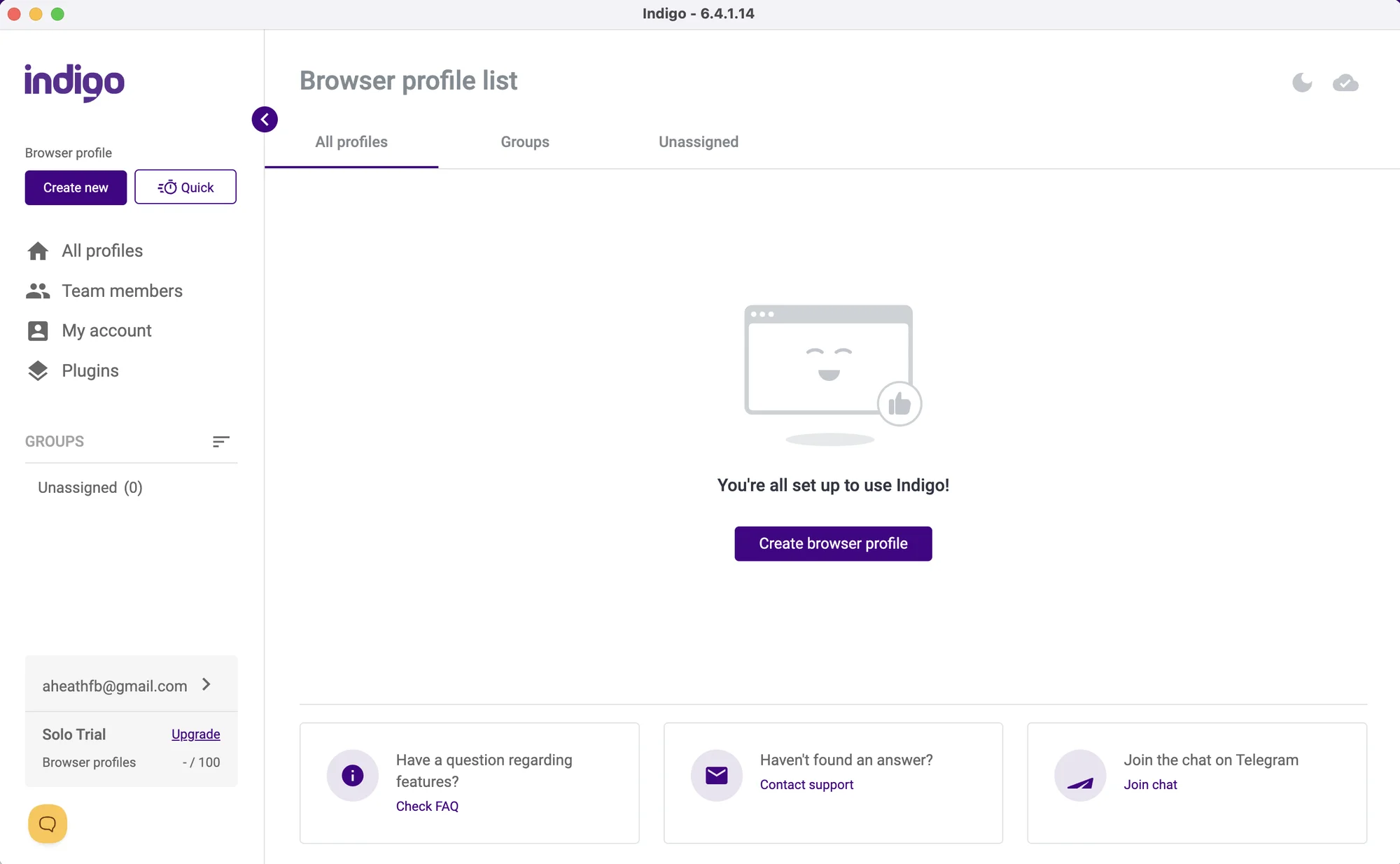 The UI hasn’t changed since my last visit. It will be great for those who liked the old Multilogin 6.
There are no tooltips or tutorial steps for new users, but still Indigo is more intuitive and clear than other browsers like AdsPower or Dolphin Anty. There is a docs section with detailed use instructions.
On the whole, I found Indigo’s interface to be pretty good, although with very sparse functionality. However, it turned out simplicity means a serious compromise with features. I will show you how later on.
Comfort of use: no changes whatsoever
To keep it short, the UI hasn’t changed – for better or worse. There is no proxy manager, and mass actions are almost absent.
Creating a profile in Indigo seems easy, except adding the proxy. Most of the critical fingerprint settings have an auto mode and explainer tooltips about what these are.
The proxy work still kills it, though: all you can do is manually add your proxy to each profile during creation, one by one.
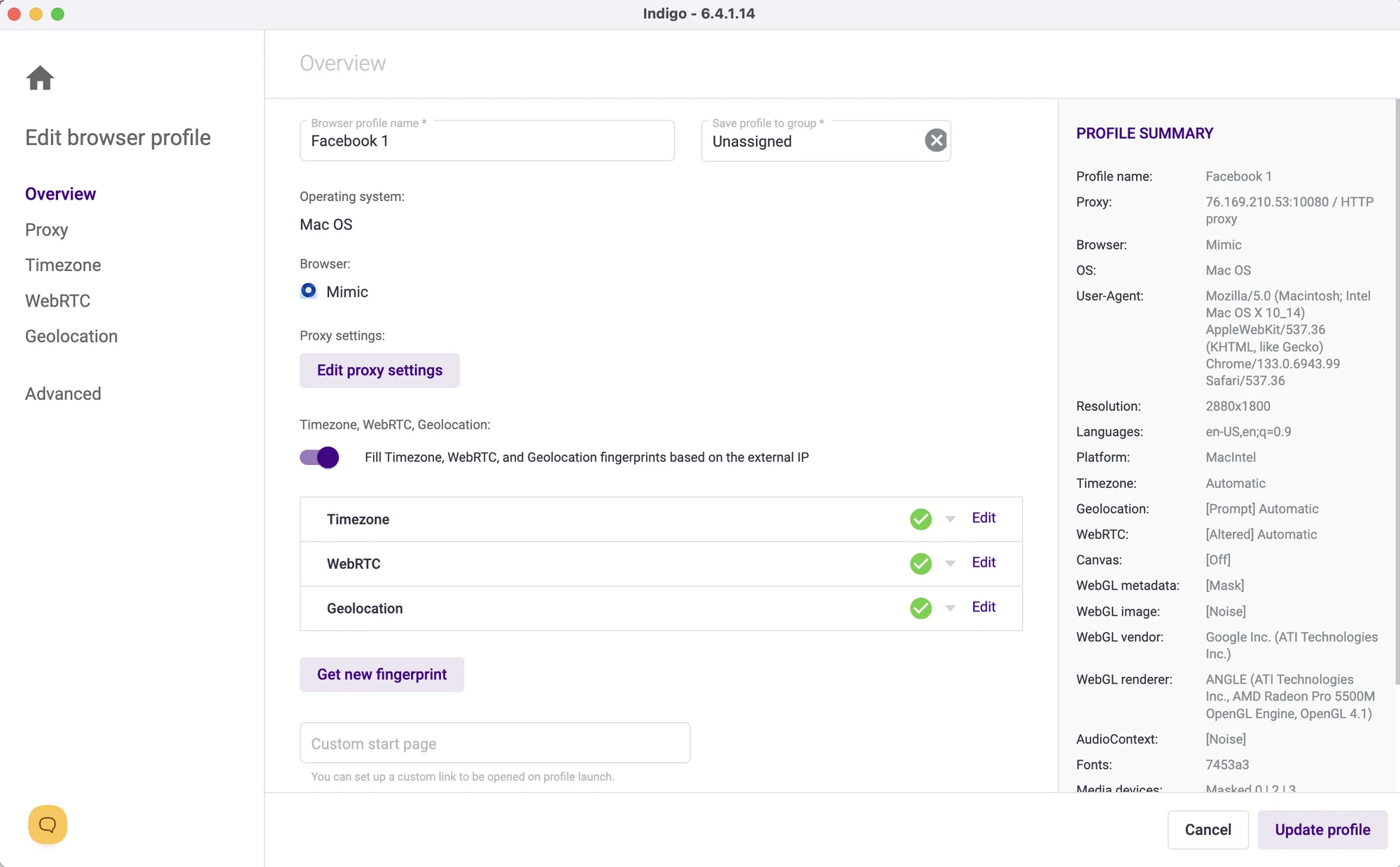 The profile creation screen is pretty straightforward with auto options and Chrome/Firefox available.
Manual work is a bummer even for a humble 6 profiles. There is no separate Proxy manager or at least mass proxy insertion. Indigo offers proxy integration with a few services like Bright Data and GeoSurf: these links, however, lead to the Multilogin website.
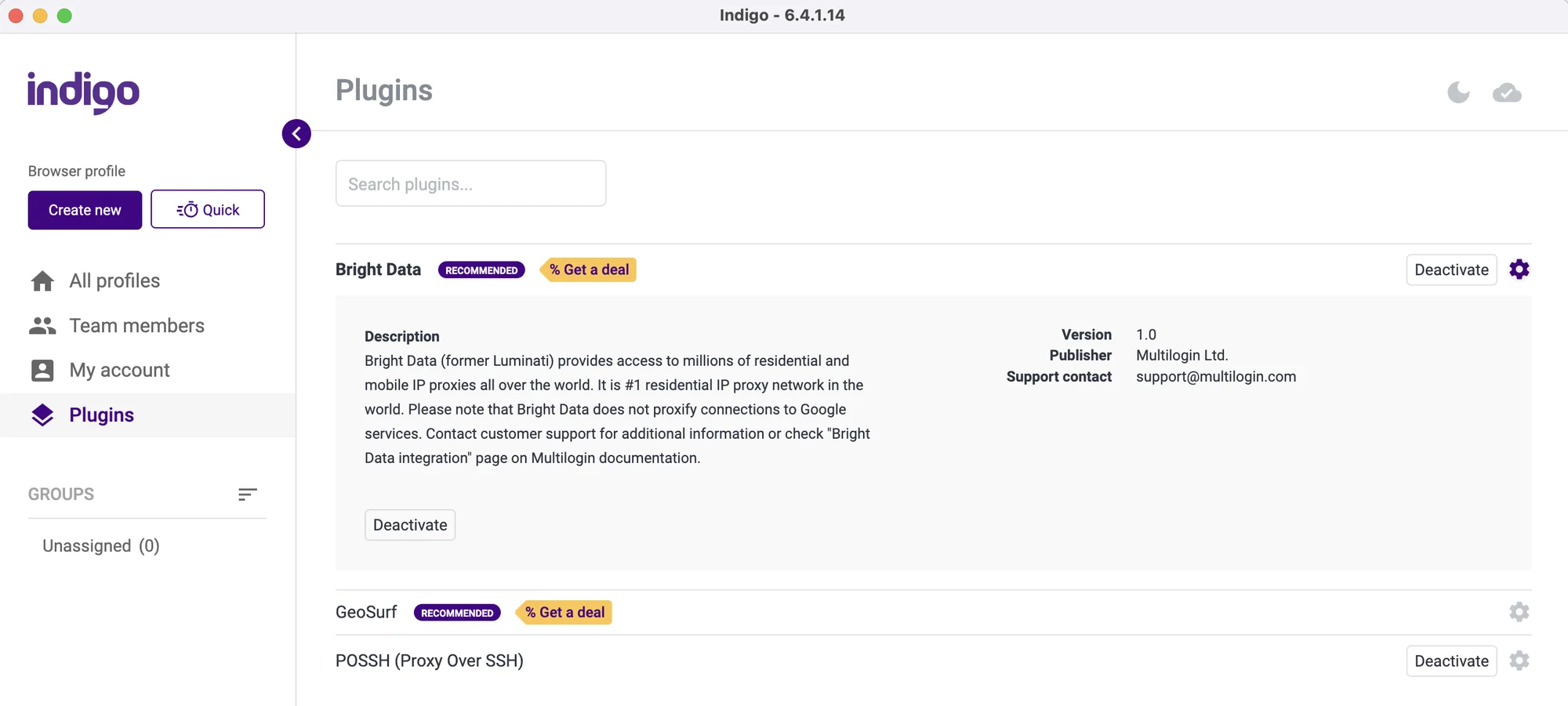 “Plugins” are offered for proxy work (issued by Multilogin), but I haven’t figured out how they are helpful.
There is a Quick Profile creation button, but it’s not what I expected. This button creates a single-use disposable profile for one session that will auto-delete after you’re done.
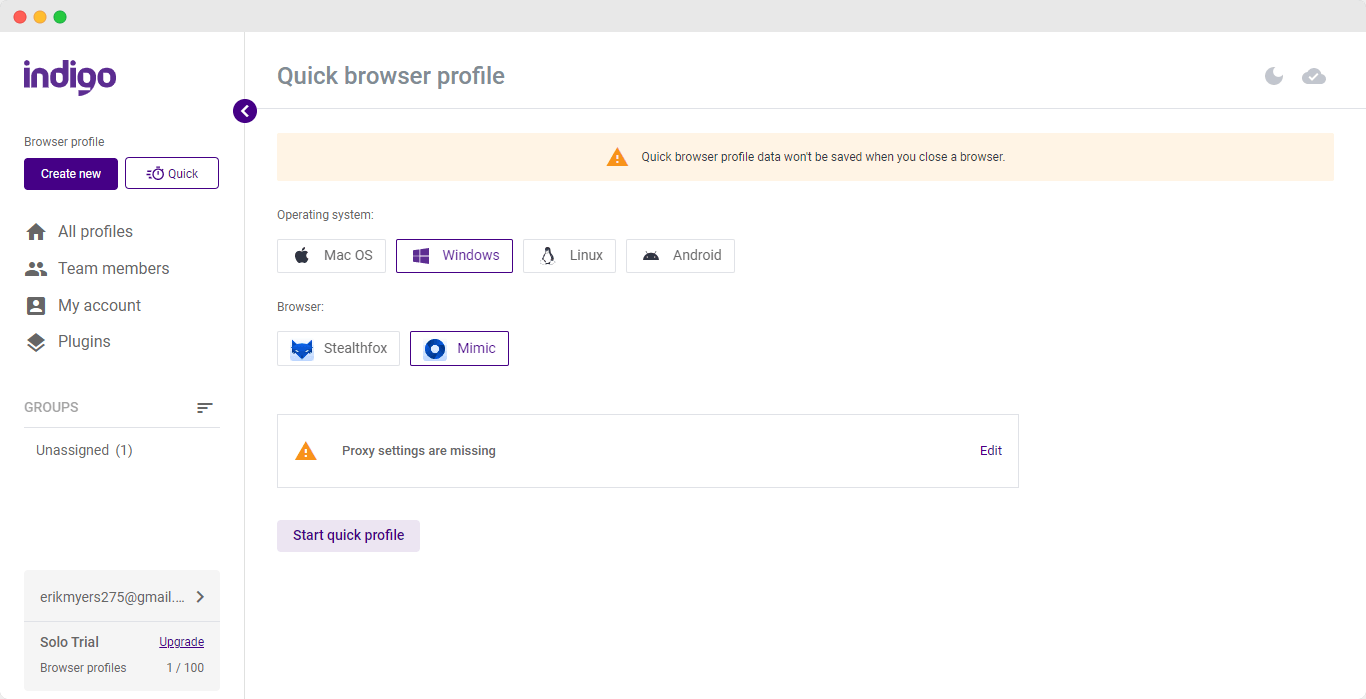 If you happen to use the disposable profiles a lot, write a comment under this post!
I also noticed a complete lack of mass actions. They’re available only on the top-tier plan for €399. Mass launch, bookmarks and extensions, cloning and other key actions are not present in trial mode as well.
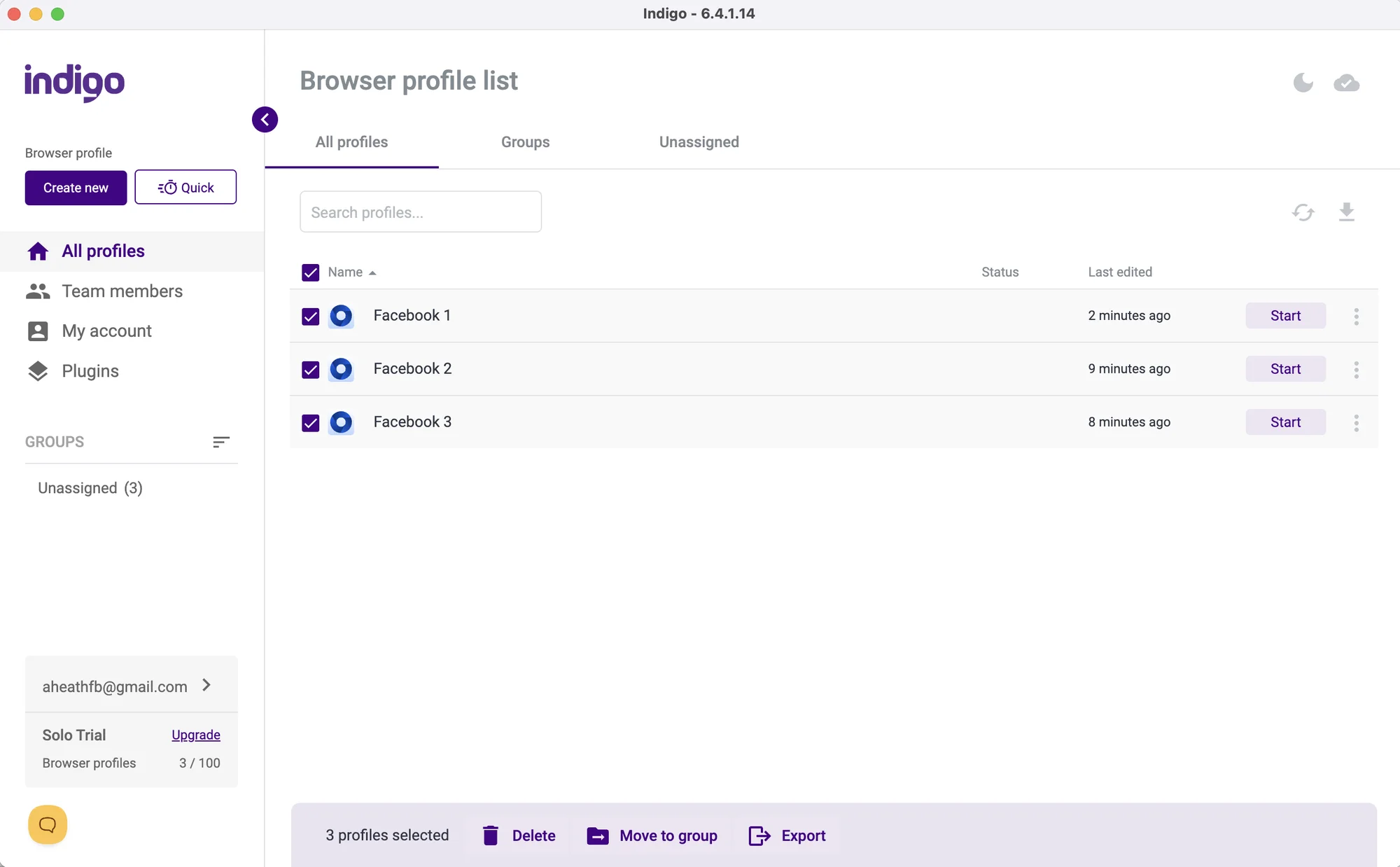 In Mass actions, there are only Delete, Move to Group and Export.
The profile table looks promising and clean at first, but it is terribly limited. Profile table cannot be customized, and by default you can’t see your proxy, give a tag or see when you last visited the account.
There are Notes and Proxy inside a small side settings bar, which seemed quite obsolete to me.
Launching the profiles
In general, profiles in Indigo browser start and stop slower than in competitors. Launching 6 profiles took 45 seconds, which is about 20% slower than most alternatives on the same machine. The bad performance is not likely to become better if you need to launch 30-40 profiles.
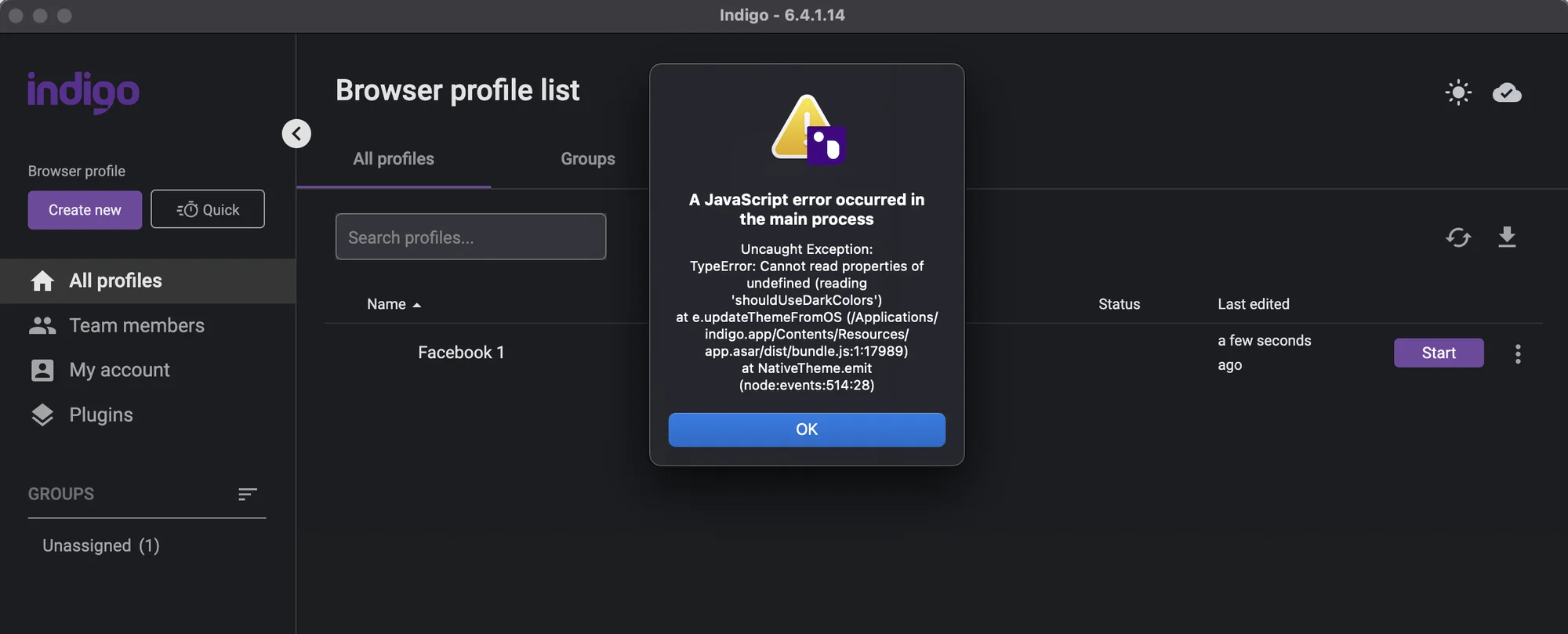
I managed to catch a bug during first profile creation process.
To warm up a profile, you can either import your pre-made JSON cookies or run a Cookie robot. It will launch the profile and crawl around your list of pages.
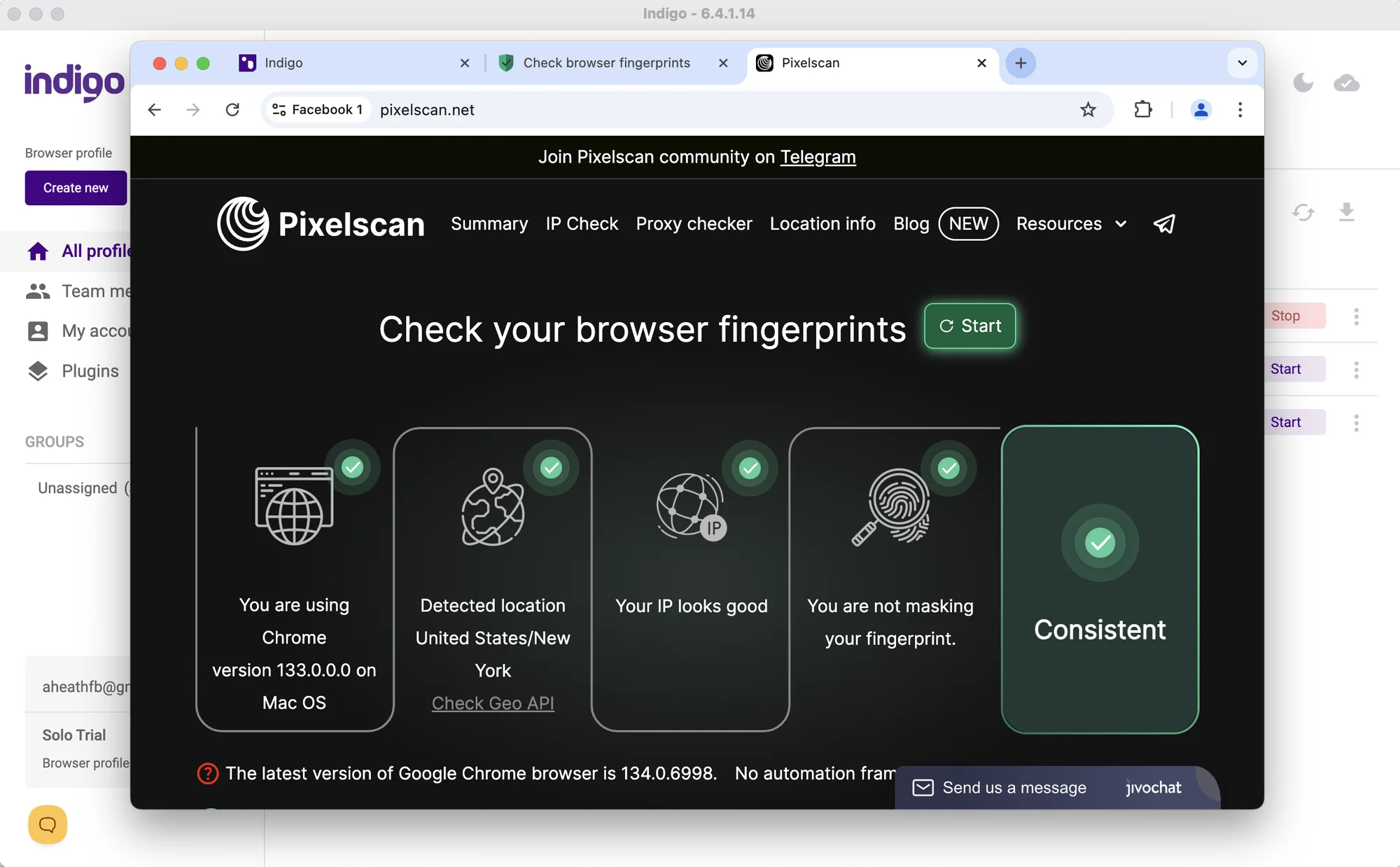
Indigo browser passed the standard Pixelscan check, but completely failed Iphey.com.
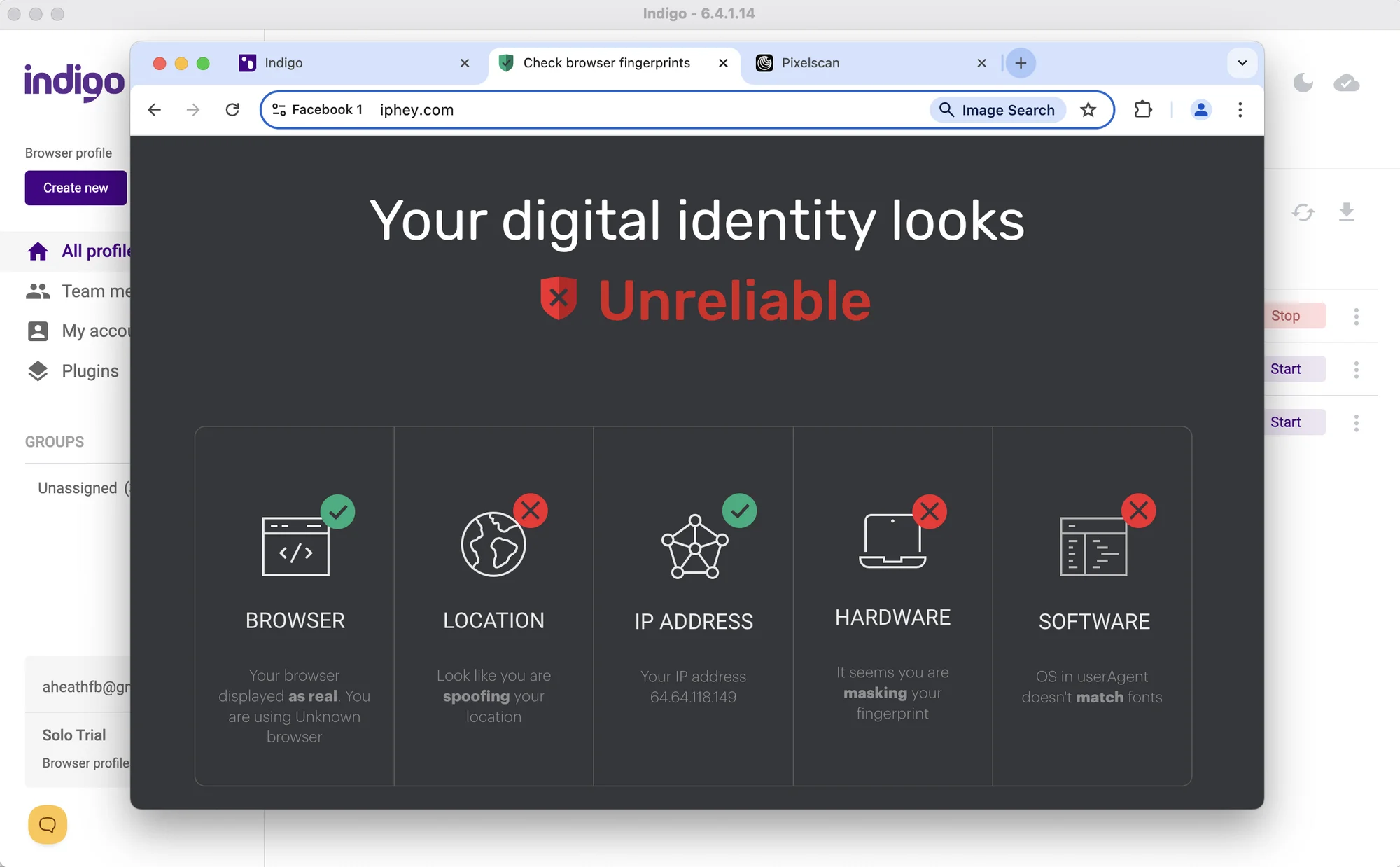
All in all, I don’t see how Indigo is actually able to compete with modern alternatives. First and second paid plans miss the basic features for traffic arbitrage and affiliate marketing. This cuts off a lot of smaller scale users, which might be done on purpose.
A lot of basic routine actions need to be done manually.
Mobile devices and fingerprints
In 2026, Indigo does not offer mobile or web versions for remote work. Many browsers already offer mobile apps and cloud phone emulation. Gologin even has a web version with cloud-based profile launch that could be used from literally any device.
Support and updates
The browser updated automatically on the first launch, and the browser cores auto-update to the newest ones. There’s no multi core function leaving choice for the advanced users.
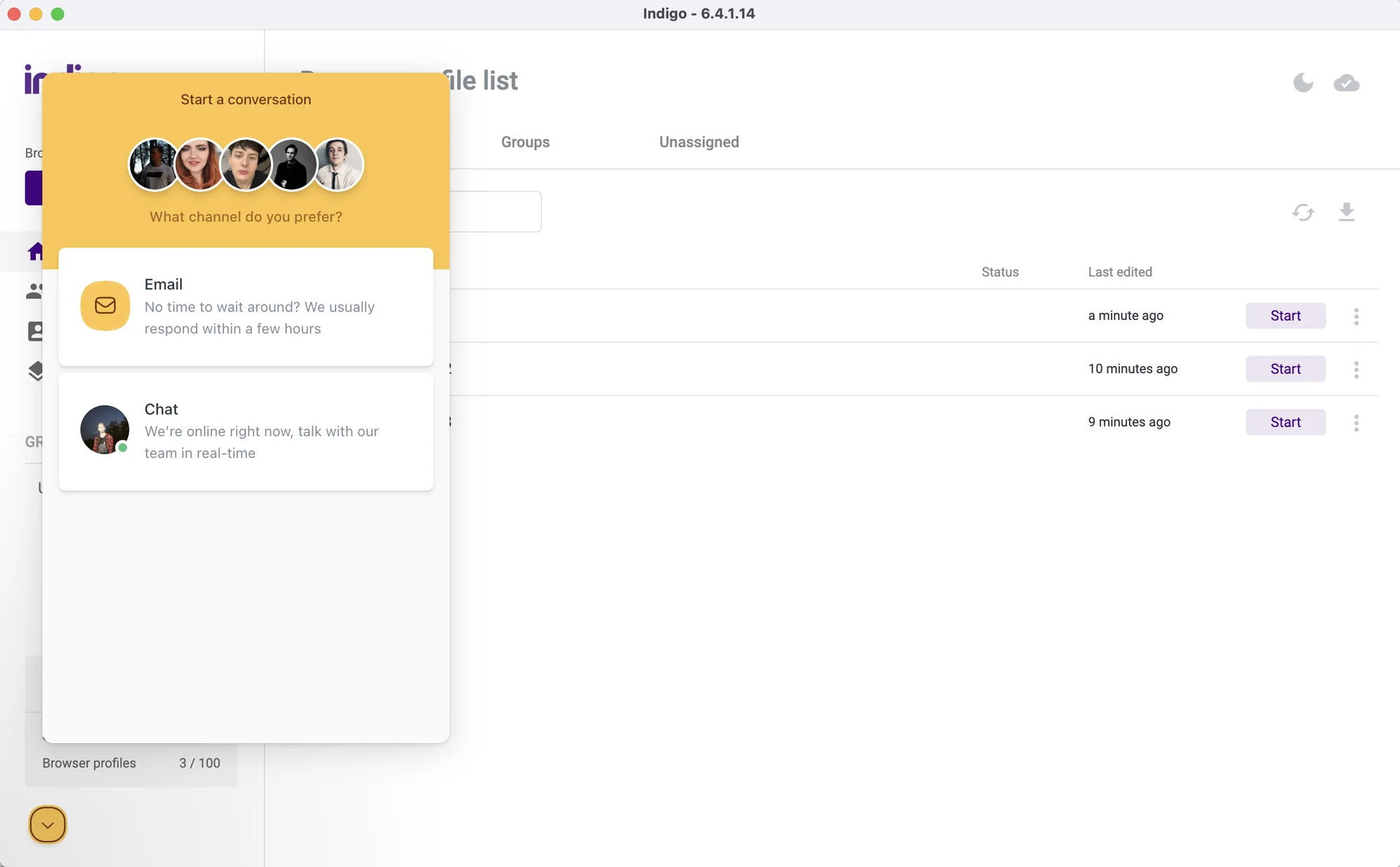 The support is quick to respond in the Live chat, but there are no helpful docs.
I didn’t meet any technical problems during our test (except very slow launch on Windows), so can’t say how quickly actual problems are solved.
Gologin – Best Indigo Alternative
Indigo is quite different from Gologin in terms of overall functionality, interface and price. Unlike Indigo, Gologin offers much more powerful functionality for far less money, without fine print.
Gologin will suit well for personal anonymity, solo business use and professional teams of any size. It has fair and affordable prices plus more advanced features from the box.
Let’s compare Indigo Browser to Gologin, and at the end take a look at prices and rates.
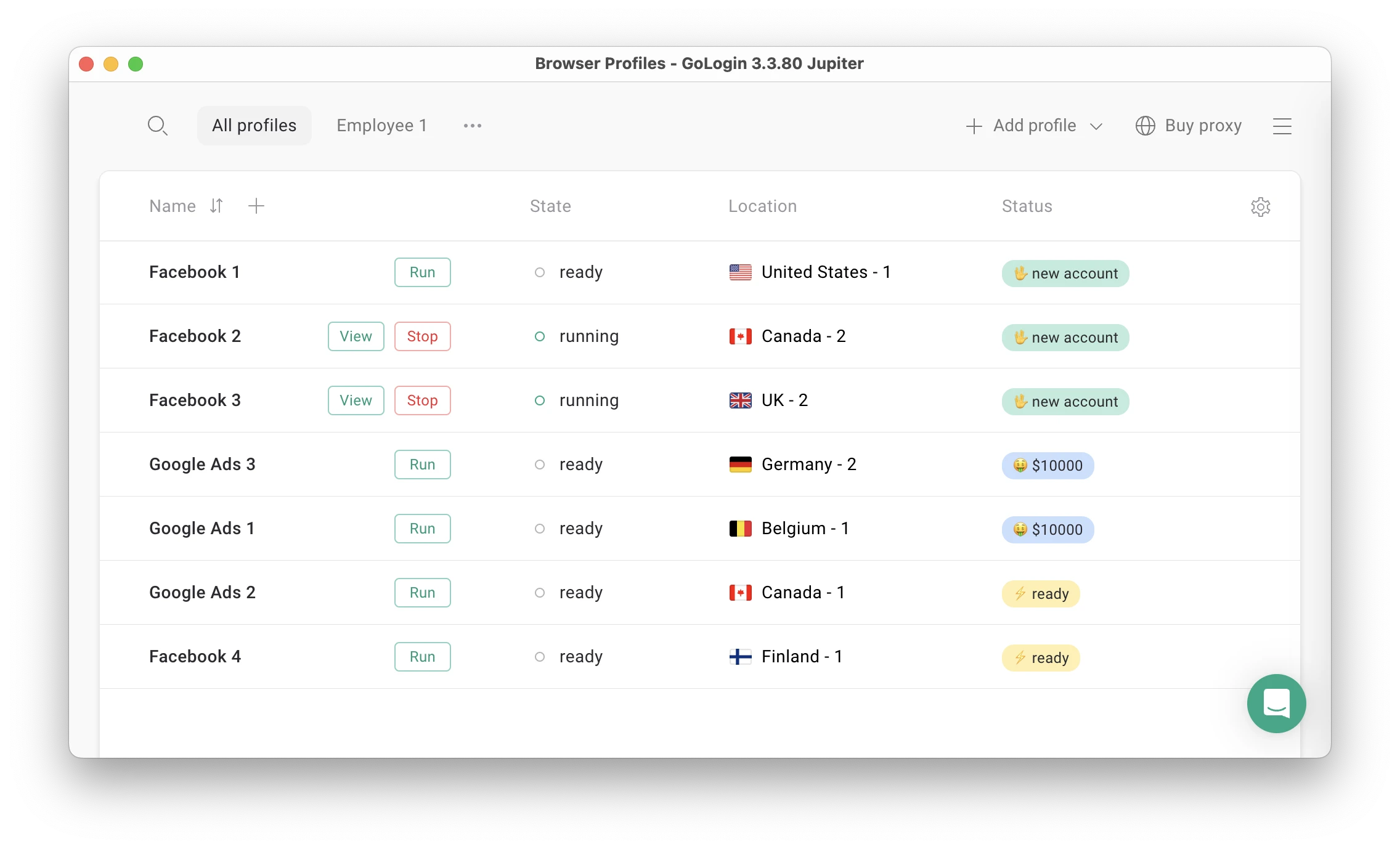
Features and UI: What’s New in 2026
Now in Gologin both profile and proxy creation take only one click. High quality proxies are built in the app, with 2Gb included in all paid plans.
It is a massive time saver compared to most alternatives, including Indigo Browser.
Unlike Indigo, Gologin has:
- A forever-free plan with 3 profiles
- Easy-to-use Proxy manager
- Built-in free and paid proxies right in the browser
- 2Gb Proxies included in all paid plans
- Mobile app and web version with cloud-based profile launching
- Ability to run the browser on previous versions of Chrome kernel
- Customizable Profile table
- API access on all plans
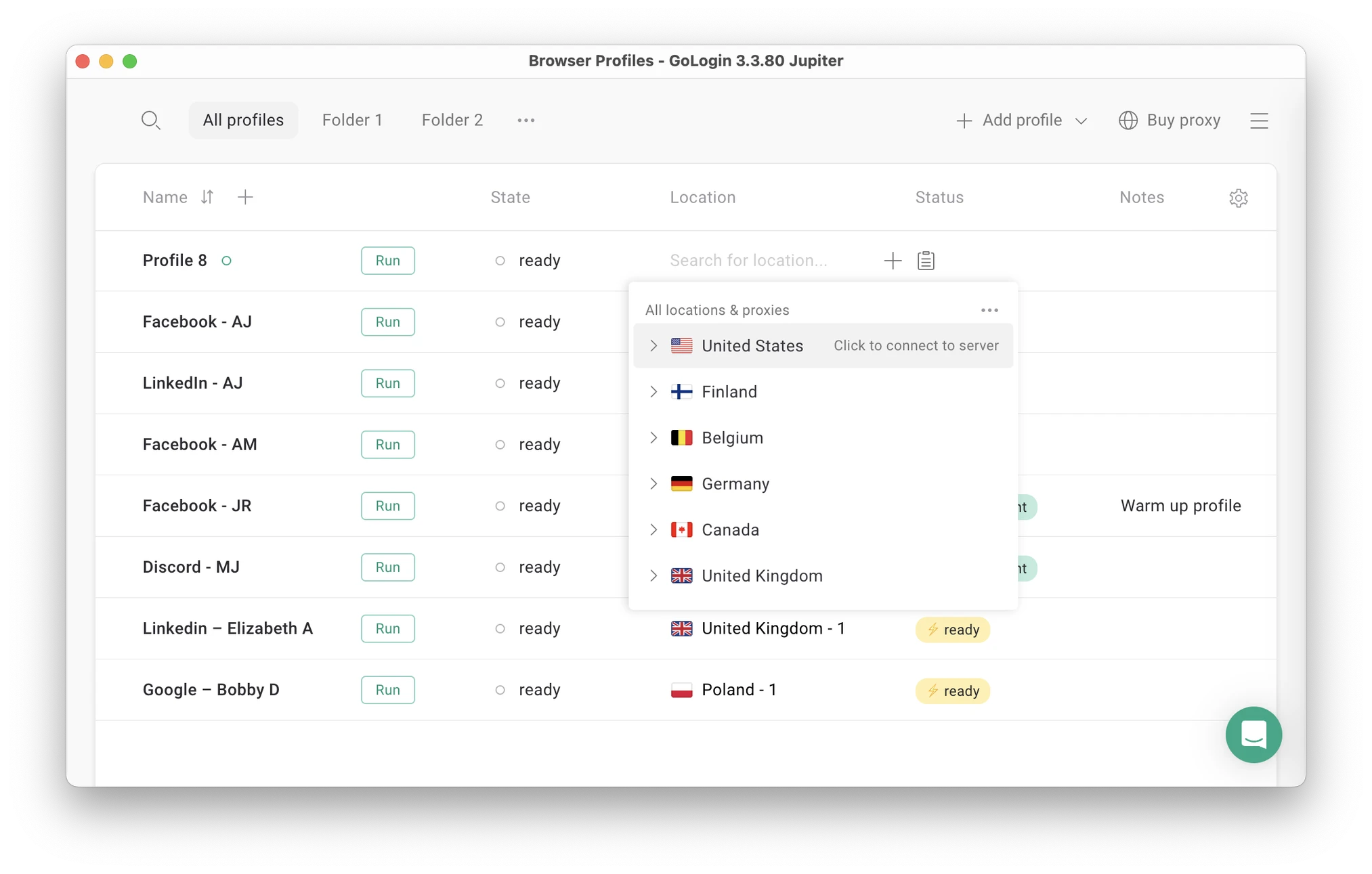 You can now create a profile and assign a proxy in seconds – one click for each action.
Here’s an example of the major differences between the two browsers: Gologin allows you to customize the Profile table. You can only see what you need to see (e.g., only your proxy and tags) and not be distracted by anything else. Simple, yet powerful.
Profiles can be divided into folders and assigned to separate managers, who will never have to enter passwords from their accounts again. The number of proxies, tags and notes on profiles is unlimited.
Proxy Integrations
Apart from standard Residential IPs, Gologin also offers decent quality Mobile proxies, which is a great plus. All paid plans include 2Gb of Residential traffic renewed every month.
Topping up is a seamless process done with Stripe.
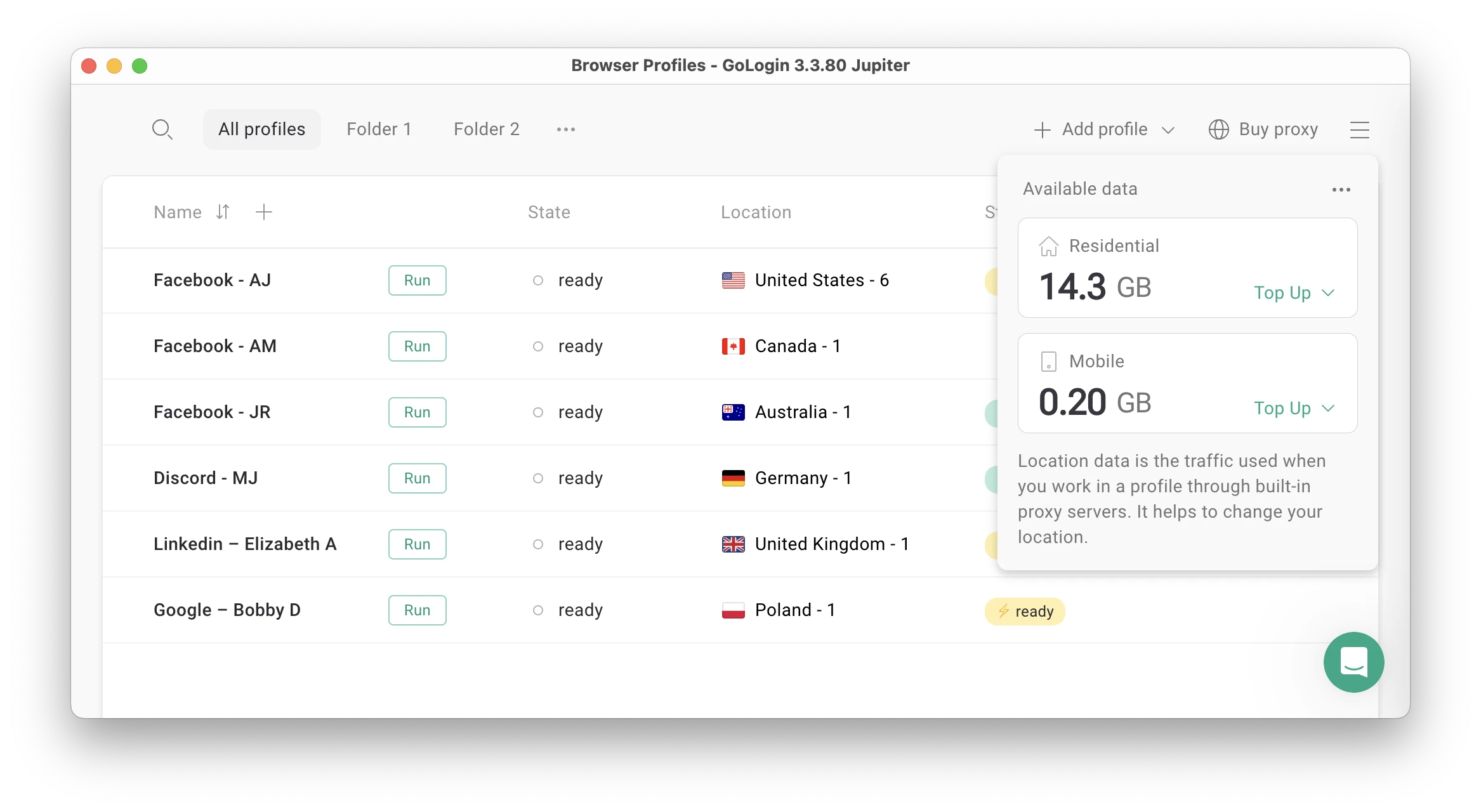 Gologin now offers top quality residential and mobile IPs in-app.
Mobile app and web version
Gologin has a web app, which can be accessed from literally any device. You can launch and edit profiles without a computer: they will work on a safe cloud server. Gologin is also available as an Android app.
For comparison, Indigo browser can be downloaded only for Mac, Windows and Linux.
Support quality
The support team quickly responds to all user requests and tries to help in any situation. Gologin managers conduct user campaigns to collect customer feedback and suggestions, making browser updates as relevant as possible.
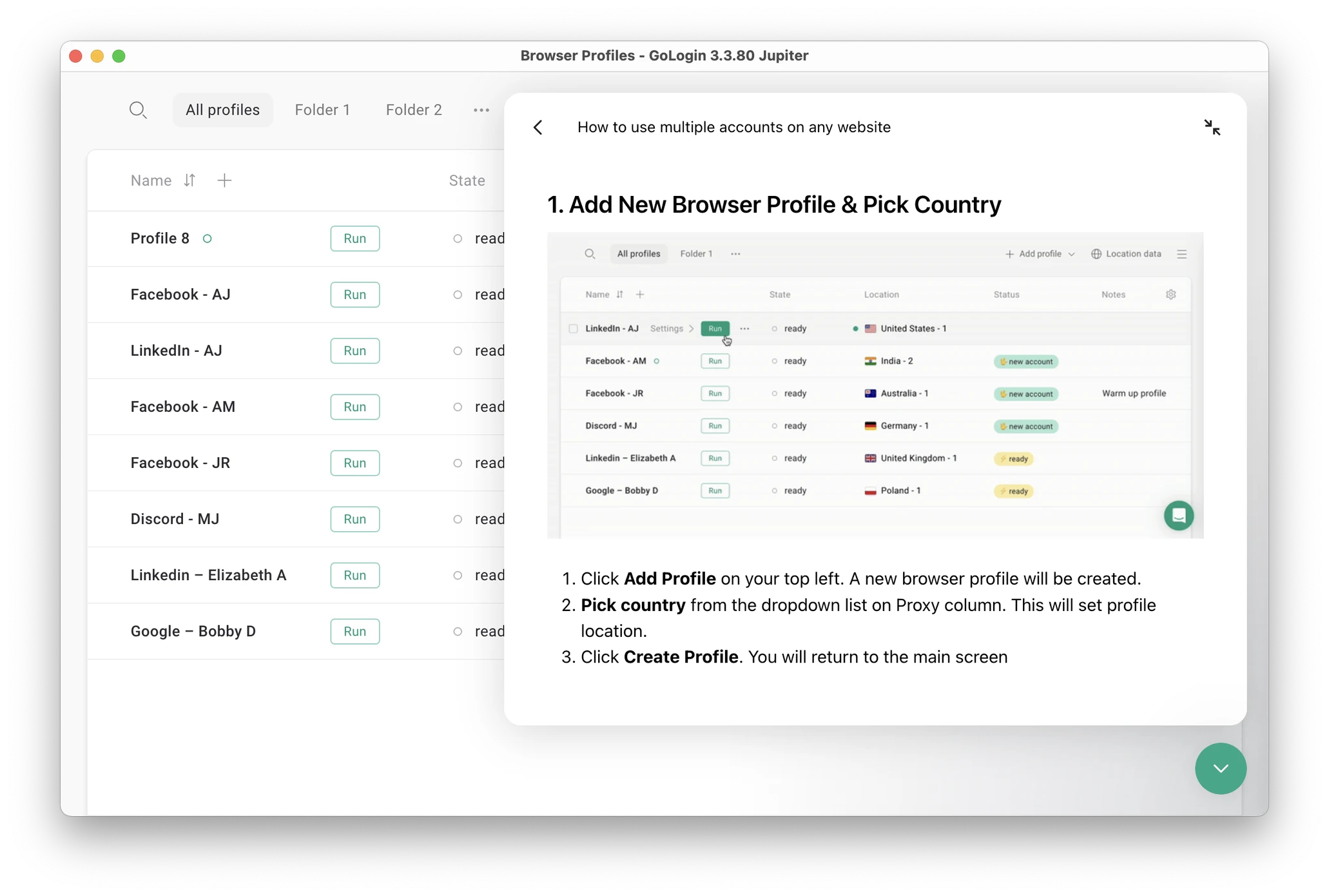 The live chat has guides and docs on using Gologin.
In their feedback Gologin users ofter say their problems were solved by chatting with the team or through browser updates.

Updates frequency
The Gologin team updates the browser several times a month. Updates include everything needed to keep user data safe and take user needs into account. Updates are automatic: you just need to click “Update” and restart the browser.
Clients often praise Gologin for the stable profile work in 24/7 mode without downtime. The uptime stability factor is often the reason why users move from alternatives to Gologin.
Let’s move on to the final part of the comparison: plans and pricing.
Indigo Browser vs Gologin – Pricing
Free plans and trial periods
Indigo Browser’s trial has improved noticeably since our last check. It’s now a clearly labeled 10-day free trial with 50 profiles — and unlike before, it now includes API access (RPM 50) and cloud-plus-local profile storage from day one, rather than locking those out during the trial period.
Gologin still offers both: a forever-free plan for 3 profiles plus a trial of paid features for 7 days, with no registration hoops to jump through.
Paid plans

This is where things have changed the most. Indigo’s entry-level PRO plan, which scales from 10 to 100 profiles via a slider — now costs just €9/month, down from the €99/month “Solo” plan we tested previously.
That’s roughly a 90% price cut. The catch: PRO still comes with 0 team member seats included, so it remains a solo-use tier no matter how many profiles you pick.
Indigo Business Plan starting at €159 — 300 profiles; Gologin — 300 profiles for €52, the benefit is obvious.
Gologin pricing plans allow to buy extras with no limitations.

Gologin’s Professional plan, at its lowest slider position (10 profiles), costs $9/month (or $4.50/month billed annually) — now priced almost identically to Indigo’s equivalent tier, a sharp contrast to the “half the price” gap we found before. At higher slider positions (50 or 100 profiles), Gologin’s price rises accordingly, while Indigo’s PRO plan stays at the same €9/month regardless of where you set the slider — worth checking directly, since that would make Indigo cheaper at 50–100 profiles specifically.
Indigo’s BUSINESS plan now starts around €159/month for 300 profiles, adjustable upward via a stepper — but includes unlimited team members and API access at RPM 100, a big jump from the 3 partner seats we recorded on the old €199/month Team plan.
Gologin’s Business plan, at 300 profiles, runs $119/month ($59.50/month annually) — cheaper in raw terms, but team members are added one at a time via a stepper rather than bundled in unlimited. For a large team, Indigo’s unlimited-seats model could end up more cost-effective despite the higher sticker price.
On the top end, Indigo no longer lists a fixed 1,000-profile “Scale” plan at all. It’s replaced by a Custom tier starting at €300/month, with profile counts and API limits negotiated directly with sales — similar in spirit to Gologin’s own Custom plan, which runs $449/month ($224.50/month annually) for a fixed 2,000 profiles.
Gologin plans and features.

Indigo Browser vs Gologin: Summary
To Indigo’s credit, this is a real step forward the price cuts and the earlier unlock of API access are genuine improvements over what we tested previously, and the trial is now more generous too. But the comparison still tilts toward Gologin once you look past the headline numbers.
Gologin’s plans come with resident proxy bandwidth, an Android app, and cloud-based browsing bundled in at every tier none of which show up anywhere on Indigo’s pricing page. So the “same price” at the entry level isn’t really the same offer. Indigo has closed some of the gap, it just hasn’t closed the one that matters most for day-to-day use.
| Comparison Criterium | Indigo Browser | Gologin |
| Free plan |
❌ |
✅ |
| Free trial period |
✅ |
✅ |
| Features set |
❌ |
✅ |
| Comfort of use |
❌ |
✅ |
| Beginner-friendly |
✅ |
✅ |
| Country of origin |
❓ |
🇺🇸 |
| Updates frequency |
✅ |
✅ |
| Affordable paid plans |
❌ |
✅ |
| Mobile app |
❌ |
✅ |
| Profile cloud launch |
❌ |
✅ |
| Free in-app proxies |
❌ |
✅ |
| Support quality |
✅ |
✅ |
Read other posts about Reviews of browsers:
- Kameleo browser review
- Best virtual browser
- Multilogin chrome browser
- Adspower browser vs gologin
- Morelogin browser alternative
- Incogniton vs gologin
- Best proxy browser
- Browserjet review
- Roxybrowser review
- Gologin vs hidemium
- Xlogin review
- Insomniac browser review
- Swspybrowser review
- Yunlark review
- Loginways review
- Nstbrowser review
- Hydraheaders browser review
- Maskfog review
- Vision-browser review
- Ultimate orb review
- AntBrowser-browser-review
- Vmlogin browser review
- Gologin-vs-identory
- Gologin-vs-switch antidetect
- Antikbrowser review
- Camoufox review
- Geelark review
- Dicloak online browser
- Vmmask antidetect browser
- Hidemyacc browser review
- Rebrowser review
- Session-box-vs gologin
- Multibrowser-review
- Accovod-vs-gologin
- Xbrowser review
- Undetectable browser
- Bitbrowser-review
- Fingerprintswitcher
- Aezakmi browser review
- Marketerbrowser review
- Genlogin browser review
- Linken-sphere review
- Xpass browser alternative
- Wade browser review
- Surfinite review
- Lalicat-browser review
- Masq-antidetect review
- Octo-browser vs gologin
- Dolphin-anty vs gologin
- Mulogin review
- Aqum-browser review
- Lauth review
- Che browser vs gologin
- Logii review