
GeeLark Review 2026: Cloud Phone Pricing, Fingerprint Tests and Best Alternative
GeeLark is built around cloud phones: virtual Android devices you rent and control from your computer, for TikTok, Instagram and other app-only platforms. It also has desktop browser profiles. In our October 2026 test those browser profiles passed Pixelscan and CreepJS but failed Iphey and ran the oldest Chrome engine of 12 browsers. GeeLark’s plans start cheap, from $3.75 a month, but running cloud phones costs extra: per minute, per rented device or per “parallel” slot.
This review covers GeeLark’s cloud phones and browser profiles, automation, team tools, pricing and reputation, and compares it with Gologin. Prices were checked on GeeLark’s and Gologin’s sites on October 2026. The fingerprint tests come from our 12-browser antidetect test, run on October, 2026.

Looking for a GeeLark alternative? Gologin combines antidetect browser profiles, cloud Android and native Android and iOS apps in one plan, with a free plan and a 7-day trial. See how switching to Gologin works →
GeeLark vs Gologin: Summary Table
| GeeLark | Gologin | |
|---|---|---|
| Main product | Cloud Android phones, plus desktop browser profiles | Antidetect browser profiles, plus cloud Android and mobile apps |
| Pixelscan (desktop profile) | ✅ Consistent | ✅ Consistent, no proxy detected |
| Iphey (desktop profile) | ❌ Unreliable (MX 90) | ✅ Trustworthy (MX 100) |
| CreepJS (headless / stealth / like headless) | 0% / 0% / 25% | 0% / 0% / 31% |
| Chrome engine on test day (latest stable: 154) | 142 by default; up to 151 downloadable | 152 (Orbita) |
| Median launch of a desktop profile | 6.2 s | 4.0 s |
| Free plan | 2 profiles, 30 cloud phone minutes, 1 seat | 3 profiles, forever |
| Free trial | — | 7 days of all features, no card required |
| Entry paid plan | Base: $5/mo, $3.75/mo yearly (5 profiles) | Professional 10: $9/mo, $4.50/mo yearly (10 profiles) |
| 100 profiles | Base $29/mo or Pro $39/mo; $21.75 or $29.25 yearly | $39/mo, $19.50/mo yearly |
| Cloud phone running costs | $0.007/min (cap $1.20 per phone per day), or $29.90 per rented phone a month, or $39.90 per parallel slot a month | 30–120 cloud Android minutes a month included, depending on plan |
| Mobile OS | Android 9–15 | Android cloud phones; native Android and iOS apps |
| Built-in proxies | No; bring your own | Residential, mobile and datacenter proxies in-app; 2 GB residential from Professional 25 |
| Team seats | Unlimited and free on paid plans | Profile and folder sharing from Professional 25 |
| API and AI | API, CLI and MCP from Base; AI assistant and AIGC tools | REST API, SDKs and MCP server from Professional 100 |
| Trustpilot | Rating unavailable: “breach of guidelines”, fake reviews removed | No warnings |
| Company | 42 Studio Pte. Ltd., Singapore | Gologin |
Choose GeeLark if your work happens inside Android apps (TikTok, Instagram, mobile games) and you need many cloud phones running for hours with ADB and RPA.
Choose Gologin if most of your accounts live in the browser, you want cleaner desktop fingerprints and built-in proxies, and you only need occasional Android sessions or work from your own phone.
GeeLark Cloud Phone vs GeeLark Browser Profiles
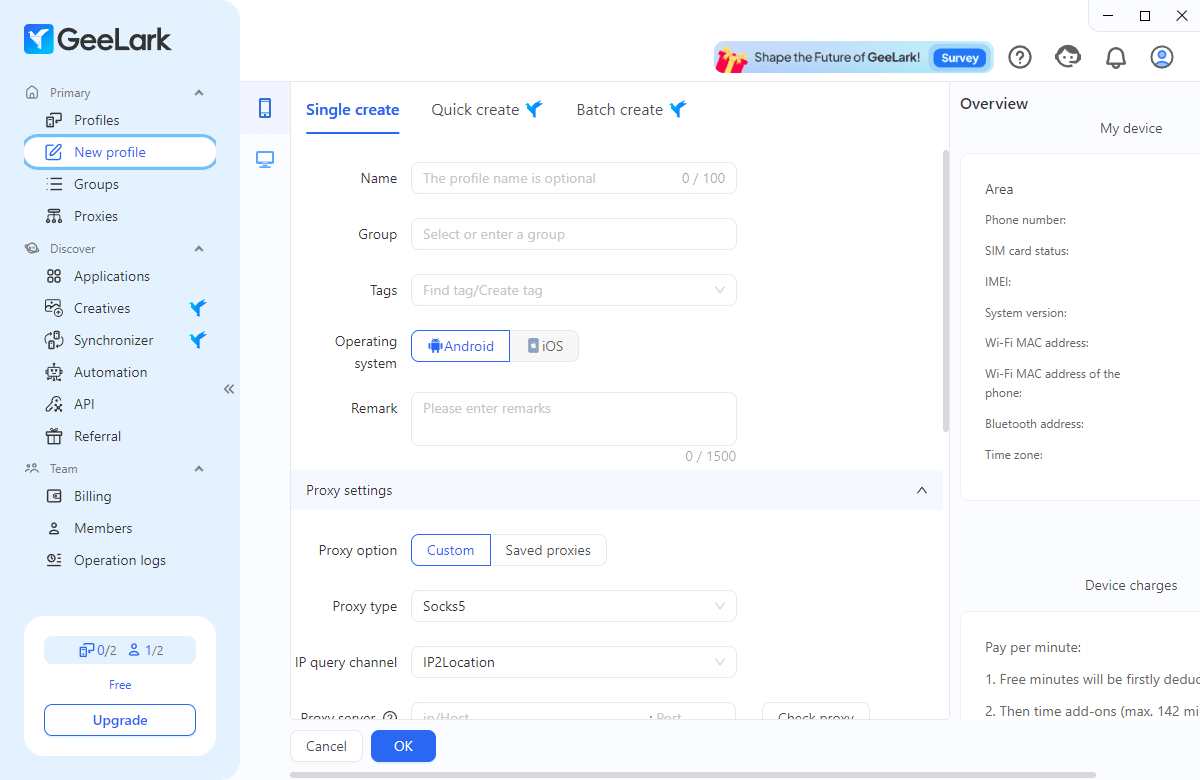
GeeLark works on two levels, and it’s worth separating them before comparing anything:
- Cloud phone profiles. Virtual Android devices hosted on GeeLark’s servers. Each has its own device identifiers, runs real Android apps from an app store or APK, and is controlled from a window on your computer. You choose Android 9, 10, 11, 12, 13, 14 or 15. This is GeeLark’s core product.
- Browser profiles. Desktop antidetect profiles with their own cookies, storage, fingerprint settings and proxy, for web accounts. GeeLark itself says separate settings “do not guarantee that websites cannot associate accounts”. These are what we tested on Pixelscan, Iphey and CreepJS.
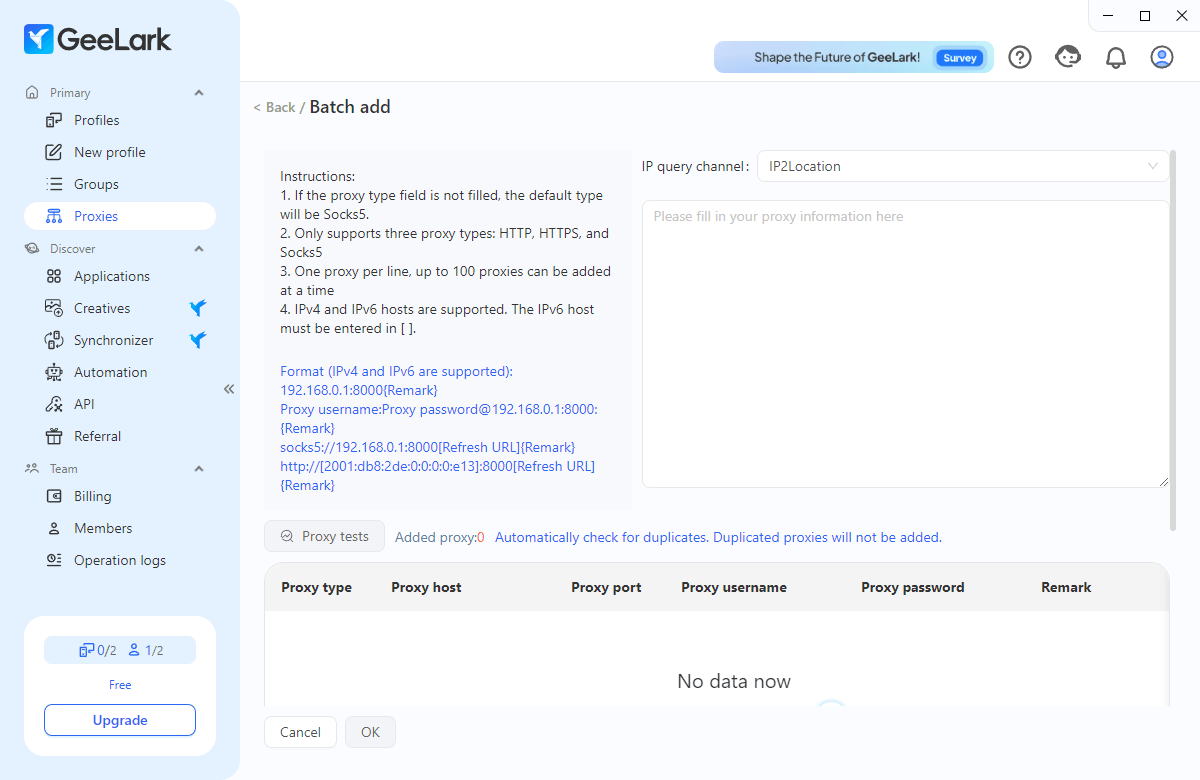
There is no iOS: GeeLark’s cloud phones are Android only.
AI Automation and RPA in 2026
GeeLark now calls itself an “AI copilot for social media marketing”. Every plan, the free one included, has:
- RPA templates for TikTok, Instagram, YouTube and other platforms: warming up accounts, posting, liking, commenting, editing profiles
- GeeLark AI: an AI assistant and AIGC tools for generating and editing content
- Operation logs for every task
Paid plans add an API, an official CLI for managing phones, browsers, proxies and billing from the command line, and an MCP server so AI tools such as Claude, Codex or Cursor can create and launch profiles. The Pro plan adds a synchronizer, which mirrors actions from one phone to others, plus analytics.
Feature Overview: GeeLark
GeeLark’s desktop app runs on Windows, macOS and Ubuntu. A short three-step intro explains the basics on first launch; newcomers will want the documentation and YouTube tutorials for anything deeper.

GeeLark dashboard at the start of our launch test, October 2, 2026
Profile Creation
A GeeLark profile is either a cloud phone or a browser profile. For phones, you pick the Android version, a proxy and a group or tags, and GeeLark generates the device identifiers. Quick and bulk creation, profile cloning and batch phone replacement are Pro-plan features; on Base you create profiles one by one.
Plans also cap daily activity: 10 opens and 10 creates a day on Free, 200 opens and 5 creates per profile a day on Base, and 500 opens and 10 creates per profile a day on Pro.
Cloud Phone Management
Clicking Start launches the phone in its own window, which behaves like a handset: you can rotate it, record the screen or take screenshots. The first start takes a few minutes; later ones are faster.
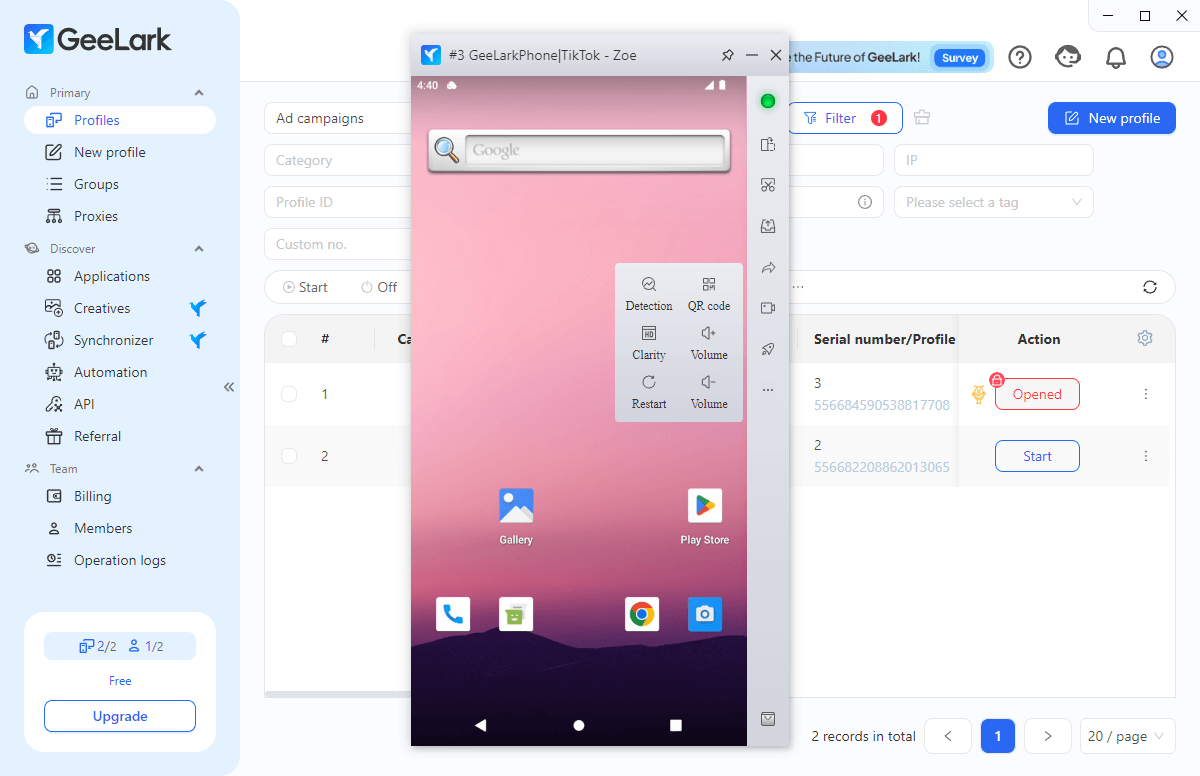
You don’t control the phone’s fingerprint parameter by parameter as you would in a browser. Each phone gets its own set of identifiers, and your main input is the proxy: the phone takes its location from it. That’s why proxy quality matters so much on GeeLark.
Applications and Automation
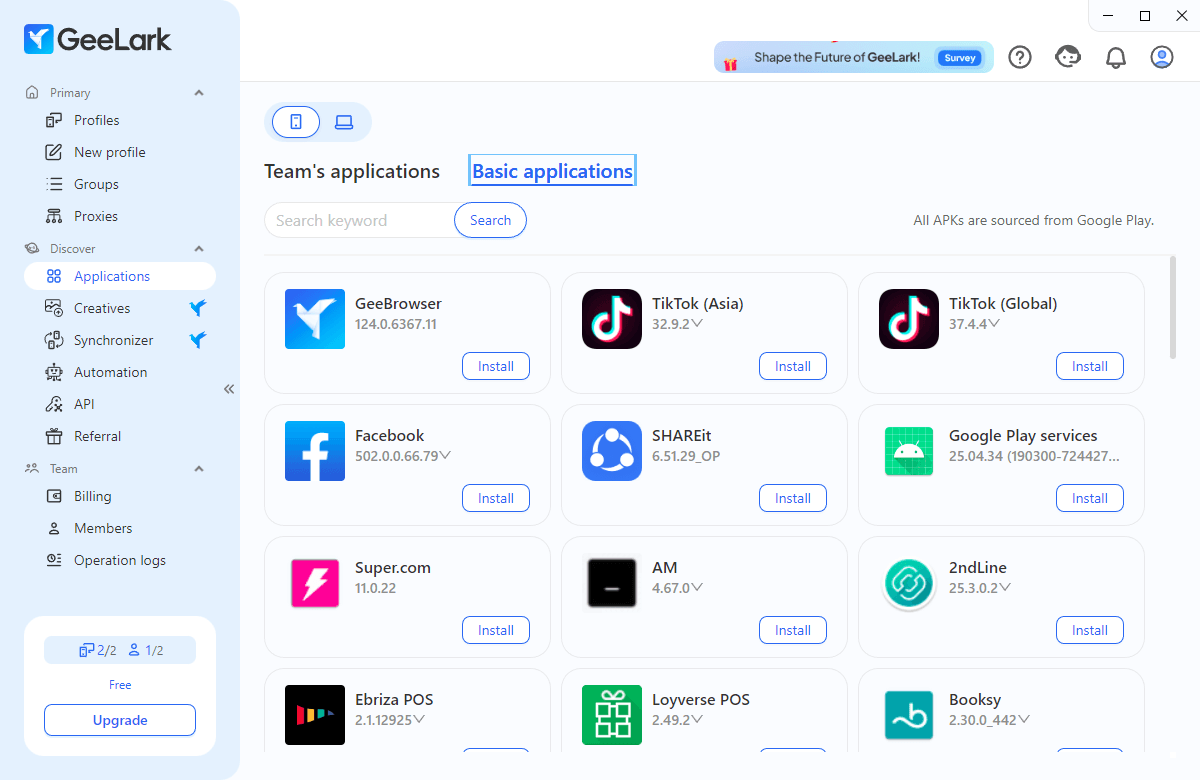
Because cloud phones are real Android environments, you install apps from the built-in catalog or upload an APK. Most popular apps come in several versions. Base adds ADB (Android Debug Bridge) access for developers; Pro adds the synchronizer for repeating actions across many phones, useful for follows, airdrop claims or daily tasks in mobile games.
Team Management
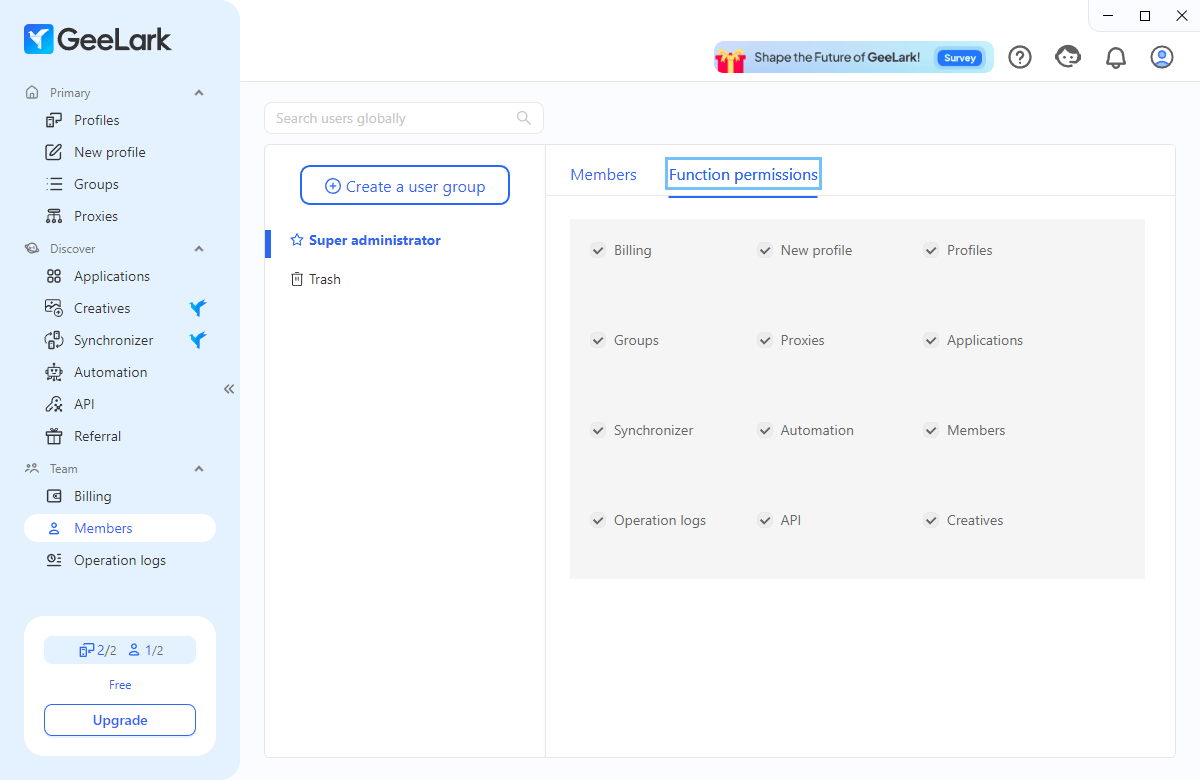
Team tools are generous. Paid plans include unlimited free seats, role assignment, permission management and profile transfer. The free plan has one seat.
GeeLark Pricing and Free Trial in 2026: Is It Actually Free?
GeeLark’s pricing has three layers, which is the main thing to understand before you buy.
1. The plan: how many profiles you can keep
| GeeLark plan | Profiles | Bonus minutes | Monthly | Yearly (per month) | Key features |
|---|---|---|---|---|---|
| Free | 2 | 30 (one time) | $0 | $0 | RPA templates, GeeLark AI, proxy management, 1 seat |
| Base | 5 | 60/mo | $5 | $3.75 | + API, ADB, profile transfer, roles; unlimited seats |
| Base | 20 | 60/mo | $13 | $9.75 | |
| Base | 100 | 150/mo | $29 | $21.75 | |
| Base | 1,000 (max) | 1,500/mo | $139 | $104.25 | |
| Pro | 20 | 60/mo | $19 | $14.25 | + bulk creation, clone, synchronizer, analytics |
| Pro | 100 | 150/mo | $39 | $29.25 | |
| Pro | 1,000 | 1,500/mo | $269 | $201.75 | |
| Pro | 50,000 (max) | 75,000/mo | $4,999 | $3,749.25 | |
| Custom | 10,000+ | Custom | On request | On request | Custom features |
Paying yearly saves 25%. Bonus minutes are the cloud phone runtime included in the plan: 60 a month on smaller plans, or 1.5 minutes per profile from 50 profiles up.

GeeLark plans with yearly billing, October 21, 2026

GeeLark plans with monthly billing, October 21, 2026
2. Running the phones: minutes, rentals or parallels
Owning a profile doesn’t pay for running it. Once bonus minutes run out, you pay in one of three ways:
- Per minute: $0.007 a minute by default, with a daily cap of $1.20 per phone on paid plans. Minute packs start at $14 for 2,000 minutes, with discounts of up to 35% on very large packs, and never expire.
- Monthly rental: $29.90 per phone a month for unlimited use of that phone.
- Parallels: $39.90 a month per slot. A slot lets one cloud phone at a time run without per-minute charges, which suits teams that rotate many phones through long sessions.
Rentals and parallels also get the 25% discount on yearly billing.

GeeLark monthly rentals, parallels and minute packs, October 21, 2026
3. What it adds up to
Say you run 5 cloud phones for 8 hours a day. Per minute, that’s 2,400 minutes a day, which hits the $1.20 daily cap on each phone: about $180 a month. Renting the 5 phones instead costs $149.50 a month. Add the plan itself and your own proxies on top.

GeeLark features by plan, October 21, 2026
Is GeeLark free? Partly. The free plan gives 2 profiles and 30 minutes of cloud phone time, enough to try the interface but not to run accounts.
GeeLark Fingerprint Test Results
We tested GeeLark’s desktop browser profiles together with 11 other antidetect browsers on the same Windows 11 laptop, on the same day, with a fresh residential US proxy from FloppyData for each. We created a new profile with default settings, added only the proxy, and opened Pixelscan, Iphey and CreepJS in that order. These checkers test browsers, so the results apply to GeeLark’s browser profiles, not to its cloud phones.
- Pixelscan: consistent fingerprint. That’s an improvement on our previous test, where GeeLark failed it.
- Iphey: flagged an inconsistent browser fingerprint and rated the profile Unreliable (MX 90).
- CreepJS: 0% headless, 0% stealth, no lies detected, “like headless” 25%.
- Engine: new profiles ran Chrome 142, the oldest engine in the test and 12 versions behind stable Chrome 154. Newer engines up to Chrome 151 can be downloaded in settings.
- Launch speed: 6.7, 5.9 and 6.2 seconds, about twice as fast as in our previous test.

Pixelscan: consistent fingerprint

Iphey: Unreliable, MX score 90

CreepJS: 0% headless, 0% stealth, Chrome 142
Gologin in the same test passed all three: Pixelscan consistent with no proxy detected, Iphey Trustworthy at 100, and CreepJS with no headless, stealth or lie signals, on Chrome 152, with a 4.0-second median launch. To be fair, Gologin’s “like headless” score was 31%, higher than GeeLark’s 25%.
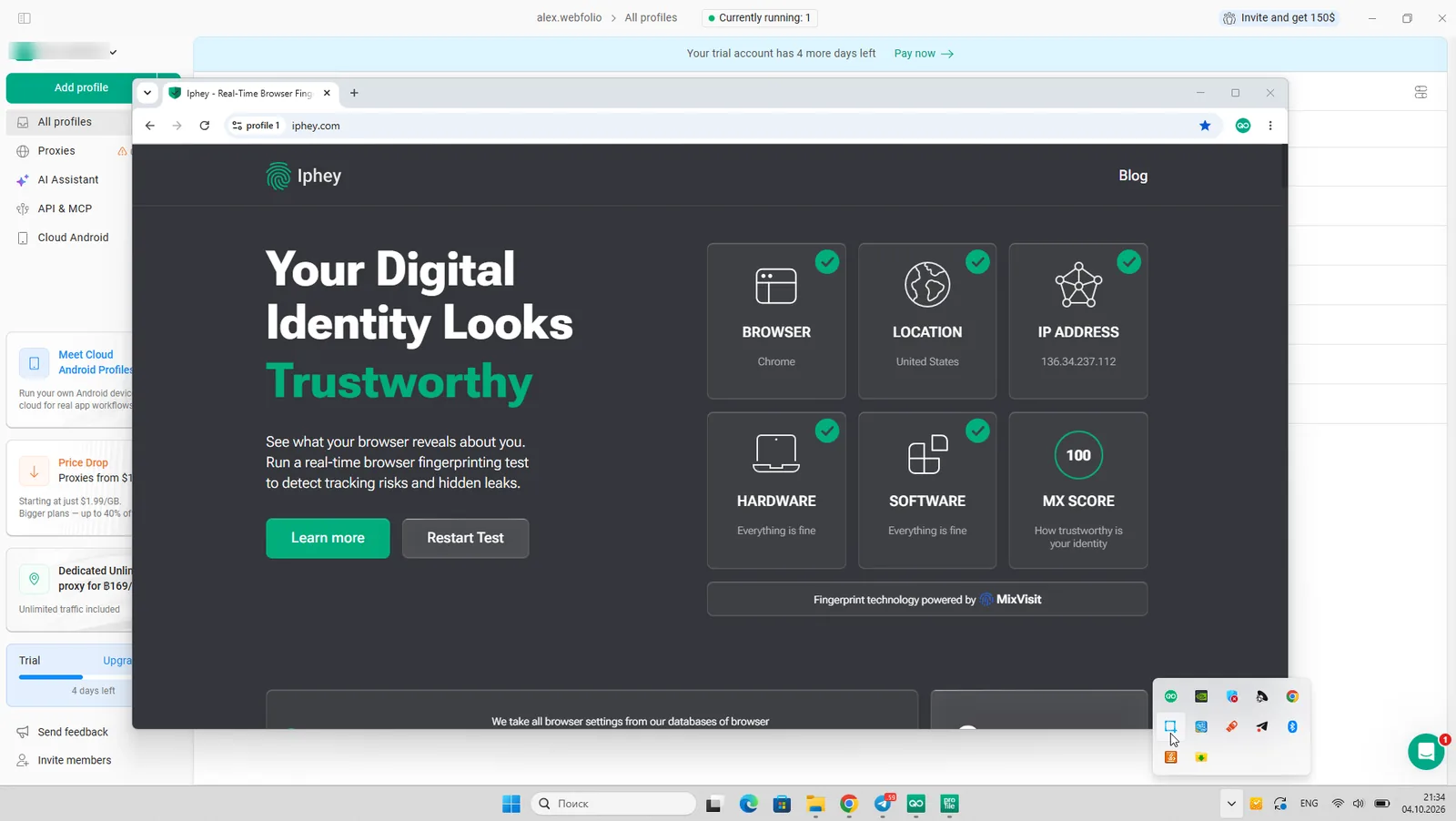
Gologin on Iphey: Trustworthy, MX score 100
Drawbacks of GeeLark: What to Consider Before Buying
- Running costs are hard to predict. Plans, minutes, rentals and parallels are billed separately. Automated tasks that run all day drain minutes quickly, and when the balance runs out, phones stop.
- No built-in proxies. GeeLark manages proxies well: bulk import of up to 100 at a time, HTTP, HTTPS and SOCKS5, IPv4 and IPv6, and automatic location checks. But you have to buy every proxy elsewhere.
- Desktop profiles lag behind. An outdated default Chrome engine and an Iphey flag make GeeLark’s browser profiles weaker than its cloud phones.
- Android only. There’s no iOS environment for workflows that need iPhone devices.
- Daily limits. Plans cap how many profiles you can open and create per day.
- Proxy and timezone sync. On cloud phones, location comes from the proxy, so a low-quality or mislocated proxy shows up directly in the phone’s network data.
Reputation and Customer Support
GeeLark launched in late 2023 and is run by 42 Studio Pte. Ltd. in Singapore. Support works through Telegram, WhatsApp, email and a Discord community, and documentation lives in a help center and on YouTube in English, Russian and Vietnamese.
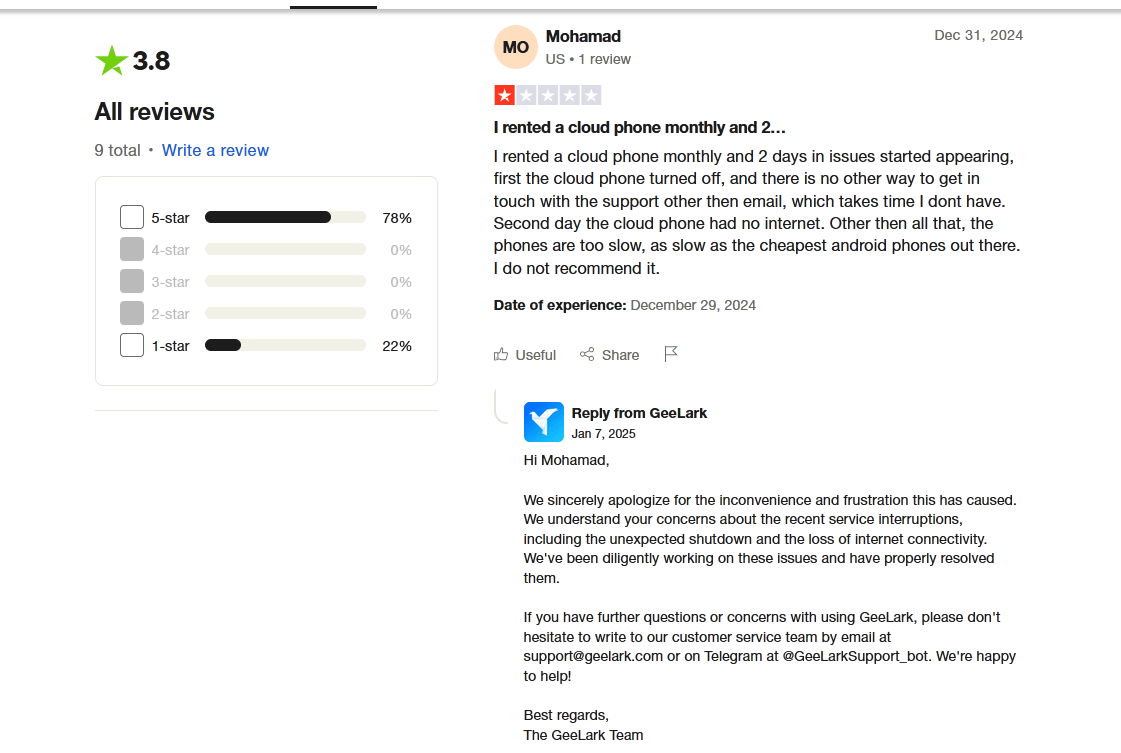
Reviews are polarized. On G2, GeeLark is rated 4.9 out of 5 from 44 reviews. On Trustpilot it has 72 reviews, 79% five-star and 21% one-star, with nothing in between. Trustpilot shows no rating for GeeLark: the page carries a warning that its rating is unavailable “due to a breach of our guidelines”, and says Trustpilot removed a number of fake reviews.

GeeLark on Trustpilot: rating unavailable, fake reviews removed, October 21, 2026
Positive reviews praise not needing physical phones, the API documentation and fast support. Negative ones mention slow phones, network problems even with working proxies, and costs that add up.
A satisfied GeeLark customer. Source: G2
Best GeeLark Alternatives in 2026
| Alternative | Best for | Mobile | Paid from |
|---|---|---|---|
| Gologin | Browser-first multi-accounting with clean fingerprints, plus cloud Android | Cloud Android minutes in every plan; native Android and iOS apps | $9/mo, $4.50/mo yearly |
| Multilogin | Larger teams that want browser profiles and cloud phones from one vendor | Cloud Android phones | $149/year |
| MoreLogin | Small budgets that need a few desktop profiles plus cloud phones | Cloud phones | $9/mo, $5.40/mo yearly |
| AdsPower | No-code RPA on desktop | iOS app, cloud phones | $9/mo, $5.40/mo yearly |
| Octo Browser | Teams that want the newest Chrome engine | iOS and Android apps | €10/mo |
For mobile-specific options, see our guide to the best antidetect browsers for Android.
How Does GeeLark Compare to Gologin Cloud Android?
Both tools let you run virtual Android phones instead of a physical phone farm, but they start from opposite ends. GeeLark is a cloud phone platform with browser profiles added. Gologin is an antidetect browser with Cloud Android and mobile apps added.

Pricing: One Plan vs Several Meters
GeeLark bills the plan, then phone runtime by the minute, by rental or by parallel slot. That’s flexible and can be cheap if your phones run only briefly, but costs rise fast with long sessions.
Gologin keeps it in one subscription. Every paid plan includes cloud Android minutes: 30 a month on Professional plans, 60 on Business 300 and 500, and 120 on Enterprise and Custom. If your workflow needs many phones running all day, compare GeeLark’s rental price with your expected Gologin usage before you decide.
Here’s what the plans themselves cost for the same number of profiles:
| Profiles | GeeLark Base monthly | GeeLark Pro monthly | Gologin monthly | GeeLark Base yearly | GeeLark Pro yearly | Gologin yearly |
|---|---|---|---|---|---|---|
| 10 | $9 | — | $9 | $6.75 | — | $4.50 |
| 20 / 25 | $13 (20) | $19 (20) | $19 (25) | $9.75 | $14.25 | $9.50 |
| 50 | $19 | $29 | $29 | $14.25 | $21.75 | $14.50 |
| 100 | $29 | $39 | $39 | $21.75 | $29.25 | $19.50 |
| 300 | $69 | $109 | $99 | $51.75 | $81.75 | $49.50 |
| 500 | $89 | $169 | $139 | $66.75 | $126.75 | $69.50 |
| 1,000 | $139 | $269 | $179 | $104.25 | $201.75 | $89.50 |
| 2,000 | — | $369 | $279 | — | $276.75 | $139.50 |
GeeLark Base is cheaper on monthly billing, but it has no synchronizer or bulk profile creation. Against GeeLark Pro, which has them, Gologin costs the same or less at every size and is cheaper on yearly plans. And GeeLark’s plan price doesn’t include phone runtime beyond the bonus minutes.

Gologin Personal plans with yearly billing, October 2026

Gologin Business plans with yearly billing, October 2026
Proxies and Fingerprints
On GeeLark you buy proxies from third parties, paste them in, and make sure each phone’s location matches its proxy. Gologin sells residential, mobile and datacenter proxies inside the app, includes 2 GB of residential traffic a month from Professional 25, and sets timezone, language and geolocation from each proxy automatically. On the desktop side, Gologin passed all three fingerprint checkers in our test, where GeeLark’s browser profiles failed Iphey.
Mobile Apps and Workflow
GeeLark is managed from its desktop app, with cloud phones only. Gologin also has native apps for Android and iPhone that sync with desktop profiles, and a cloud browser you can open from any device. Browser profiles, cloud Android phones and proxies live in one dashboard.
Where GeeLark Is Stronger
To be fair: if your accounts live inside Android apps and need to run for hours, GeeLark’s rentals, parallels, ADB access, Android version choice and app-focused RPA templates are built for exactly that. Its free unlimited team seats are also generous.
FAQ
Is GeeLark free?
GeeLark has a free plan with 2 profiles, 1 seat and 30 minutes of cloud phone time. That’s enough to try it, not to run accounts. Paid plans start at $5 a month ($3.75 yearly) for 5 profiles, and running cloud phones costs extra.
How much does GeeLark cost in 2026?
Base starts at $5 a month for 5 profiles and Pro at $19 a month for 20 profiles; yearly billing saves 25%. On top of that, cloud phones cost $0.007 a minute (capped at $1.20 per phone per day), $29.90 a month per rented phone, or $39.90 a month per parallel slot.
Does GeeLark support iOS?
No. GeeLark’s cloud phones run Android 9 to 15 only. Gologin has a native iOS app for iPhone and iPad and a native Android app, both synced with desktop profiles.
Are there runtime limits on GeeLark cloud phones?
Yes. Each plan includes a small number of bonus minutes; after that, phones run on paid minutes, a monthly rental or a parallel slot. If your minute balance runs out, phones stop until you top up. Plans also cap daily profile opens and creations.
Does GeeLark have built-in proxies?
No. GeeLark supports HTTP, HTTPS and SOCKS5 proxies of any type and lets you import up to 100 at once, but you buy them elsewhere. Gologin sells proxies in-app and includes 2 GB of residential traffic from Professional 25.
What is the difference between GeeLark and an antidetect browser?
An antidetect browser gives each profile a separate browser fingerprint on your computer. GeeLark’s main product is cloud phones: whole Android devices hosted on its servers that run real mobile apps. GeeLark also has browser profiles, and Gologin also has cloud Android, so the overlap is growing.
What is the best GeeLark alternative?
For browser-based multi-accounting with clean fingerprints, Gologin passed all three checkers in our test, costs from $4.50 a month on a yearly plan, and includes cloud Android minutes and mobile apps. For a cloud-phone-heavy setup, Multilogin and MoreLogin also offer cloud phones.
Is there a GeeLark promo code?
GeeLark runs a referral program and occasional promotions on its site. If you’re considering Gologin instead, see the Gologin switch page and start with the free plan or the 7-day trial.