
Accovod vs. Gologin: Fair Reviews and Browser Comparison in 2026
With an expanding number of web browsers competing for consumer attention, the Accovod browser has hit the market. It promises a fast, secure, and feature-rich Internet experience. But is this true? In this evaluation, we present an unbiased evaluation of both its advantages and disadvantages.
On the plus side, Accovod has a nice interface, good search performance, and some features that set it apart from big competitors. However, it also has some problems. Users may worry about their safety, experience performance issues, and not be able to make many changes.
Main Features of the Accovod Browser
At the moment, the Accovod Browser has a nice interface and a lot of useful tools. Great features may be found by different types of users. Still, some problems with different parts may show up.
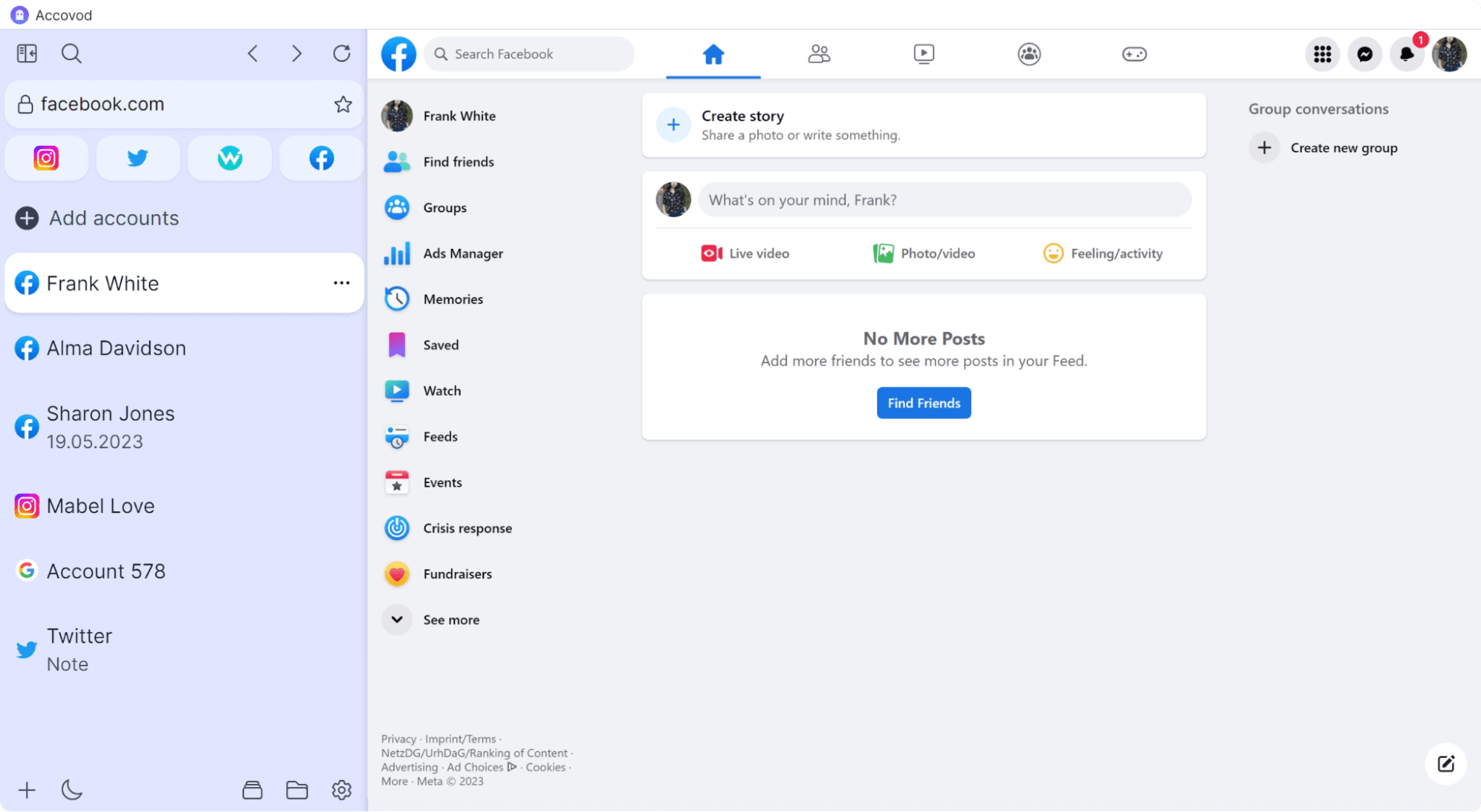
UI and Usage Comfort
The Accovod Browser’s user design is simple and easy to use, so most people can use it. Tabs, an options menu, and favorites are some of the layout’s easily recognizable parts. Plus, Accovod’s website is easy to understand, so setting up the browser is quick.
Even though minimalism is good for you the design as a whole looks old, especially when you compare it to current browsers. The color scheme and button styles don’t look as clean and modern as they do in newer options.
The framework of the website is pretty much the same, and there aren’t many visual changes. People who like sleek modern displays might not like these design choices.
Launching Accovod
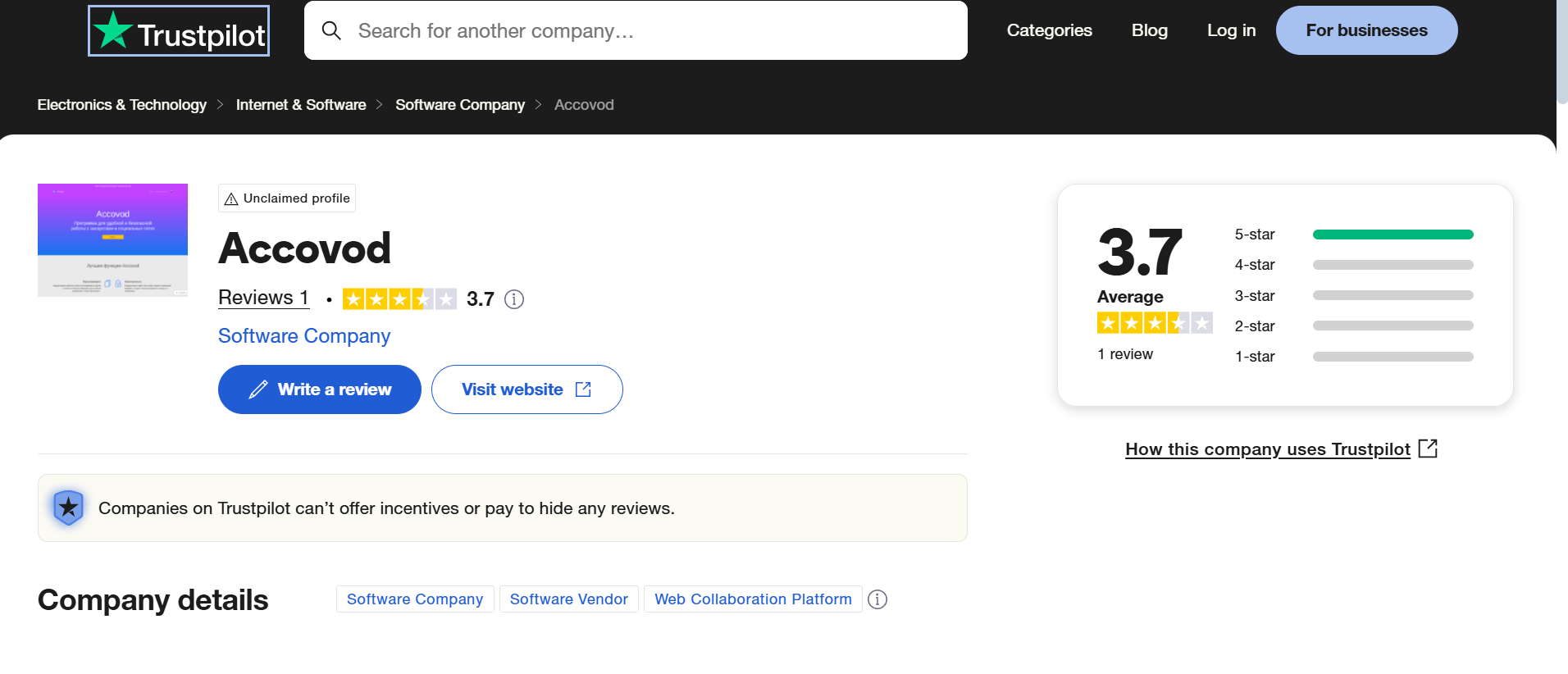
Accovod is quite easy to use. Customers may sign up in seconds without having to go through additional verification processes, making the account creation simple. This makes access to the browser quick and easy.
The program has a clean layout and is easy to use. You don’t need to know anything about advanced technology to get started. But even though simplicity might seem like a good thing, it can be dangerous for your safety and security. The browser may be less secure because they don’t have as many protection features.
Common Use Cases
A lot of people connect Accovod Browser to online advertising, traffic arbitrage, and social media marketing. In their reviews of Accovod users often talk about these businesses. They like it when you can make an account and set it up quickly.

Accovod has numerous online reviews from users. They currently mention simplicity but are not satisfied with pricing plans. Besides, some online reviews seem suspiciously AI-generated. They often praise features that do not actually exist or exaggerate the browser’s capabilities.
Account Security
Accovod browser provides some basic security features, such as built-in ad blocking and tracker prevention. They help you stay private online. In addition, it offers encrypted connections to protect user data from frequent cyber attacks.
However, there are some serious problems. The lack of obligatory verification during account creation makes it easier for bad actors to misuse the site. Furthermore, there is insufficient openness in data protection regulations, creating concerns about how user data is handled.
Pros & Cons of Accovod
Check the final pros and cons below:
Pros
- The website is simple to use, so even people who aren’t tech-savvy can use it
- Pages load quickly, providing a smooth experience
- Since our last review, Accovod has added a dedicated Business tier with an admin dashboard and VIP support — a real step toward serving agencies and teams, not just solo users
- A new iOS mobile app (Cloud tier and up) closes a gap we’d flagged before
Cons
- Accovod does not effectively mask browser fingerprints
- Setting up proxies is not user-friendly, limiting anonymity options
- Privacy rules aren’t clear, which makes people worry about data handling and security
- Still no free trial on any tier, including the new $200/month Business plan — a steep way to test whether the added features actually work for your use case
Still, simple people might not have any issues. They’re mostly linked to professional users who use Accovod for things like arbitrage, ads, and various other purposes.
Gologin: The Most Trusted Alternative to Accovod
In 2026, Gologin is the best option for people who want to log in in a way that is better and easier. Gologin, on the other hand, keeps your online life safe with strong fingerprint security, easy proxy integration, and clear privacy policies.
Whether for marketing or advertising, Gologin offers dependability and security.
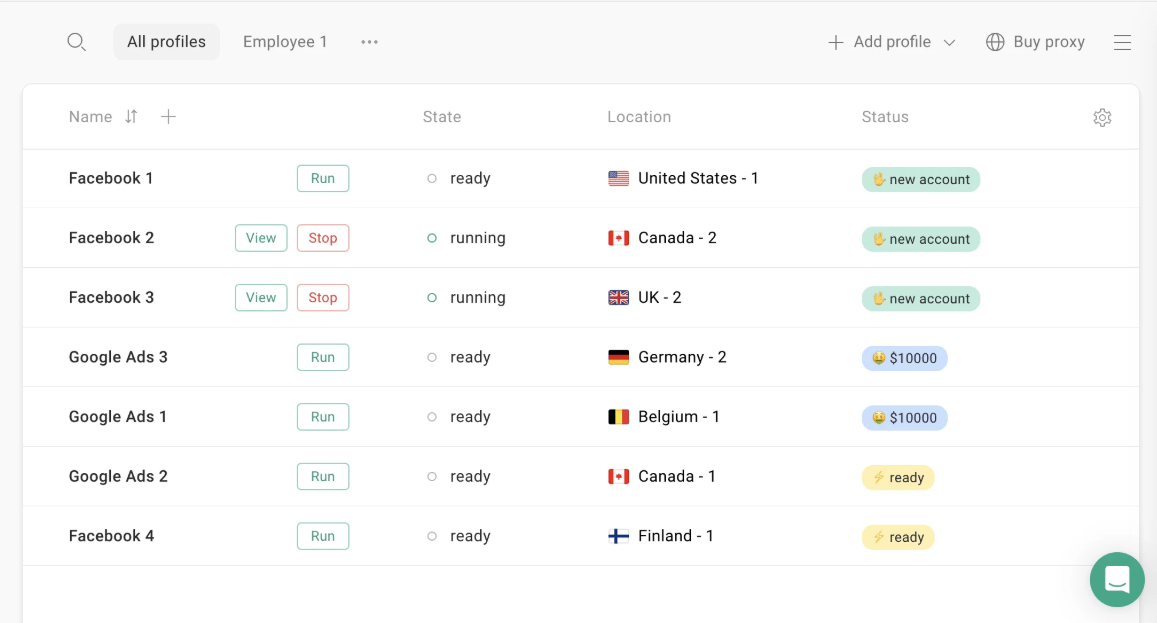
UI Features
Gologin is an easy and useful option to Accovod because it is designed to be user-friendly. The simple layout makes it easy to navigate, especially for people who are just starting out.
It’s easy to set up and handle multiple browser profiles. It’s possible with tools like fingerprint setting, built-in proxy control, and making a profile with just one click.
The simple homepage makes it easy to keep up with your profile by clearly organizing your sessions. Furthermore, the drag-and-drop feature makes work simple. It is easy to use and safe with Gologin, which makes it perfect for companies.
Protection against Fingerprinting
One of Gologin’s main advantages is its excellent fingerprint protection, which ensures users’ anonymity online. Unlike Accovod, which has insufficient fingerprint masking, Gologin employs great fingerprint emulation to prevent tracking.
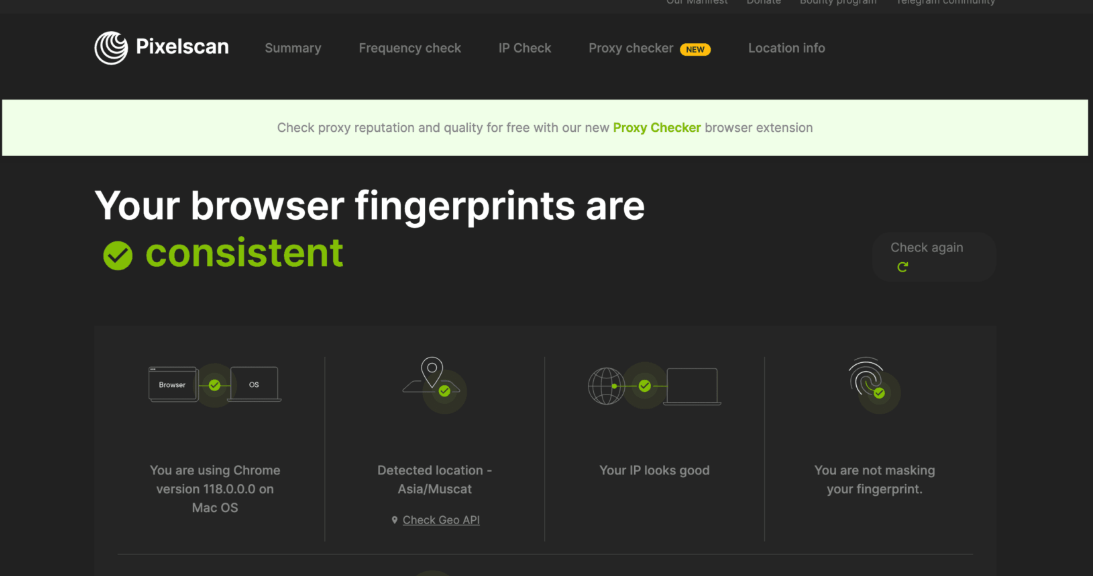
It enables users to personalize browser fingerprints, including device characteristics, time zones, languages, and hardware configurations. It results in each profile appearing as a distinct individual.
This kind of security is critical for advertisers and marketers who must manage several accounts without being identified. Gologin allows users to browse safely without having to worry about fingerprint-based tracking.
Use Cases
Gologin is widely used in a variety of businesses providing a safe and customizable browsing experience. Considering reviews and Internet mentions, people typically use Gologin for:
- Social media marketing. Manage several accounts without being marked, automate operations, and execute campaigns safely.
- Advertisement and traffic arbitrage. Easily test various traffic while avoiding detection.
- E-commerce and dropshipping. You can operate seller accounts on platforms like Amazon and eBay without fear of banning.
- Cybersecurity and web scraping. Collect data anonymously without revealing your identity.
Gologin provides enhanced security, increased privacy, and simple proxy integration. Such characteristics make it perfect for professionals.
Security Measures
Gologin prioritizes user security and privacy, and its advanced features beat Accovod. It provides strong fingerprint protection, preventing websites from tracking or linking multiple accounts.
Built-in proxy integration enables users to easily change IP addresses lowering the chance of detection.
Gologin also uses encrypted storage to protect sensitive data. It supports cloud-based surfing, which prevents local device fingerprinting. Unlike Accovod, Gologin’s privacy policies are transparent so users understand how their data is handled.
Whether for marketing, e-commerce, or cybersecurity, Gologin provides a safe, anonymous, and smooth experience.
Support & Reviews
Gologin provides timely and excellent customer service, making it a dependable option for users. Assistance is provided via live chat, email, Facebook, and WhatsApp. It gives several options for getting help.
The support team is noted for responding quickly in a kind, helpful manner. They swiftly answer users’ complaints and solve their problems.
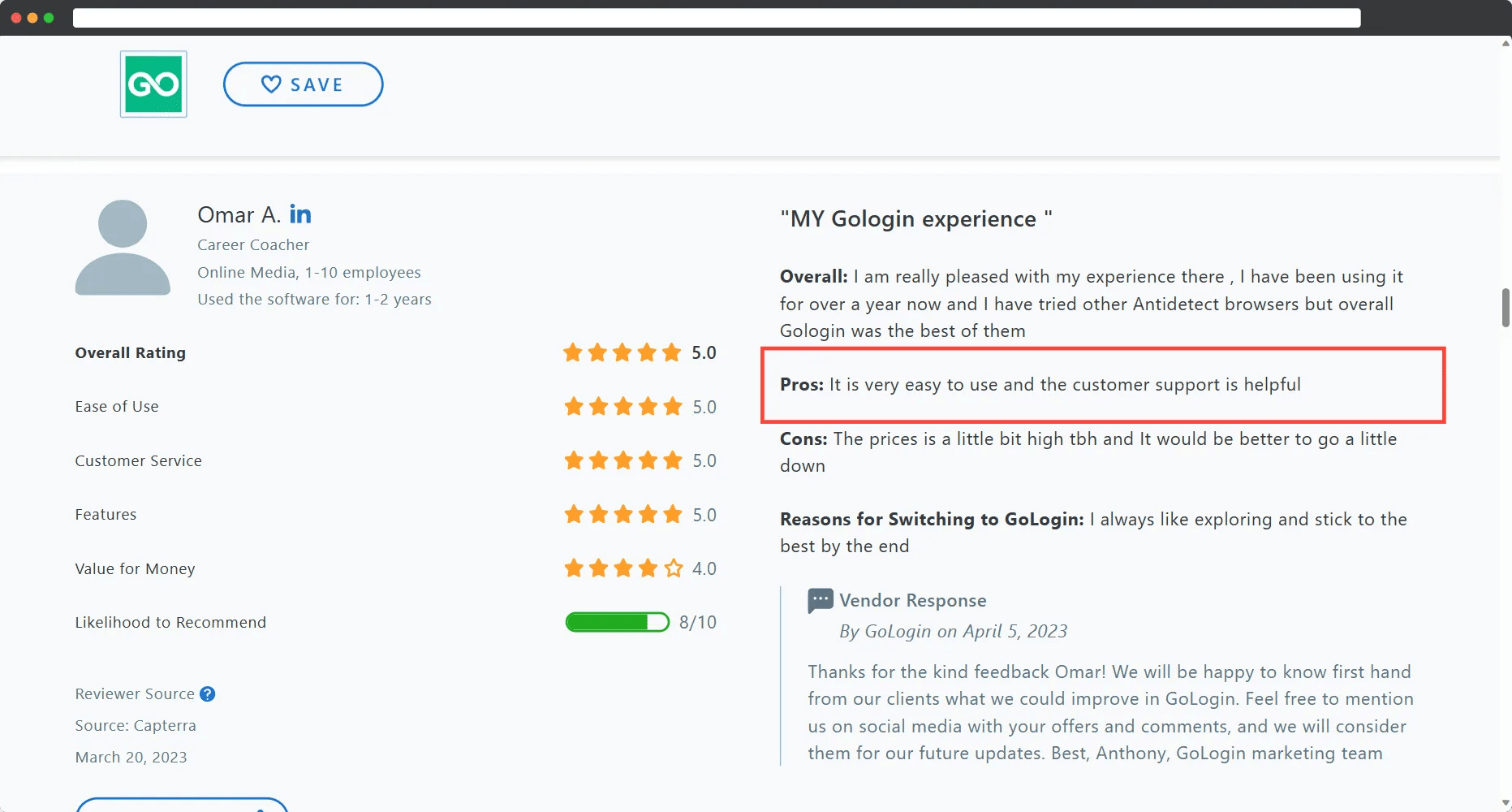
Gologin reviews appear real and trustworthy. Users usually note its robust security, ease of use, and seamless proxy integration. Unlike some suspicious AI-generated reviews of Accovos, GOLogin users emphasize actual benefits. It strengthens the company’s image as a secure, professional, and efficient option.
Pricing: Gologin vs. Accovod
When selecting a browser for multi-accounting, marketing, or other purposes, price plays a crucial role. While Accovod appears to be a budget-friendly option, Gologin provides better value with more robust security and better support with reasonable prices.
Below, we’ll evaluate the prices of both browsers to determine which offers the best mix of price and features.
Accovod Pricing Plans

Accovod now has three pricing plans instead of two: Local, Cloud, and a new Business tier. None of them include a free trial or free cancellation option, though all now show a manual renewal policy, meaning you won’t be auto-billed without confirming first.
Local ($15/month, discounted from $25 as a limited-time offer). Includes 30-day full access, unlimited local profile management, full fingerprint protection, workflow automation, and support/updates. Profiles remain stored on the local device only.
Cloud ($25/month, discounted from $35). Adds unlimited local profiles plus 200 cloud profiles (up from 150), team sharing and sync, and — new since our last review — an Accovod Mobile app for iOS.
Business ($200/month) — newly added since our original review. Built for agencies and larger teams: seats start at 11 (down to $10/seat at volume, from a $15 list price), an admin dashboard to manage seats, VIP support with a personal account manager, and 3,000 cloud profiles.
Longer commitments now come with visible discounts: 20% off for 3 months, 40% off for a full year. Despite these additions, the lack of any free trial across all three tiers still makes it a riskier commitment than Gologin’s trial-first approach.
Gologin Pricing

Gologin pricing has moved to a slider-based model, giving you more granular control over exactly how many profiles you’re paying for. All tiers include a 7-day free trial and a 7-day free return policy.
- Professional starts at $9/month (or $4.50/month billed annually) for 10 profiles, scaling up via a slider to 50 or 100 profiles, with 24/7 support and resident proxy bandwidth included at every position.
- Business starts at $119/month ($59.50 annually) for 300 profiles, scalable to 500, with team members added individually.
- Enterprise (not “Scale”) is a fixed $299/month ($149.50 annually) for 1,000 profiles.
- Custom scales up to $449/month ($224.50 annually) for 2,000 profiles, with the exact profile count and price adjustable on the pricing page itself.
Final Verdict on Gologin vs. Accovod
When comparing Accovod and Gologin, Gologin emerges as the superior option in terms of security, usability, and adaptability.
While both browsers include crucial elements for multi-accounting, Gologin has a free trial, a user-friendly interface, frequent upgrades, and greater cloud capability. This way, it becomes a convenient and safe choice.
Gologin also offers mobile access, in-app proxies, and seamless cloud profile management, which Accovod does not offer. With a 14-day free return policy Gologin is a risk-free solution for professionals and businesses.
| Parameter | Accovod | Gologin |
|---|---|---|
| Free plan | ❌ | ✅ |
| Free trial | ❌ | ✅ |
| Feature-rich | ✅ | ✅ |
| Comfort of use | ❌ | ✅ |
| Beginner-friendly | ✅ | ✅ |
| Country of origin | 🇷🇺 | 🇺🇸 |
| Updates frequently | ❌ | ✅ |
| Affordable paid plans | ✅ | ✅ |
| Mobile app | ✅ (iOS only, Cloud tier and up) | ✅ (Android + iOS coming soon) |
| Team/agency plan | ✅ (new Business tier, $200/mo) | ✅ |
| Profile cloud launch | ✅ | ✅ |
| In-app proxies | ✅ | ✅ |
Download Gologin today and test it on 7-day free trial!
Read other posts about Reviews of browsers:
- Kameleo browser review
- Best virtual browser
- Multilogin chrome browser
- Adspower browser vs gologin
- Morelogin browser alternative
- Incogniton vs gologin
- Best proxy browser
- Browserjet review
- Roxybrowser review
- Gologin vs hidemium
- Xlogin review
- Insomniac browser review
- Swspybrowser review
- Yunlark review
- Loginways review
- Nstbrowser review
- Hydraheaders browser review
- Maskfog review
- Vision-browser review
- Ultimate orb review
- AntBrowser-browser-review
- Vmlogin browser review
- Gologin-vs-identory
- Gologin-vs-switch antidetect
- Antikbrowser review
- Camoufox review
- Geelark review
- Dicloak online browser
- Vmmask antidetect browser
- Hidemyacc browser review
- Rebrowser review
- Session-box-vs gologin
- Multibrowser-review
- Xbrowser review
- Undetectable browser-vs-gologin
- Bitbrowser-review
- Fingerprintswitcher
- Aezakmi browser review
- Marketerbrowser review
- Genlogin browser review
- Linken-sphere review
- Indigo-browser
- Xpass browser alternative
- Wade browser review
- Surfinite review
- Lalicat-browser review
- Masq-antidetect review
- Octo-browser vs gologin
- Dolphin-anty vs gologin
- Mulogin review
- Aqum-browser review
- Lauth review
- Che browser vs gologin
- Logii review